

Buy a phone number to receive text messages. Choose a Private number if you want a number that is only yours, or a Shared number for one service at a lower price.
Before you start
- Enough balance in your account. The pay button tells you if you are short. See How do I add balance?
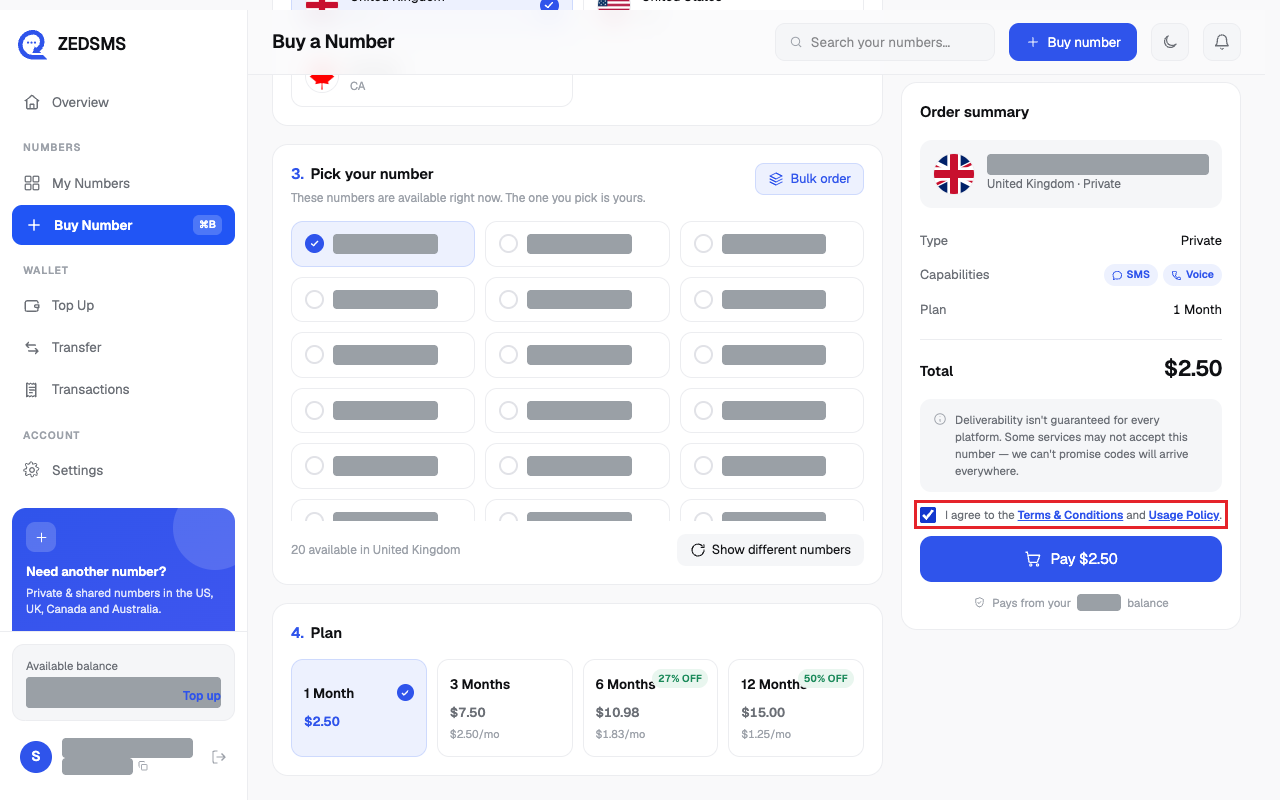
- You agree to the Terms & Conditions and Usage Policy (you tick a box before paying).
Steps
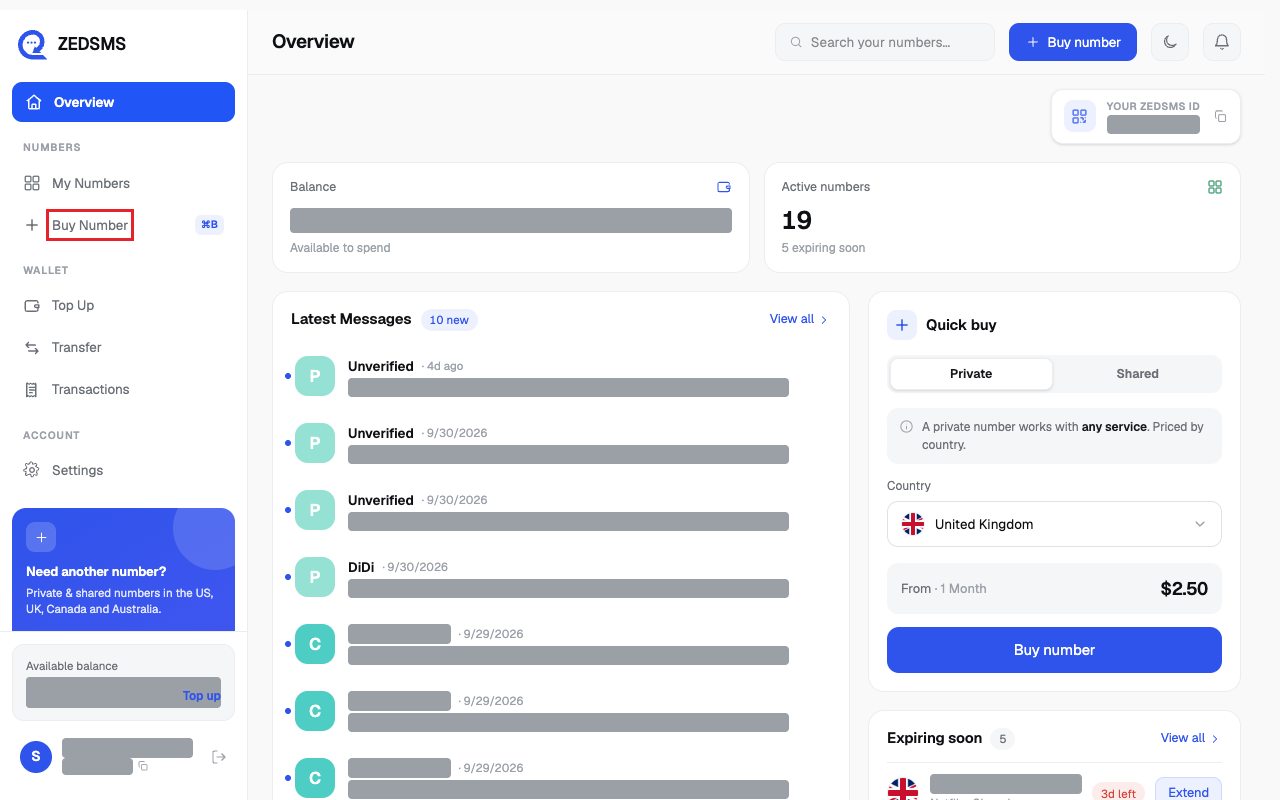
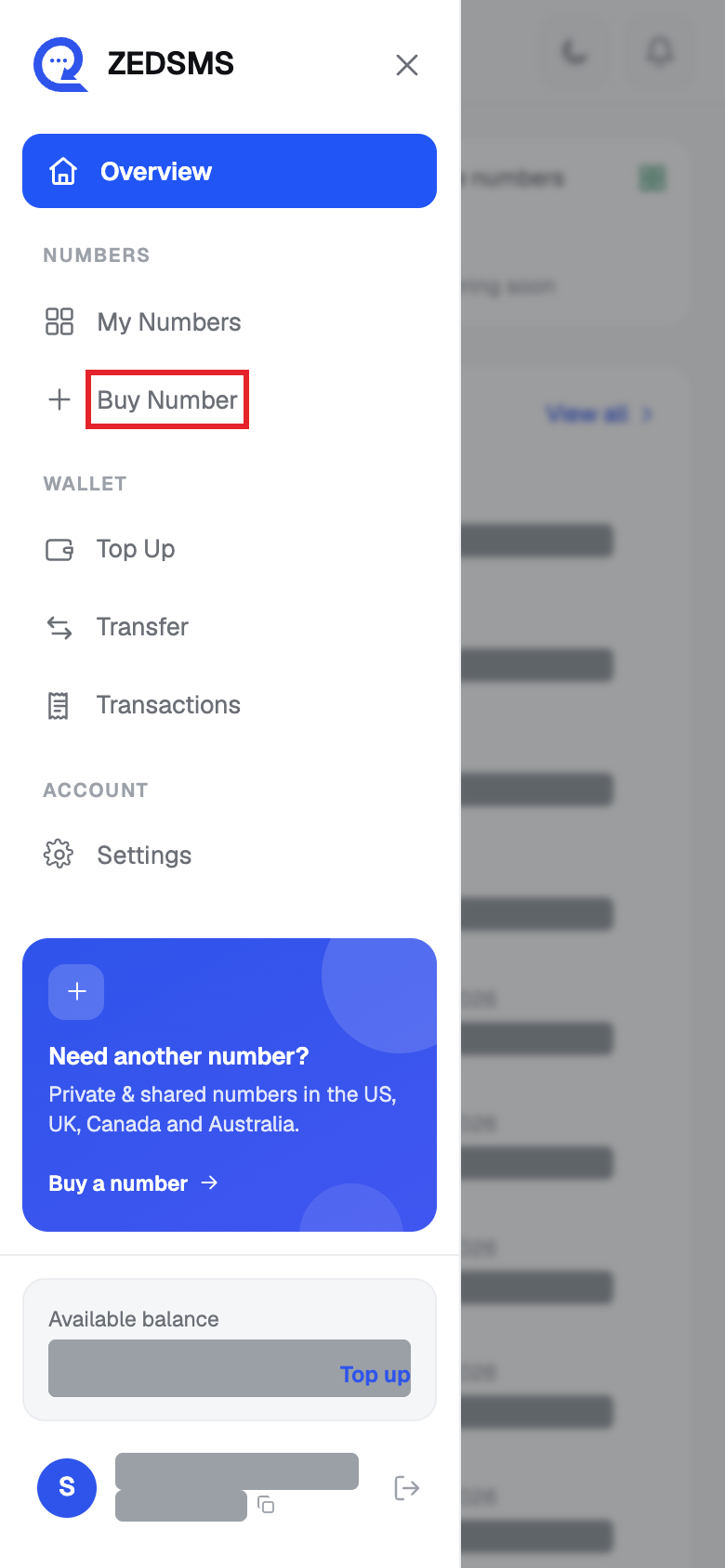
- Click Buy Number in the left menu (or Buy number at the top). On a phone, open the menu first.
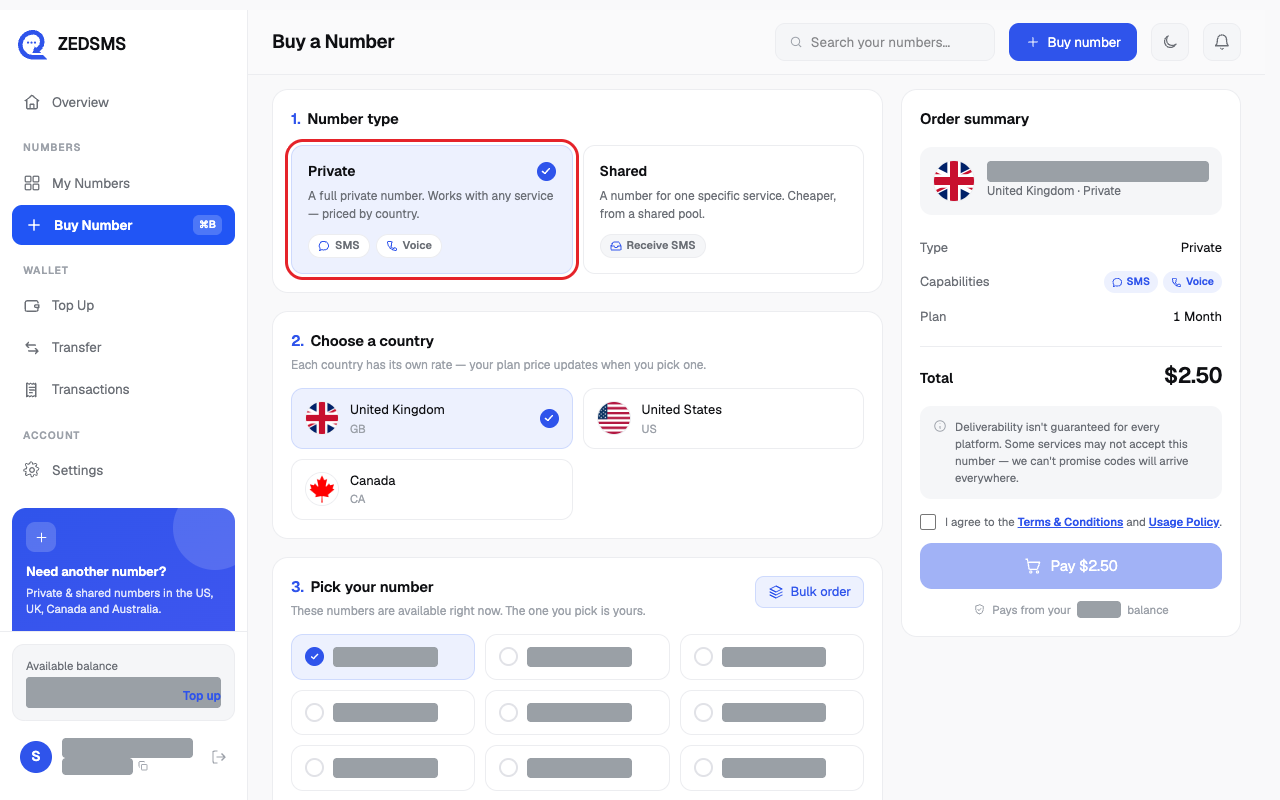
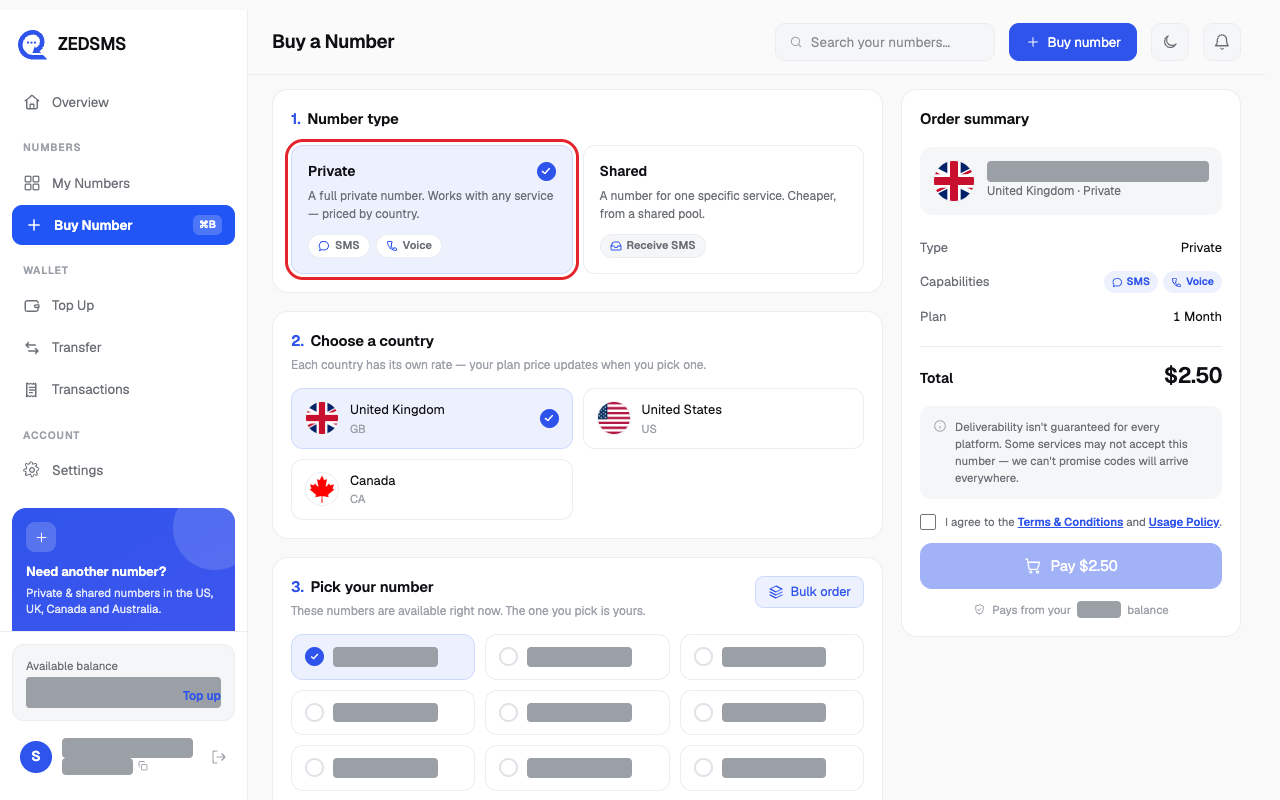
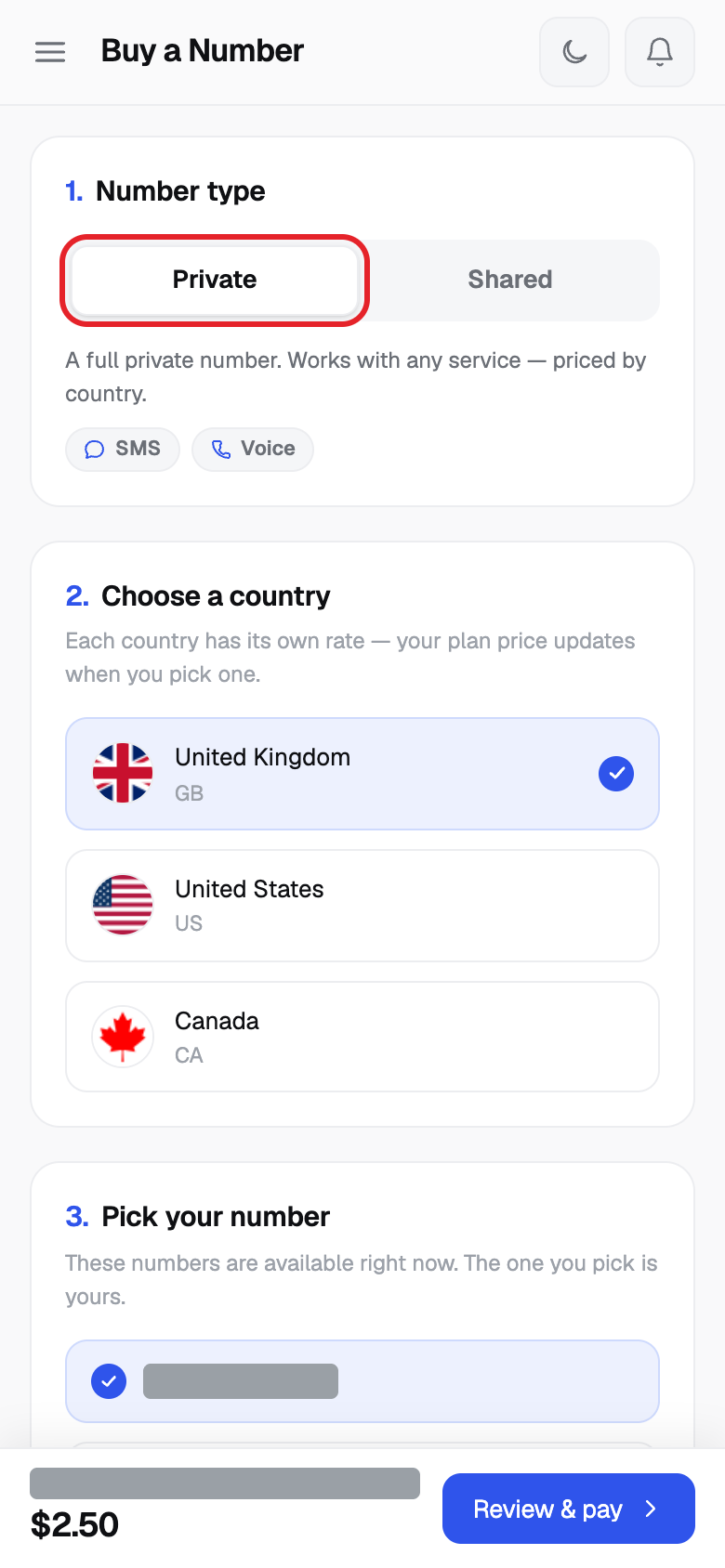
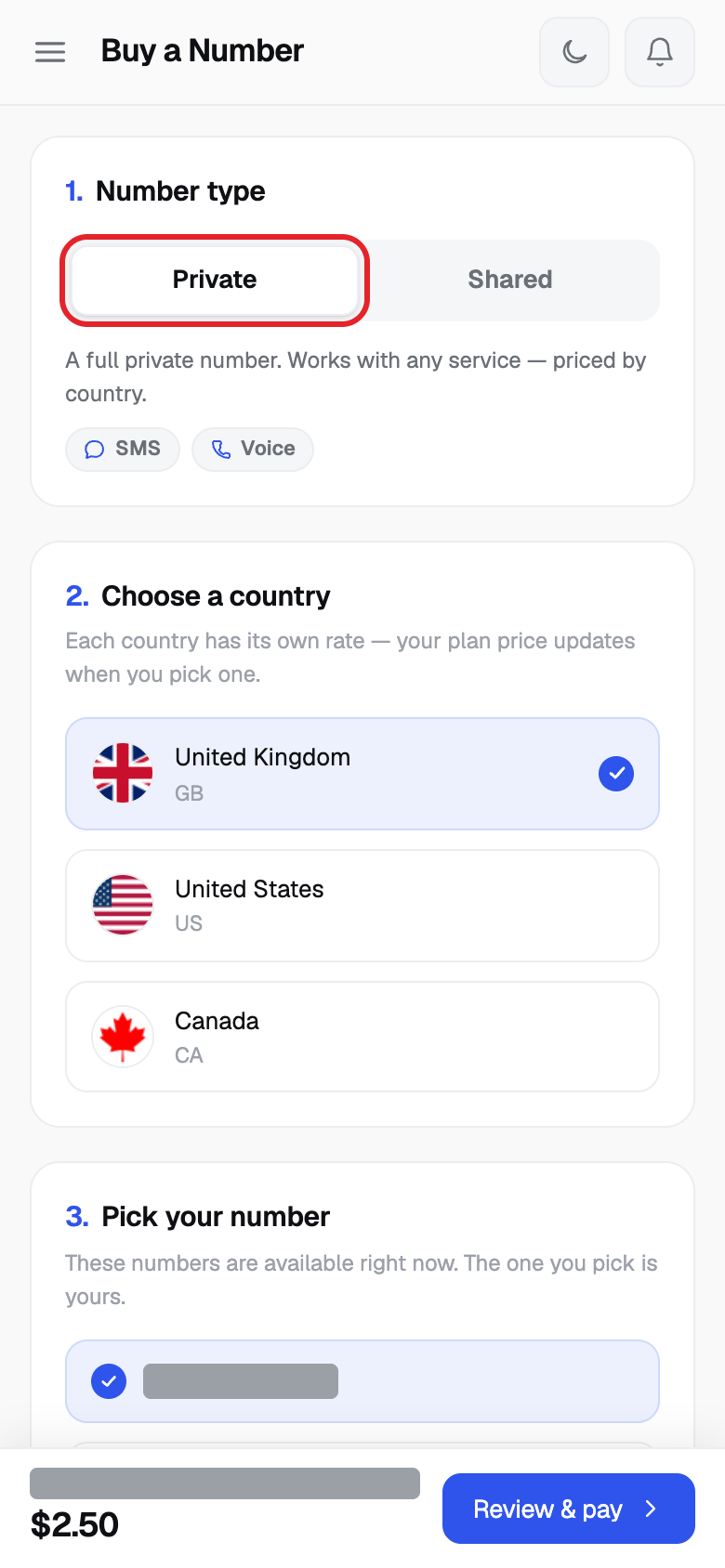
- Under 1. Number type, click Private. (See the table below to choose.)
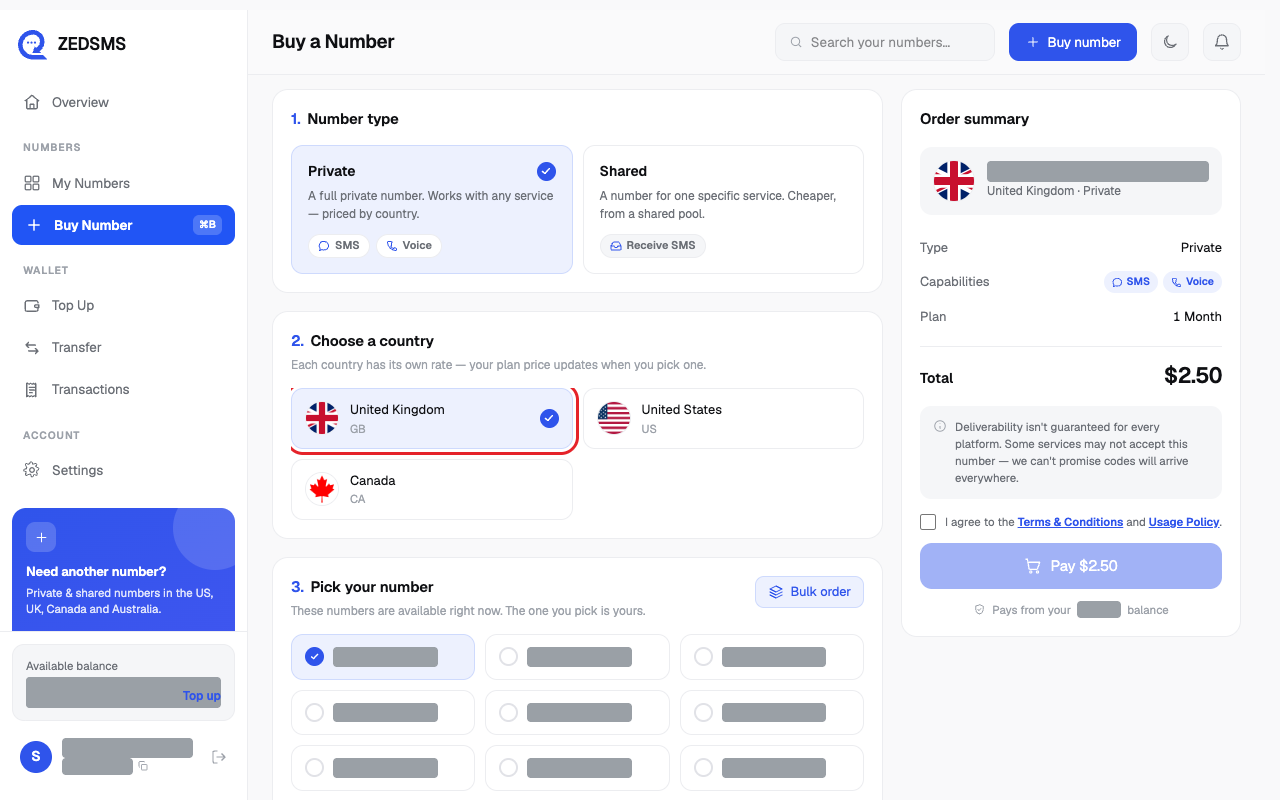
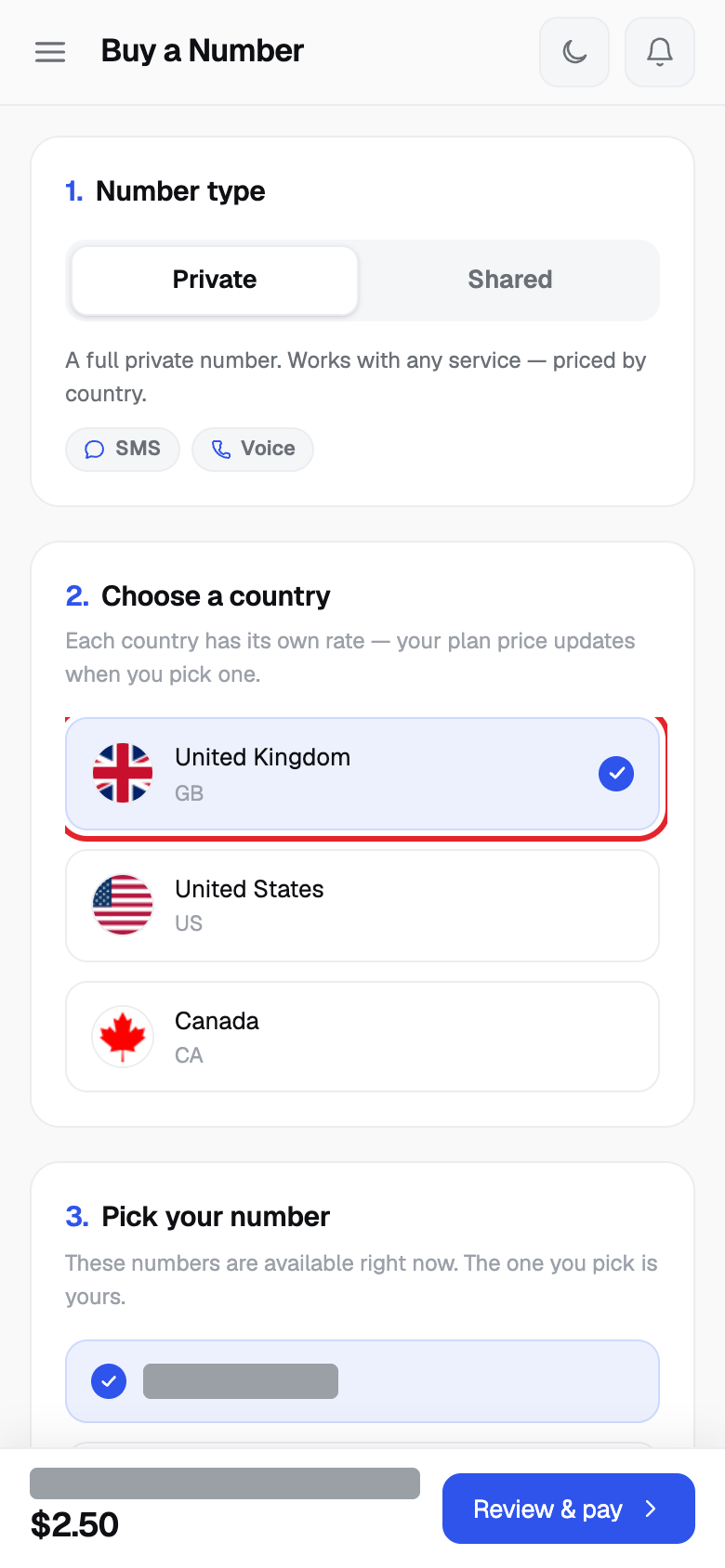
- Under 2. Choose a country, click the country you want. Countries are listed United Kingdom, United States, Canada and Australia first. If you choose United States you can also pick a State.
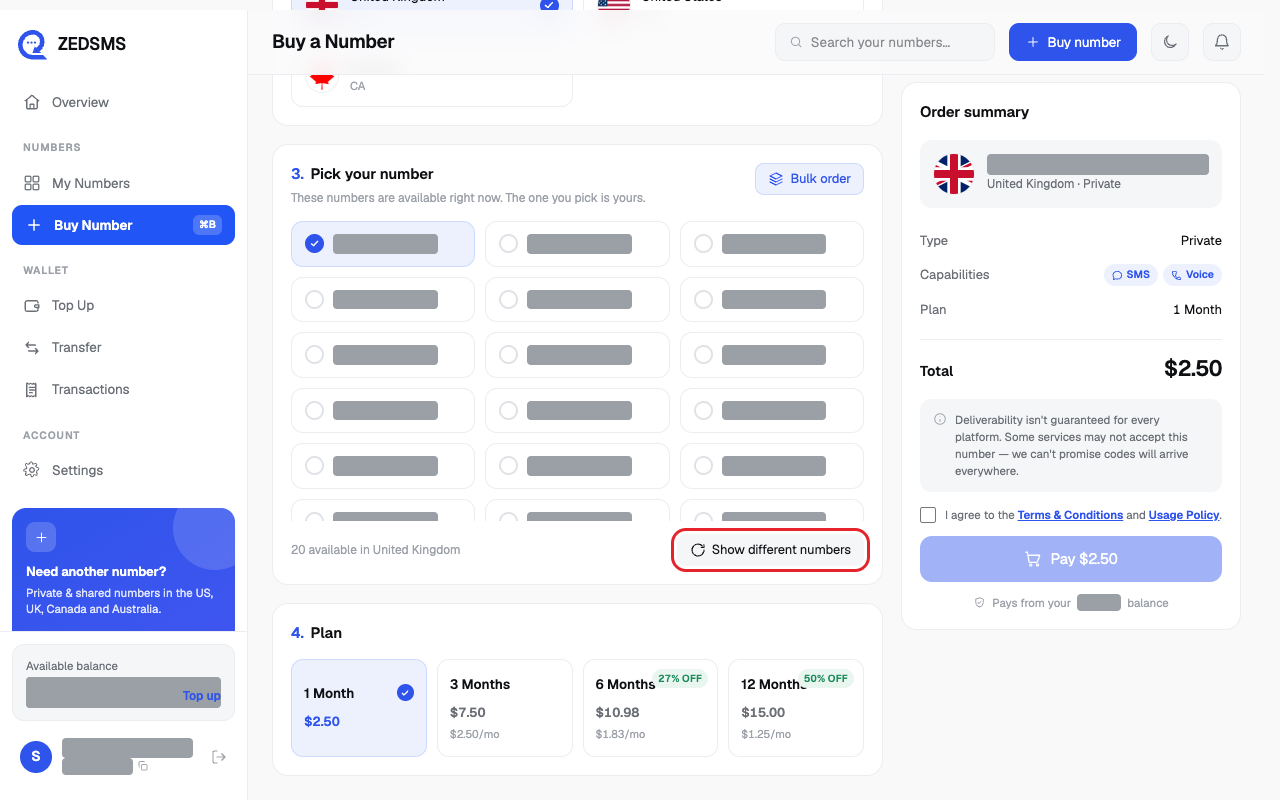
- Under 3. Pick your number, click the number you like. The first one is already chosen for you.
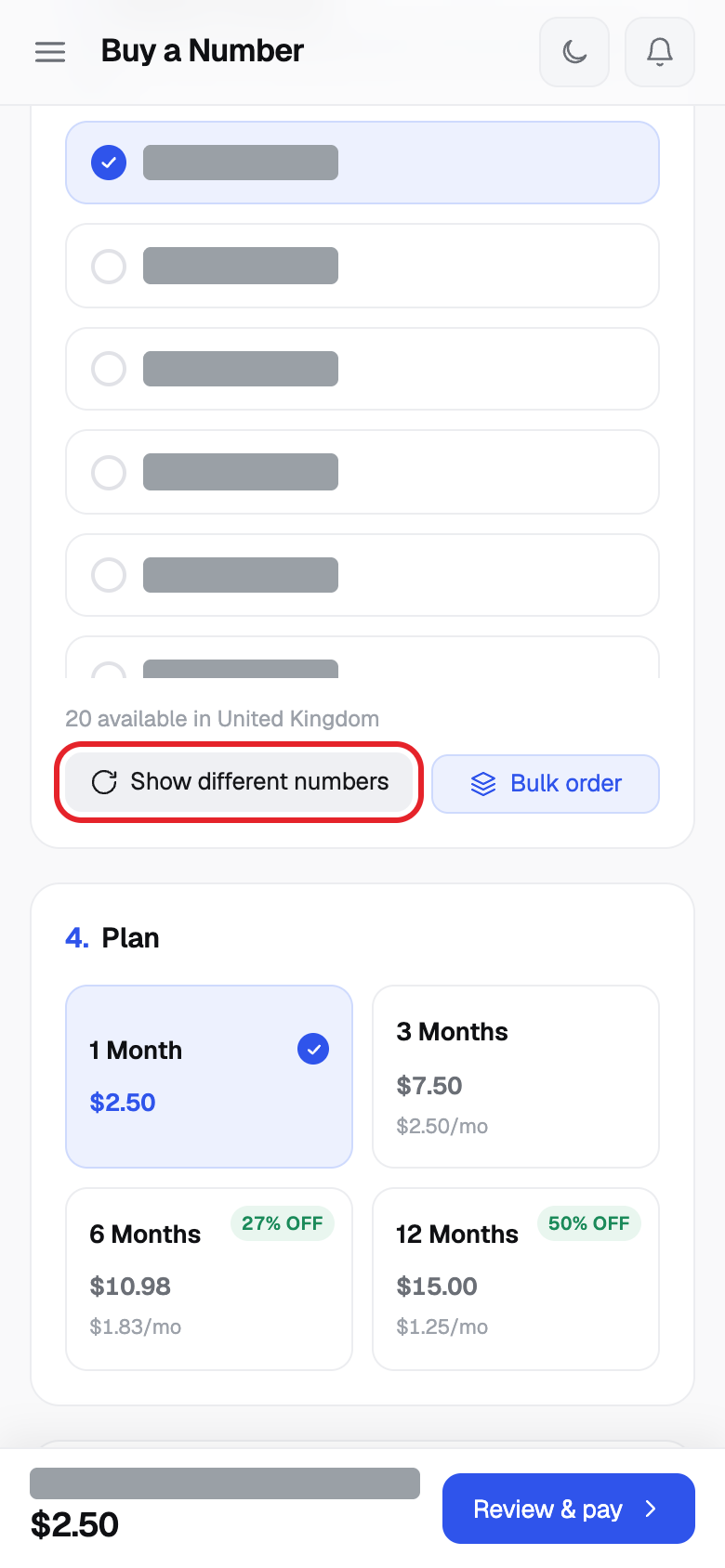
- Click Show different numbers if you want another list.
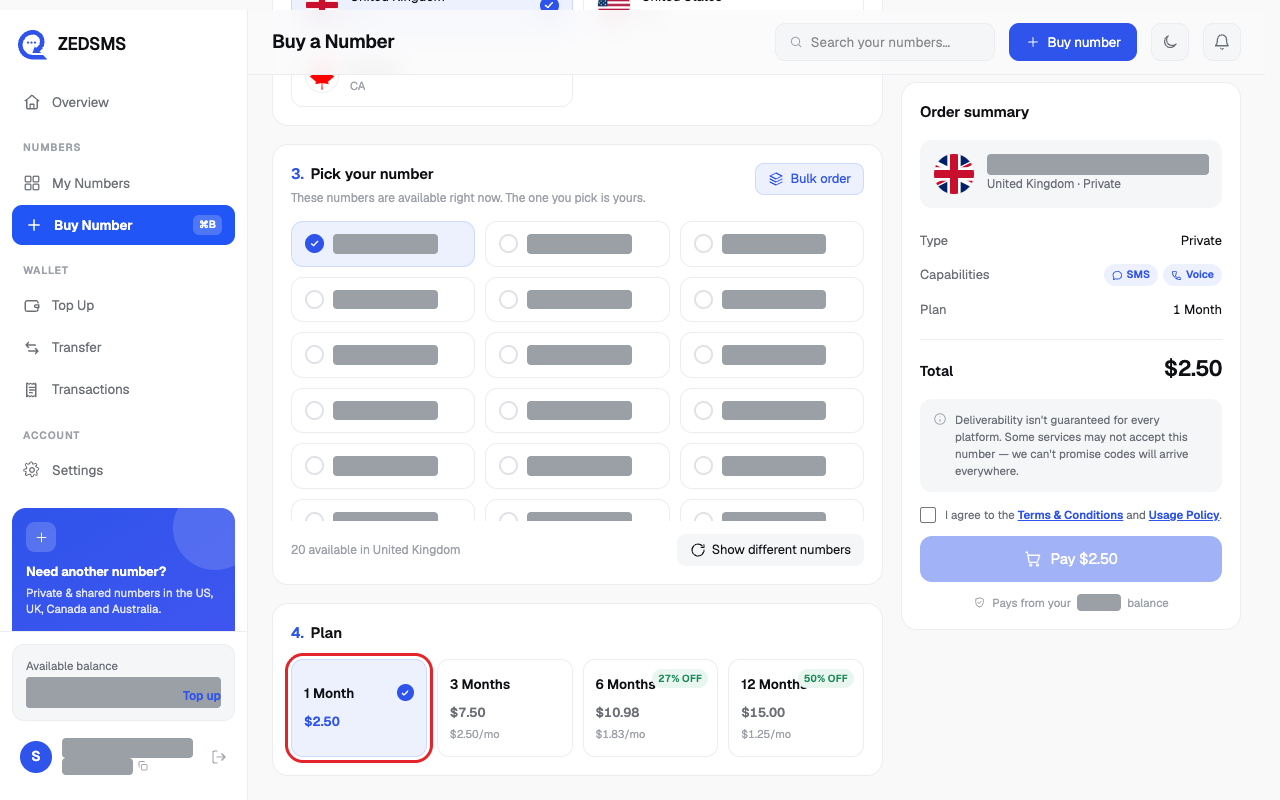
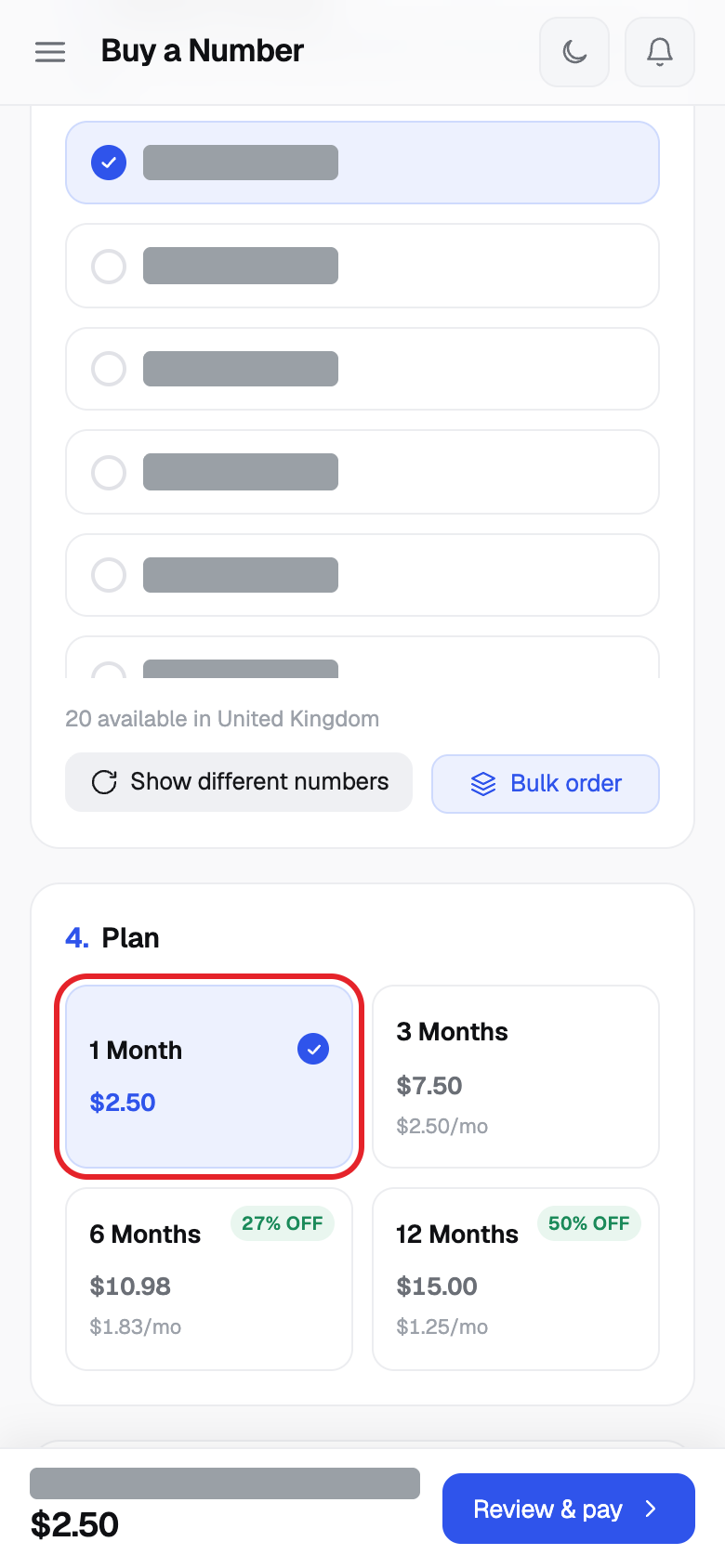
- Under 4. Plan, click 1 Month, 3 Months, 6 Months or 12 Months. Longer plans can show a % OFF tag.
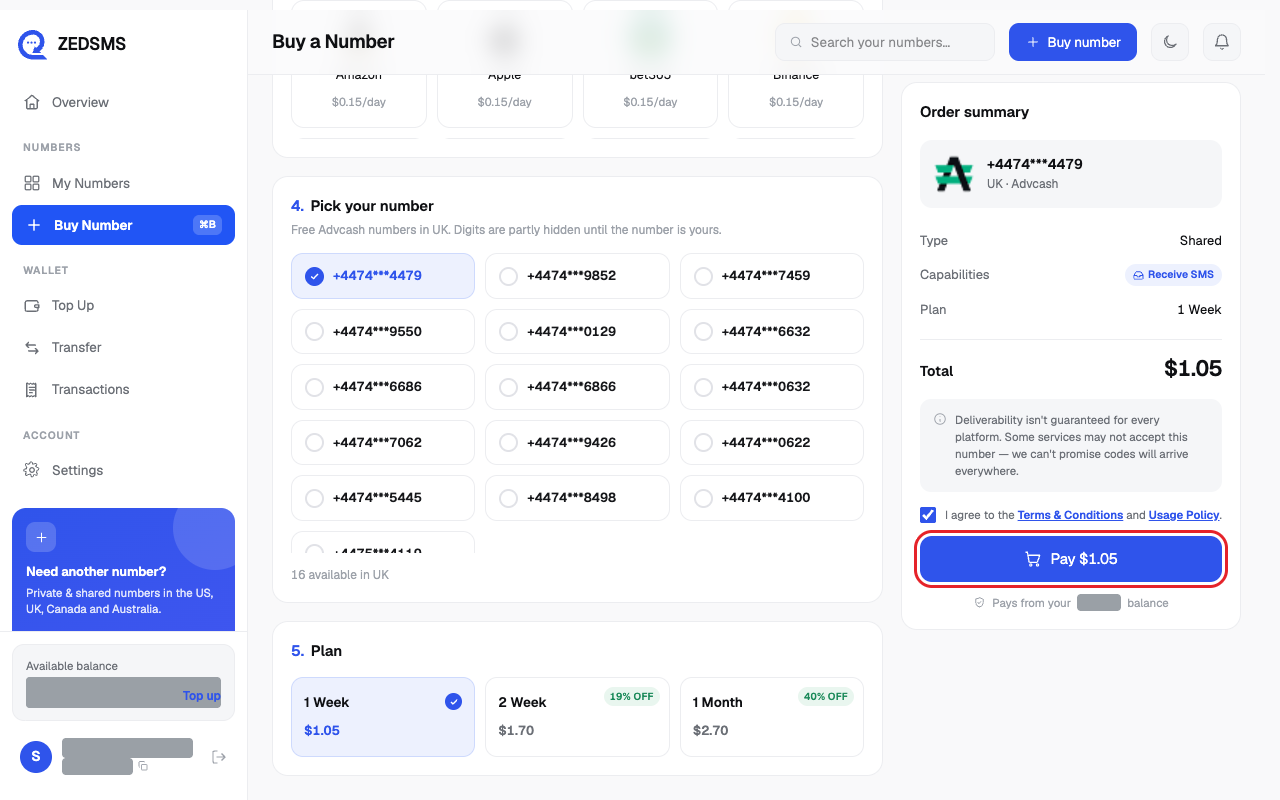
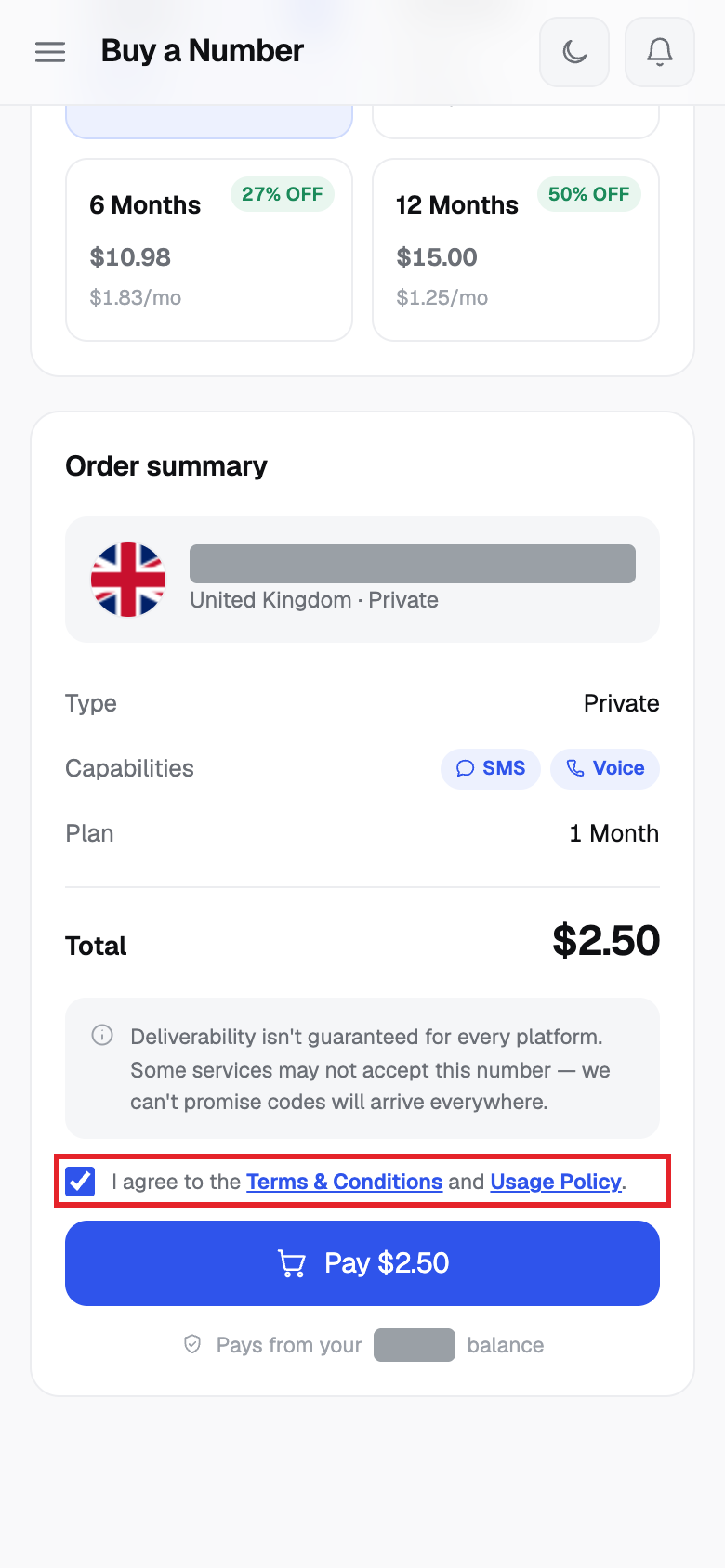
- Tick I agree to the Terms & Conditions and Usage Policy.
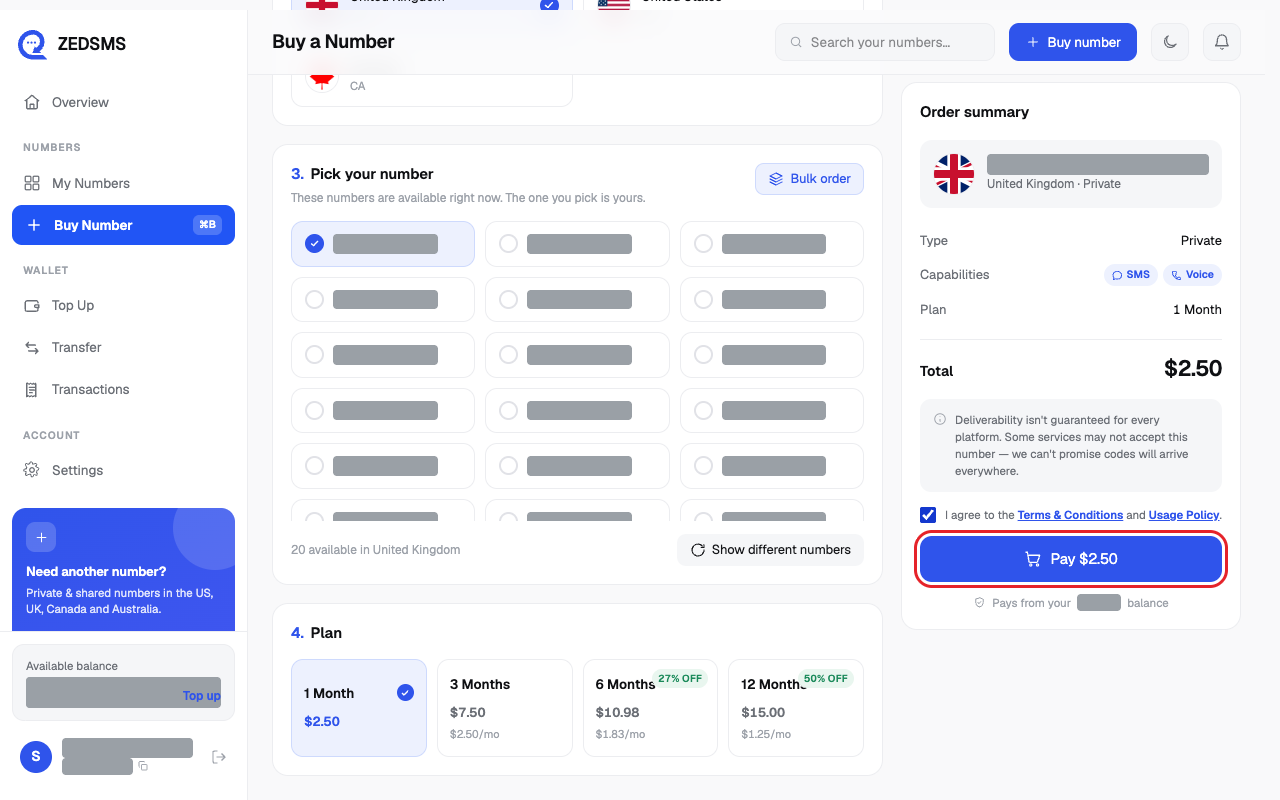
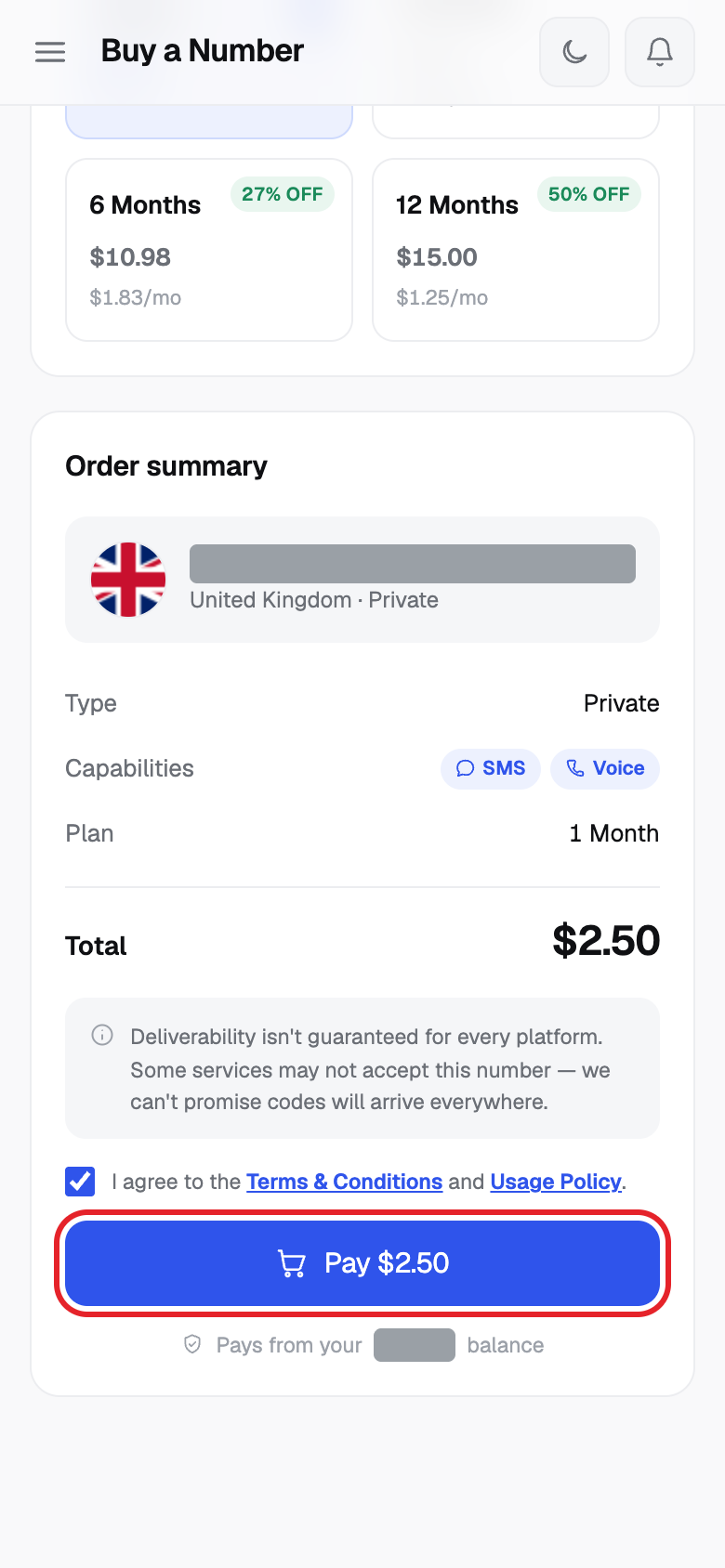
- Check Total and the balance under the button. Click Pay $ and the amount. The number is bought straight away. There is no second confirm screen.
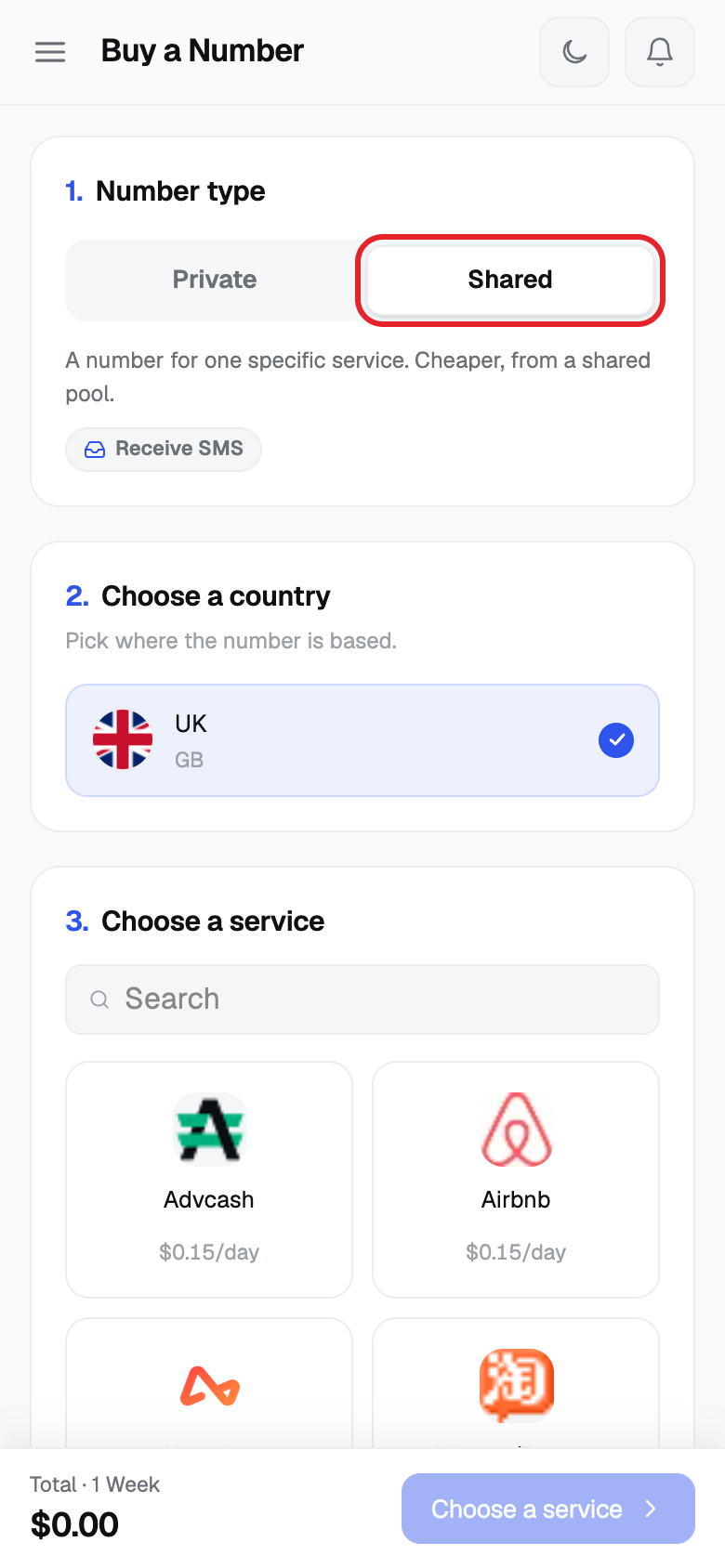
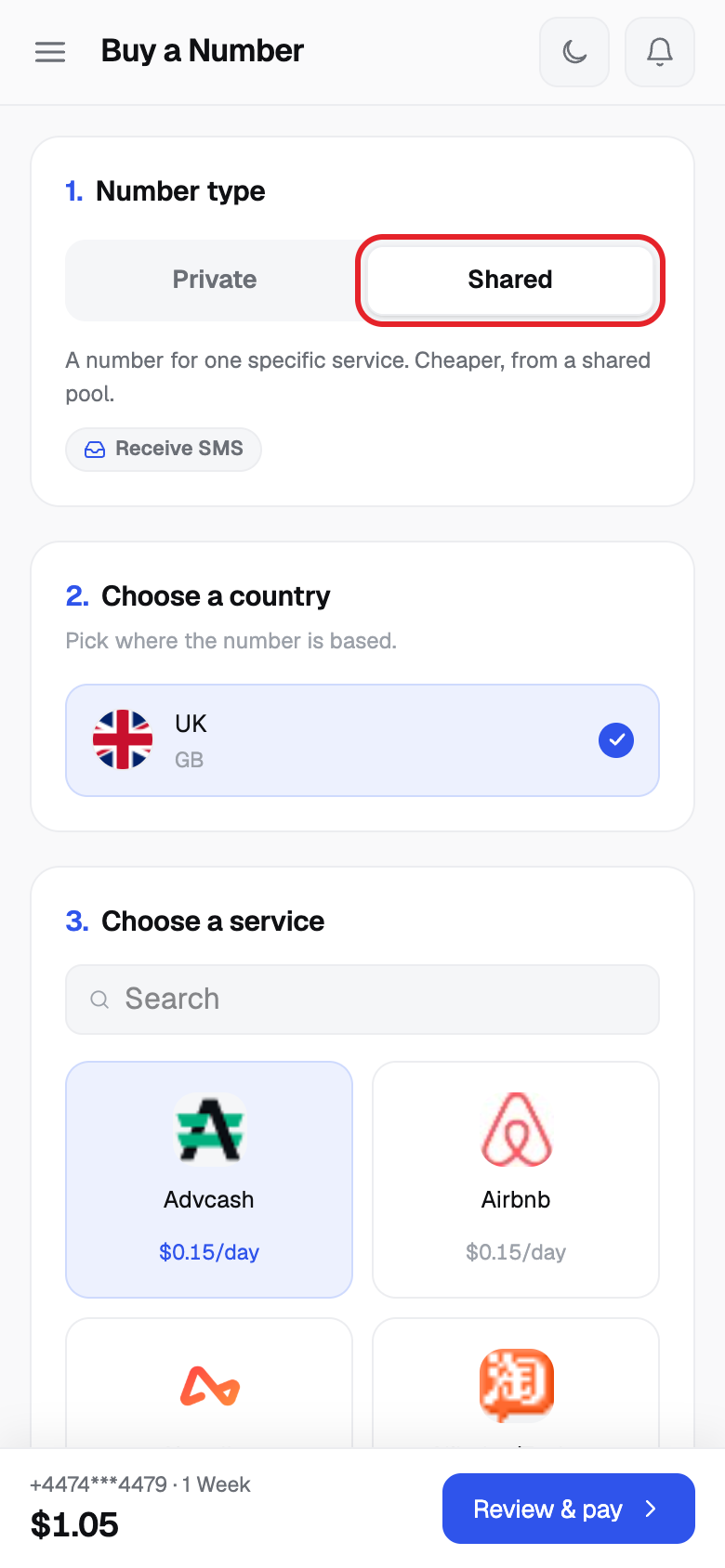
- For a Shared number, click Shared in step 1 instead.
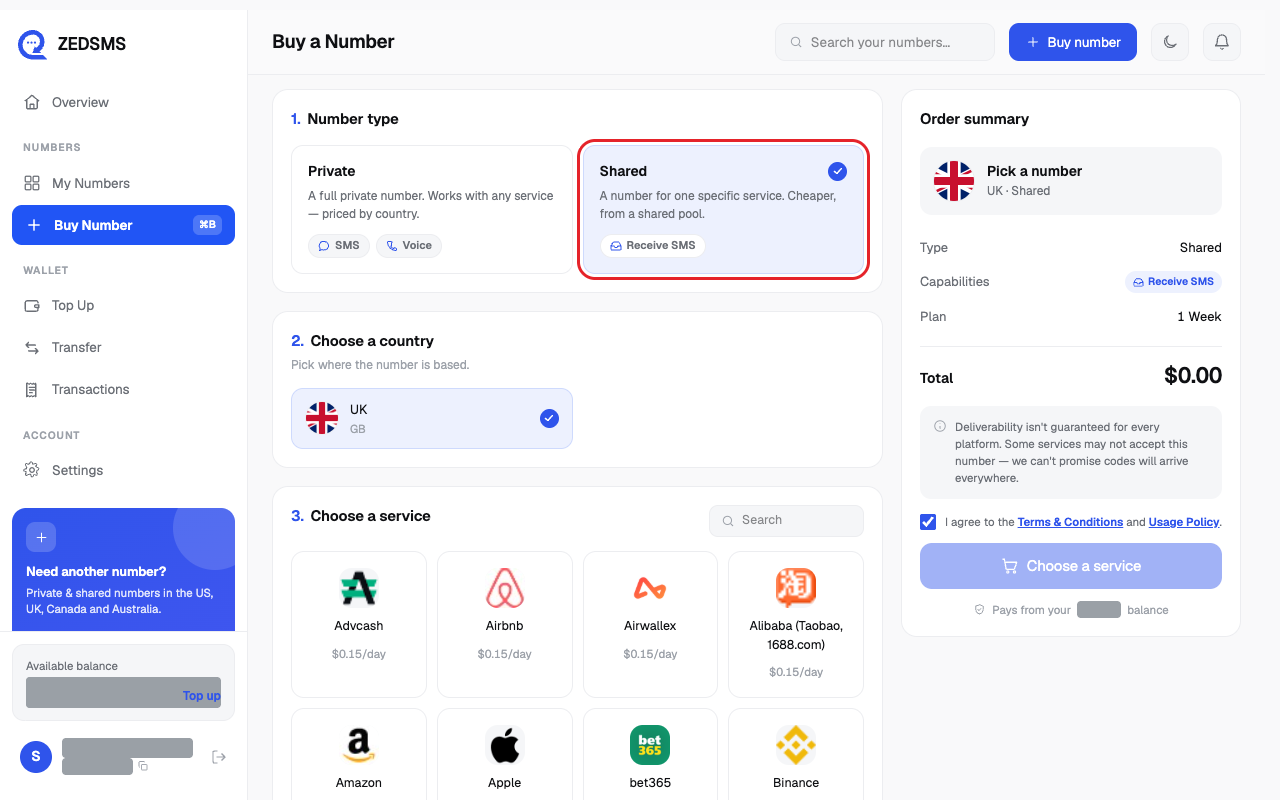
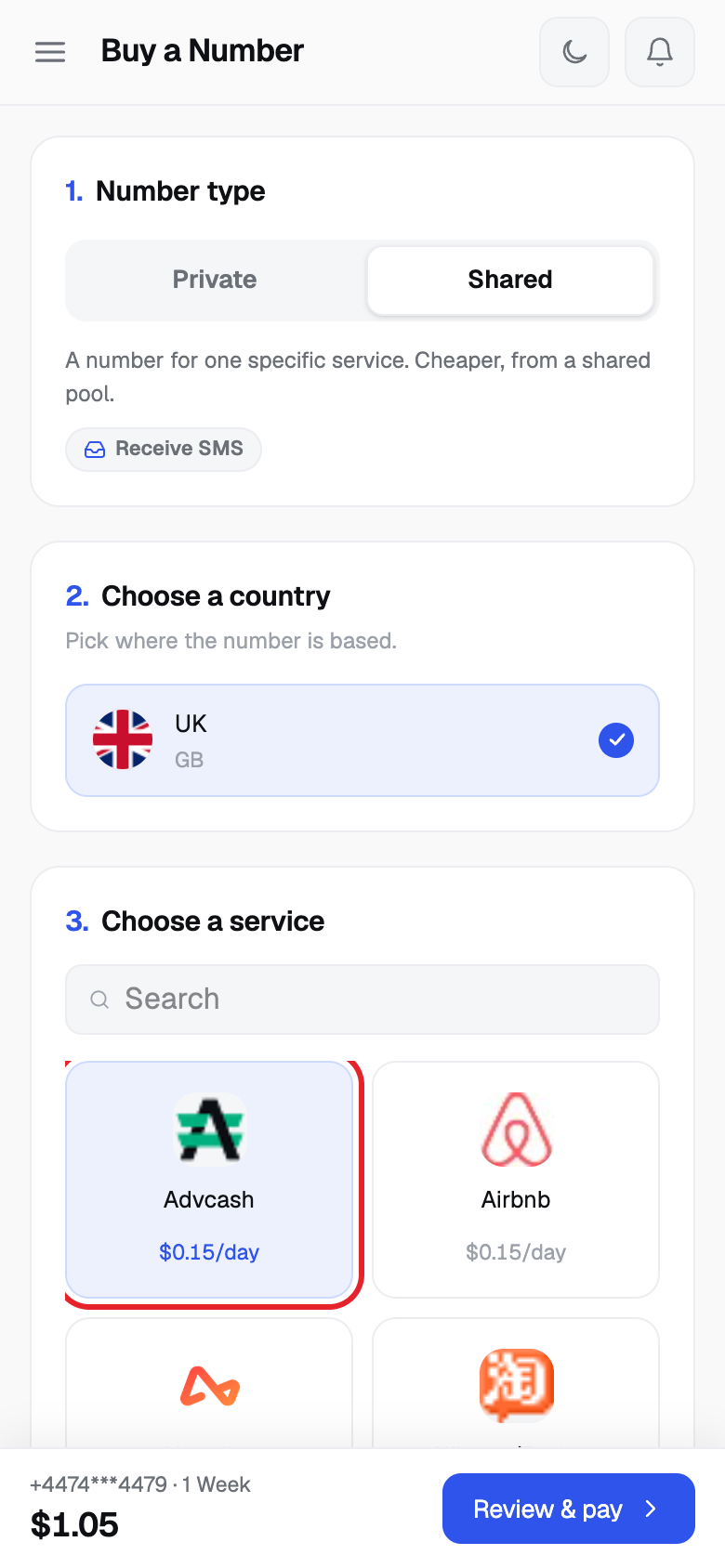
- Pick the country, then under Choose a service click the service the number is for (for example Airbnb). Each one shows a price per day.
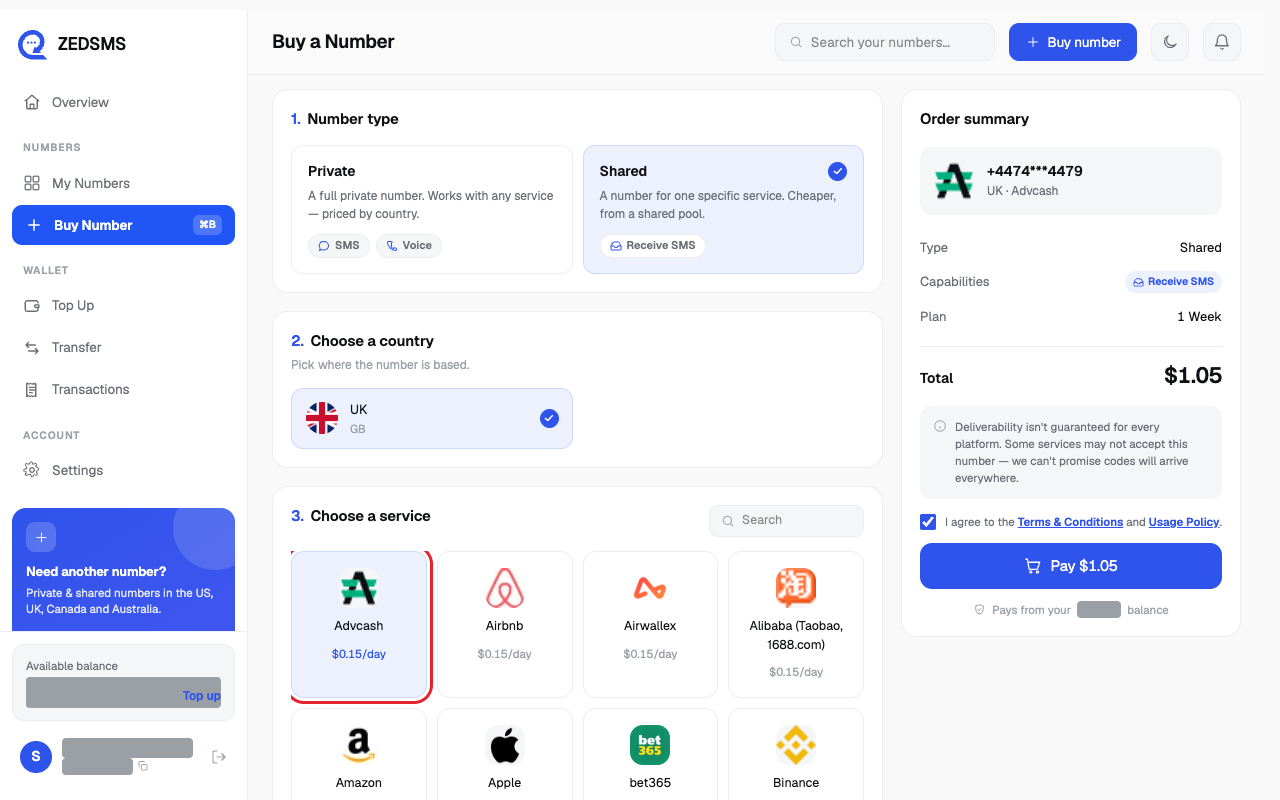
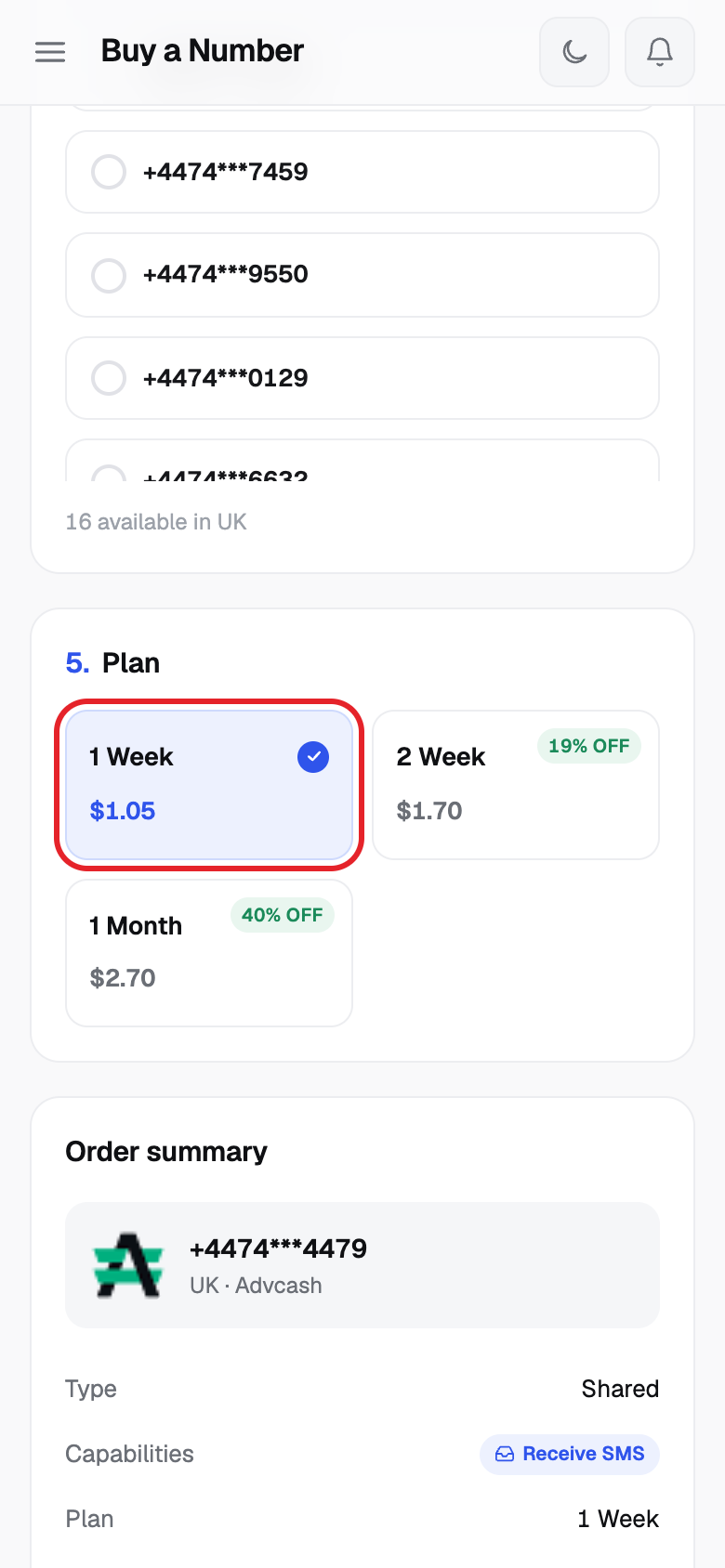
- Pick a number from the list.
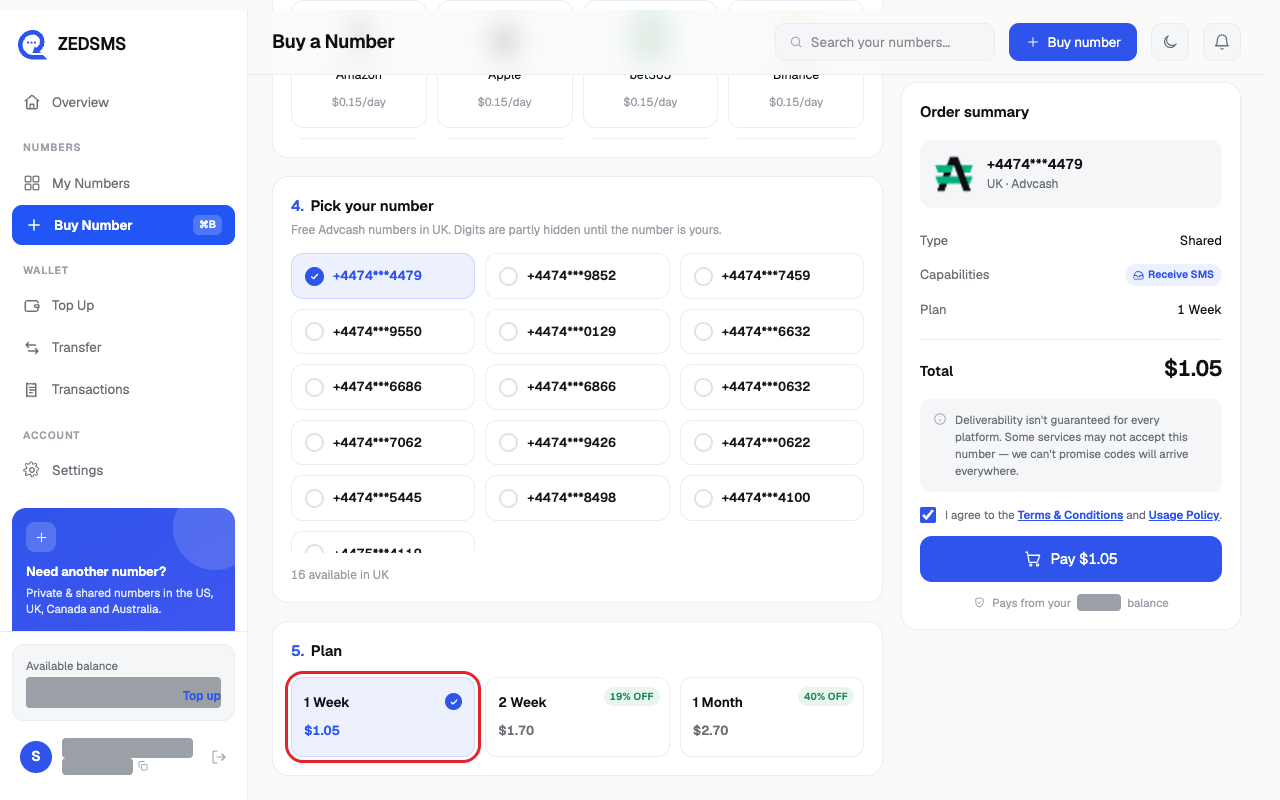
- Choose a plan: 1 Week, 2 Week or 1 Month.
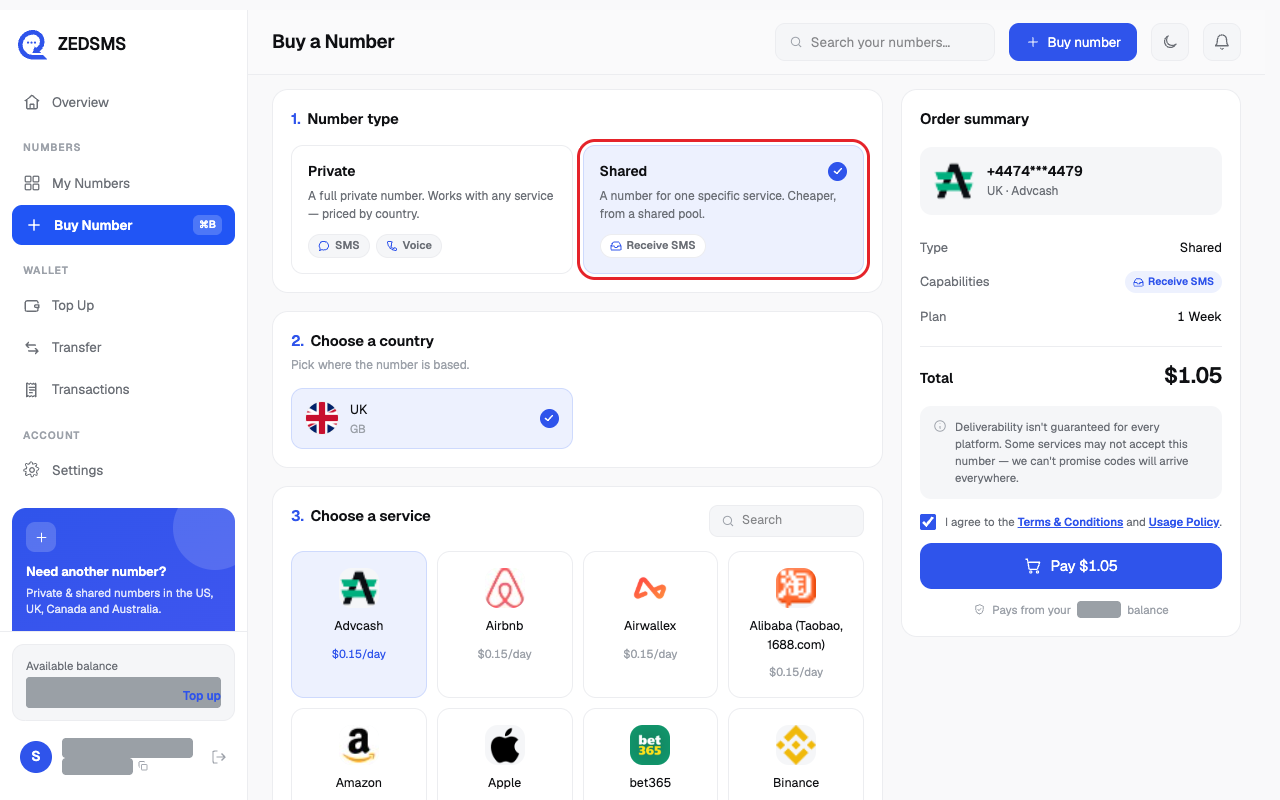
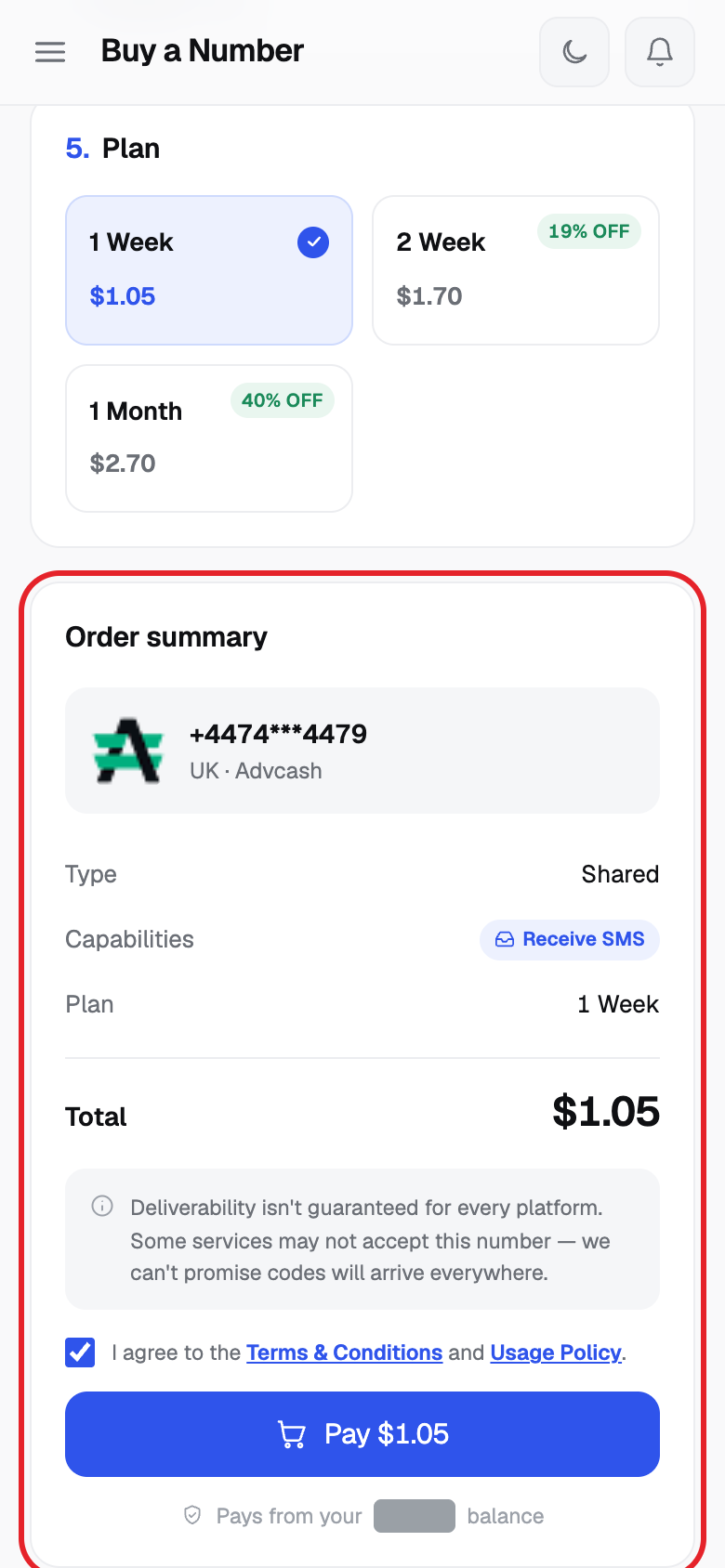
- Read Order summary. Shared numbers show Receive SMS only.
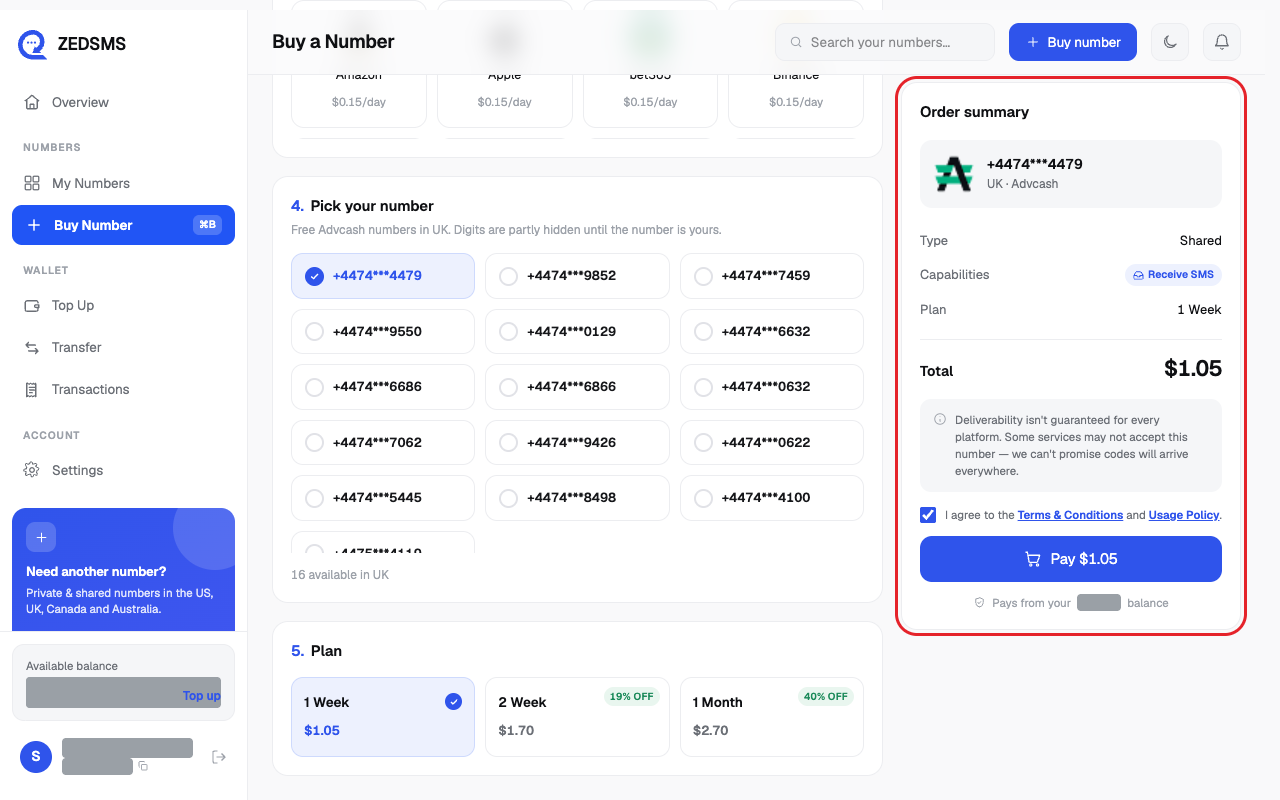
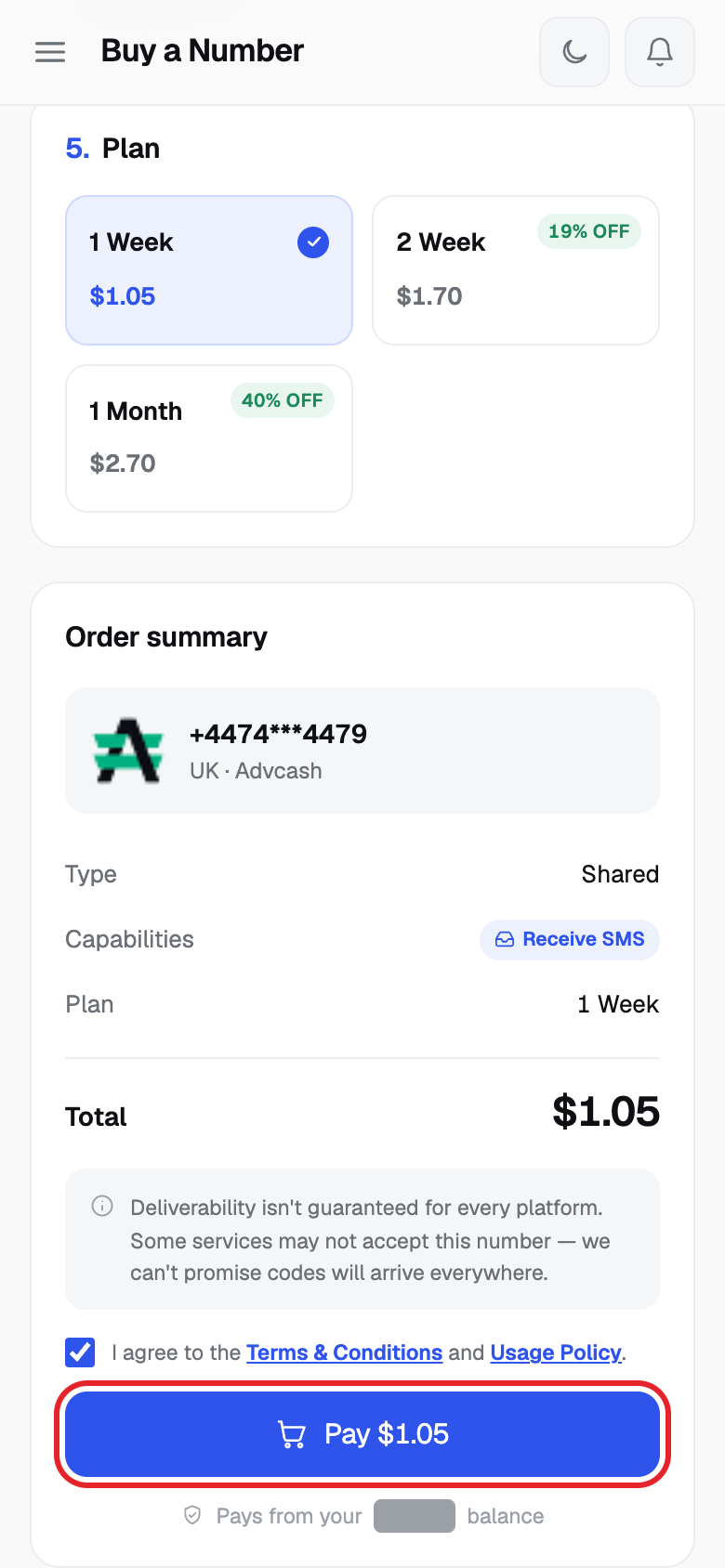
- Tick the agree box and click Pay $ and the amount.
Private or Shared?
| | Private | Shared |
|---|---|---|
| Who uses it | Only you | Used by more than one customer |
| Works with | Any service | One service you choose |
| Can do | Receive SMS, send SMS and voice (see Terms) | Receive SMS only |
| Price | Set by country. Plans of 1, 3, 6 or 12 months | Price per day. Plans of 1 week, 2 weeks or 1 month |
| You choose the exact number | Yes | You choose from a list. Some digits are hidden until it is yours |
| Best for | Personal contacts and accounts | Receiving codes from one service |
When the purchase works, your new number opens in My Numbers.
Using a phone? See the same steps on a small screen
Step 1
Step 2
Step 3
Step 4
Step 5
Step 6
Step 7
Step 8
Step 9
Step 10
Step 11
Step 12
Step 13
Step 14
Good to know
- You pay from your balance. The line under the pay button shows your balance.
- US numbers include 50 free inbound SMS. After that each inbound message costs $0.03.
- We cannot promise every app or website will accept a virtual number. This is not a reason for a refund.
- Purchases are final once supplied, except in the cases listed in the Terms of Service. Releasing a number does not return money.
- The button shows what is missing: Choose a country, Choose a service, Pick a number, Choose a plan, or Add $ to your balance.
- Want many numbers at once? See the bulk order article.
Common problems
- Add $X to your balance / Your balance is $X short for this plan. Click Top up next to the message and add balance.
- That number is no longer available — please pick another Someone else took it. Choose a number from the new list.
- Purchase failed Try again. If it happens again, email support@zedsms.com.
- No numbers available in United States right now. Try another state. Choose another state, another country, or try again shortly.
- No free Airbnb numbers in UK right now. Try another service or country. Pick a different service or country.
- No shared services are priced for this country yet. Try another country. Choose a different country.
- No plans are set up for this country yet. Choose a different country.
- Could not load countries / plans / services / Could not search numbers Click Retry.