

Buy 2 to 100 Private numbers in one go, with one plan, in one country.
Before you start
- Bulk orders are for Private numbers only.
- Enough balance for the whole order. You are charged now.
Steps
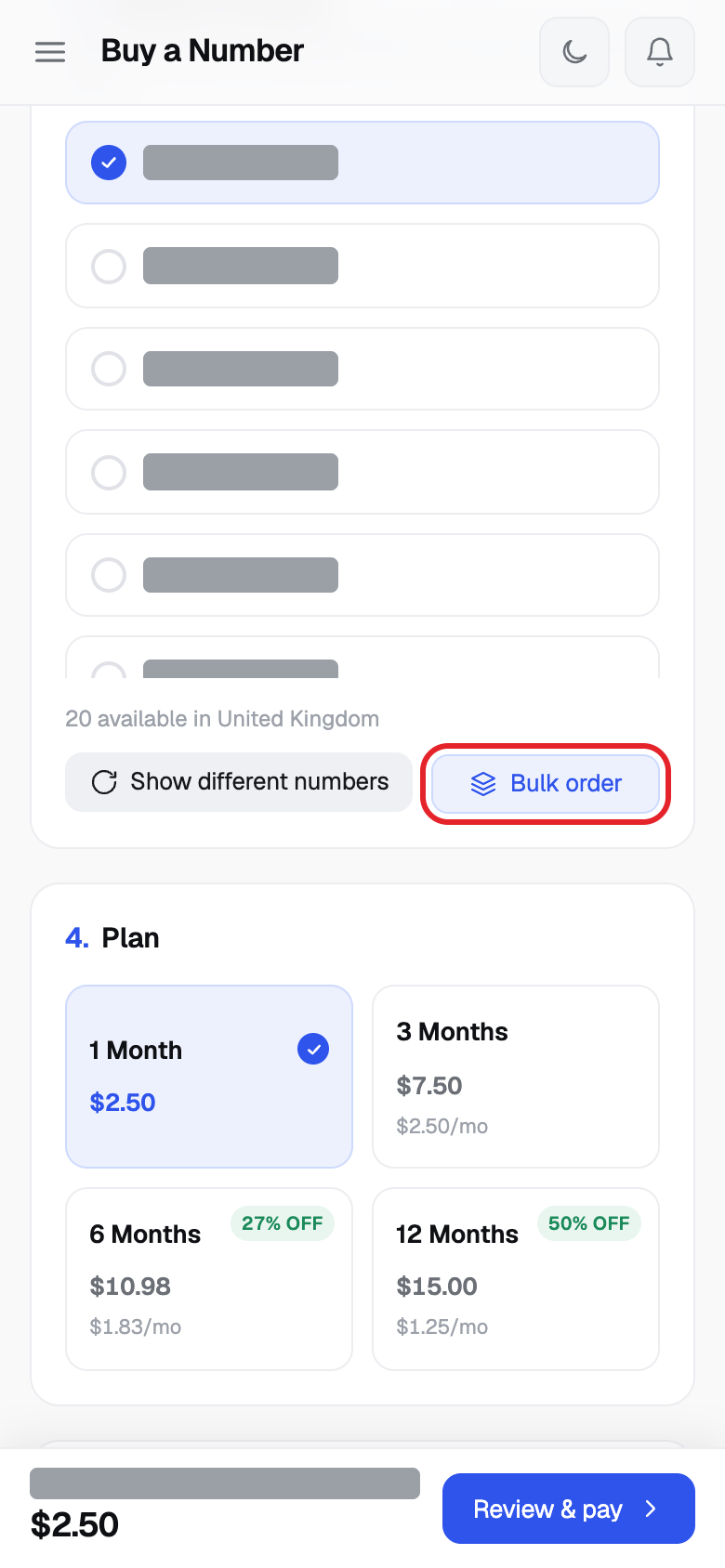
- Click Buy Number, choose Private, then choose your country.
- Click Bulk order.
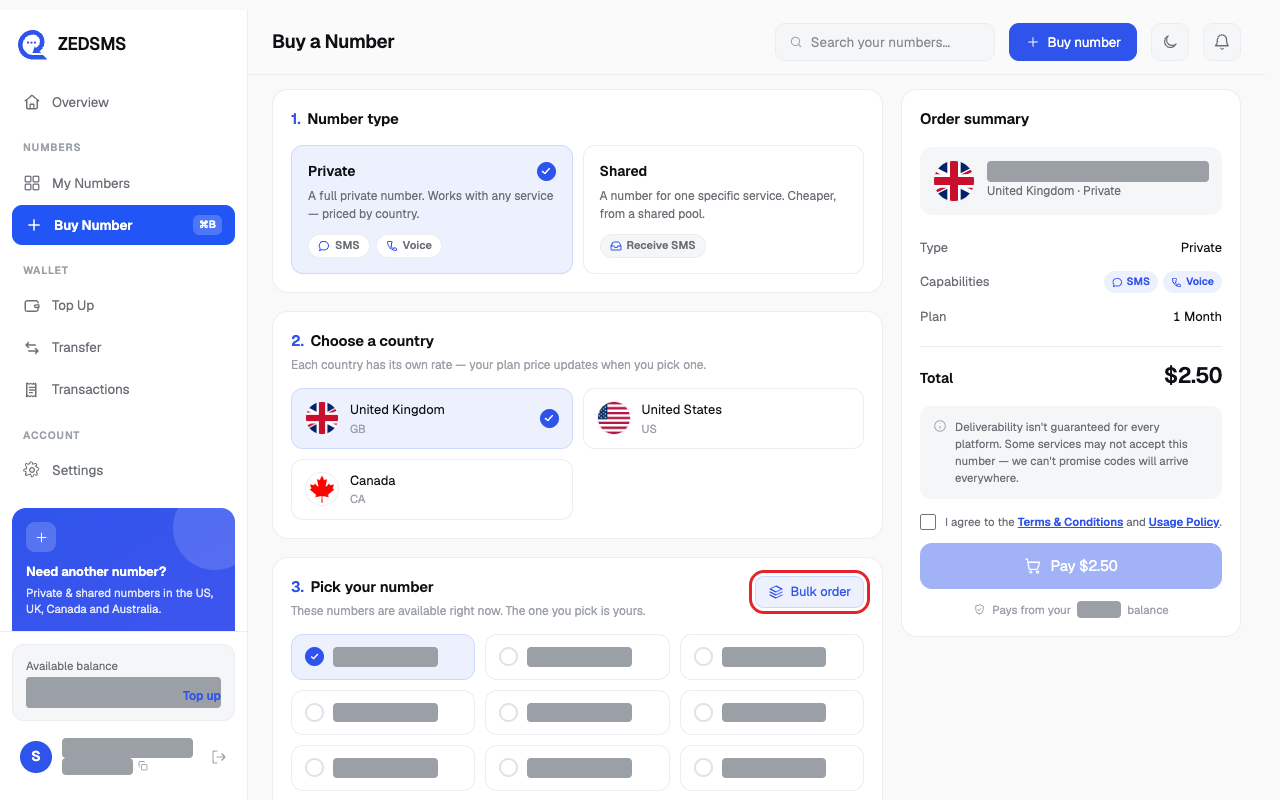
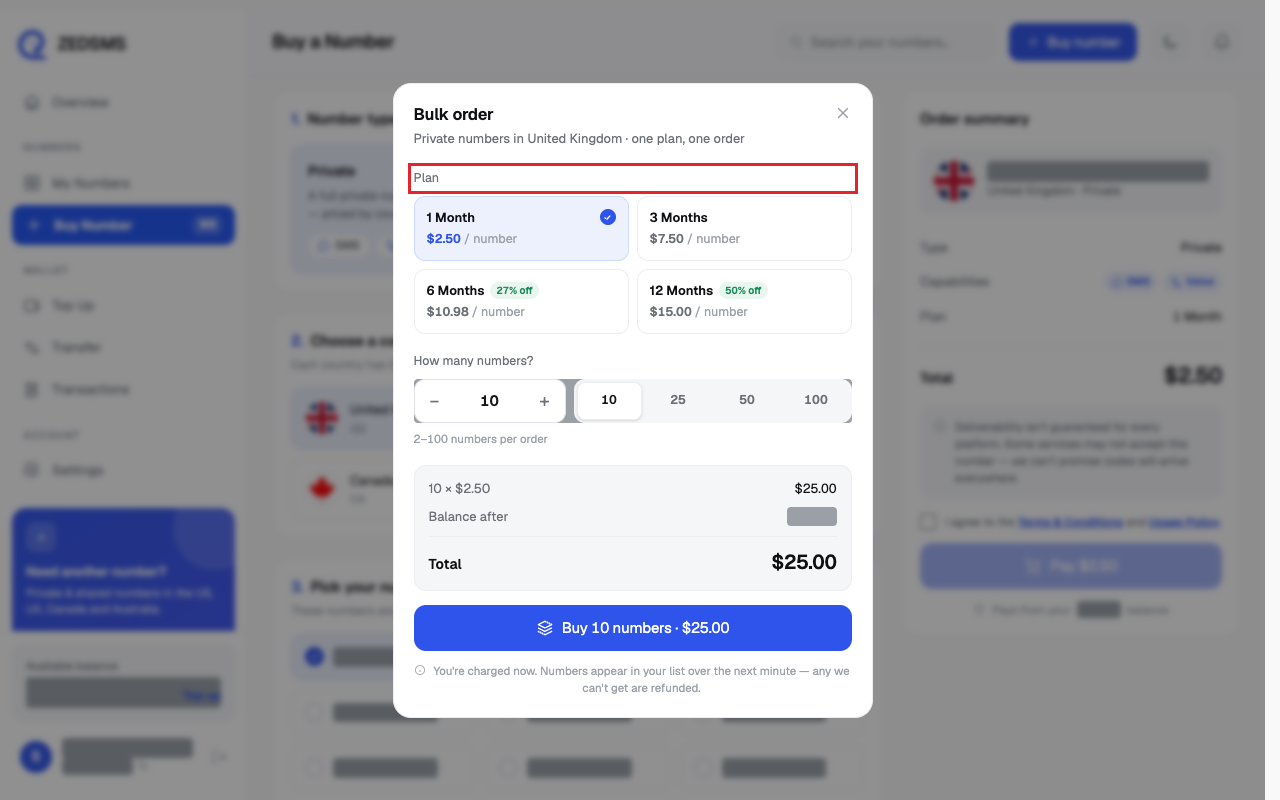
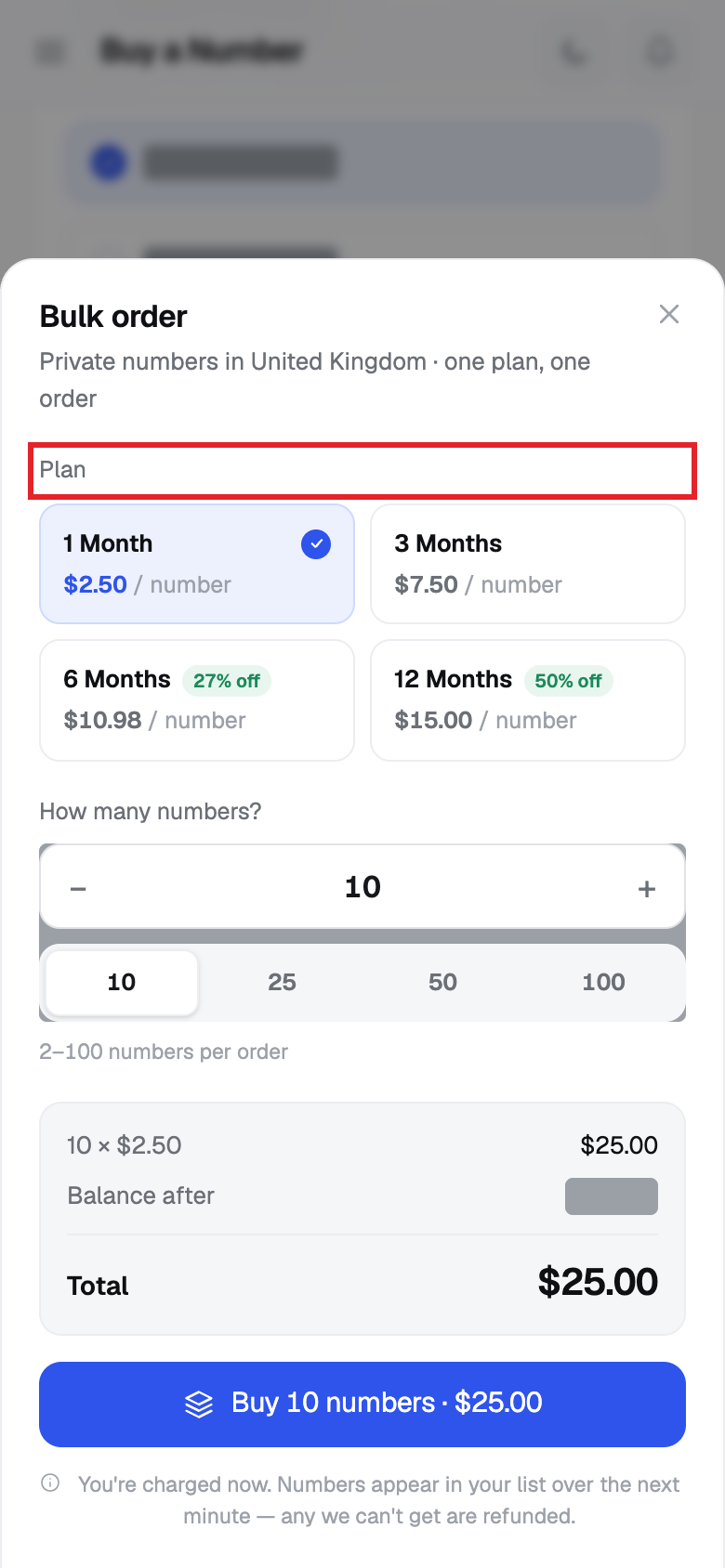
- In Bulk order, choose a Plan. The price per number is shown.
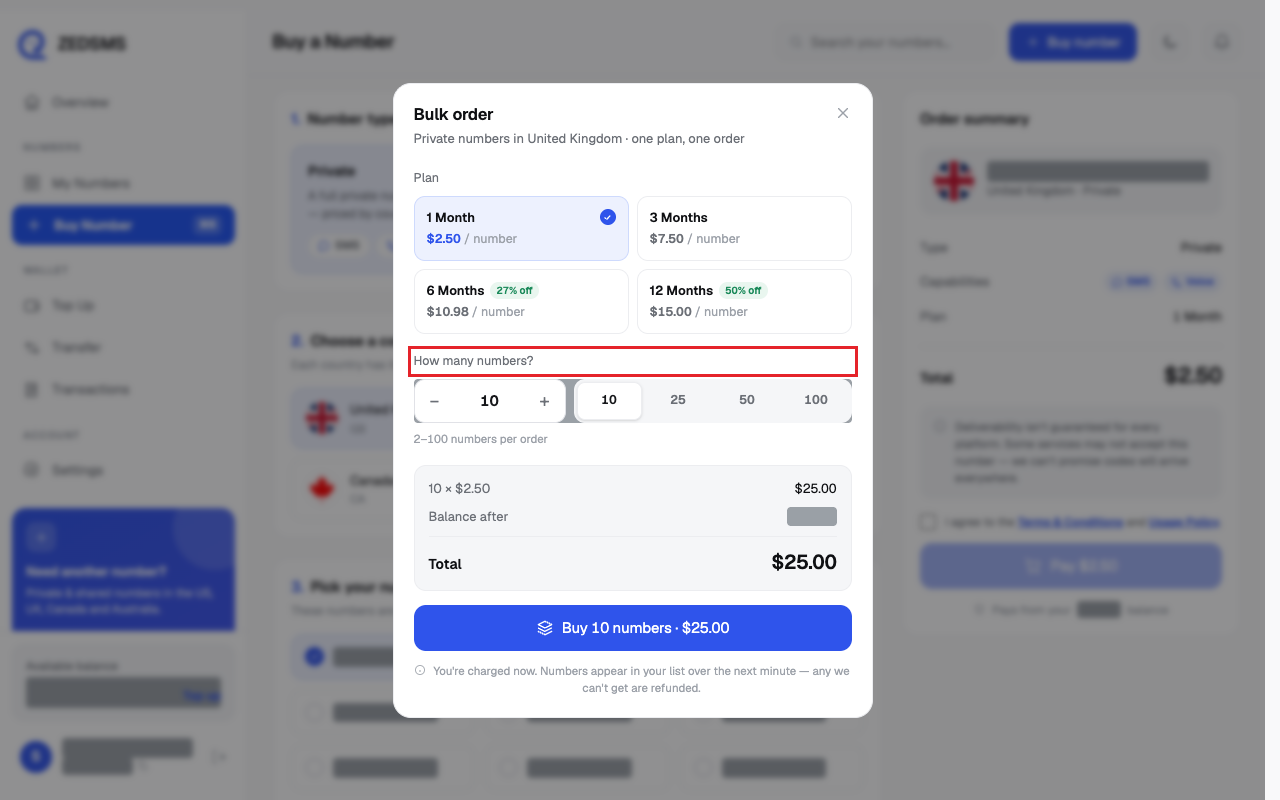
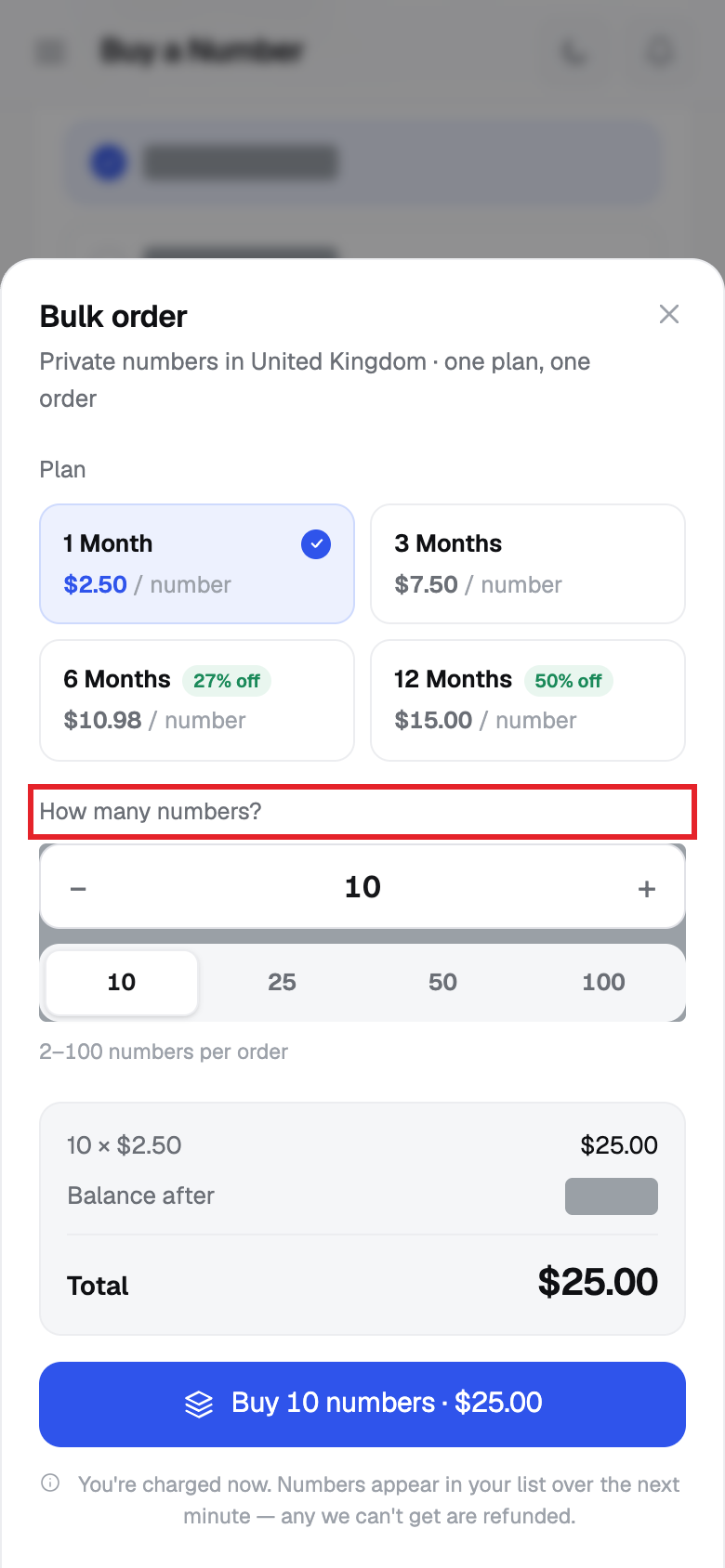
- Under How many numbers? type a number from 2 to 100, use − and +, or click 10, 25, 50 or 100.
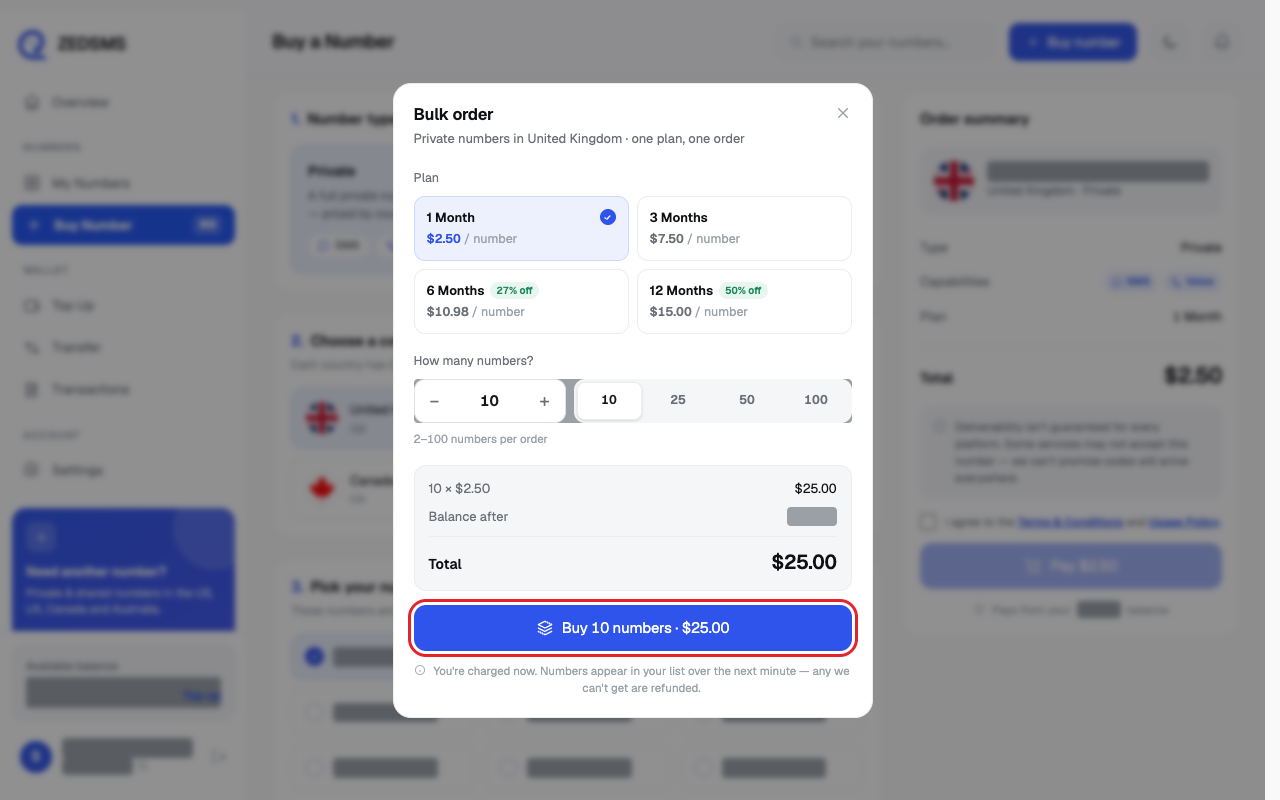
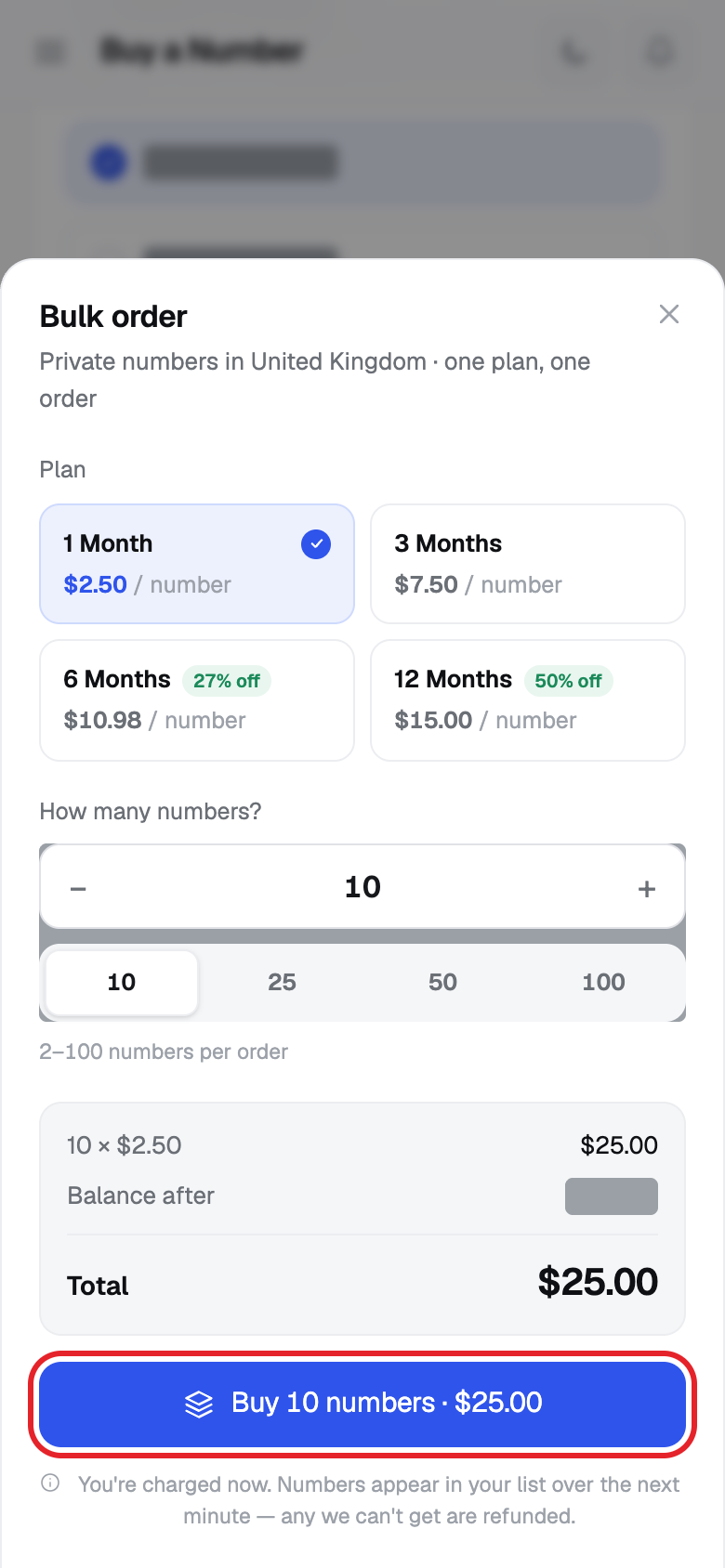
- Check Total and Balance after. Click Buy and the quantity and price (for example Buy 10 numbers · $25.00).
Using a phone? See the same steps on a small screen
Step 2
Step 3
Step 4
Step 5
Good to know
- The whole order is charged when you click.
- Your numbers appear in My Numbers over the next minute.
- Any number we cannot get is refunded.
- If the same order is sent twice (for example a double click) it is charged once.
- Between 2 and 100 numbers per order.
Common problems
- Choose a country first Close the box and pick a country.
- Choose a plan Click a plan.
- Enter a quantity between 2 and 100 Type a number from 2 to 100.
- Insufficient balance Add balance or order fewer numbers.
- Bulk purchase failed Try again. If it happens again, email support@zedsms.com.