

Extend a number before it expires so you keep it. You pay from your balance.
Before you start
- The number is still active (not expired). For an expired number, see the article on restoring.
- Enough balance for the plan you choose.
Steps
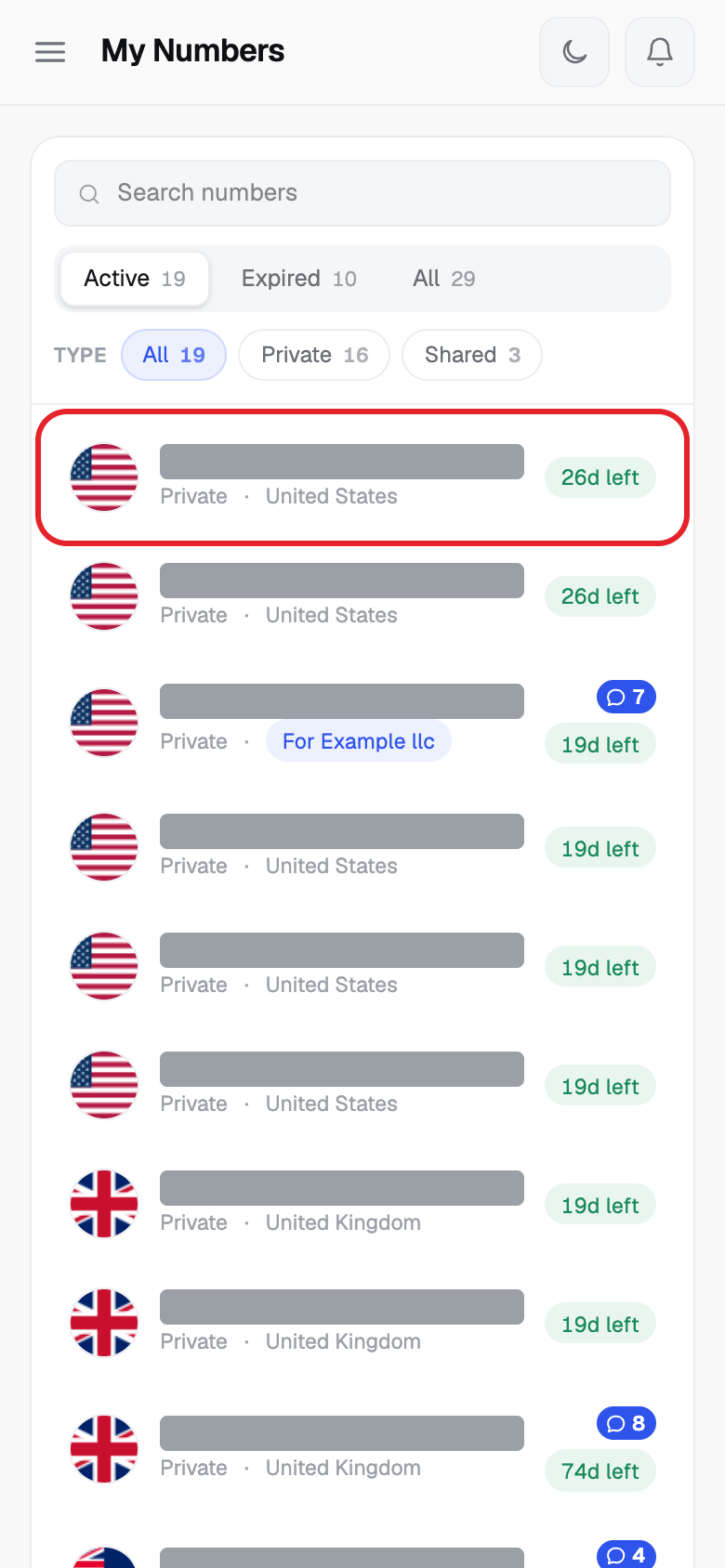
- Click My Numbers in the left menu, then click the number you want.
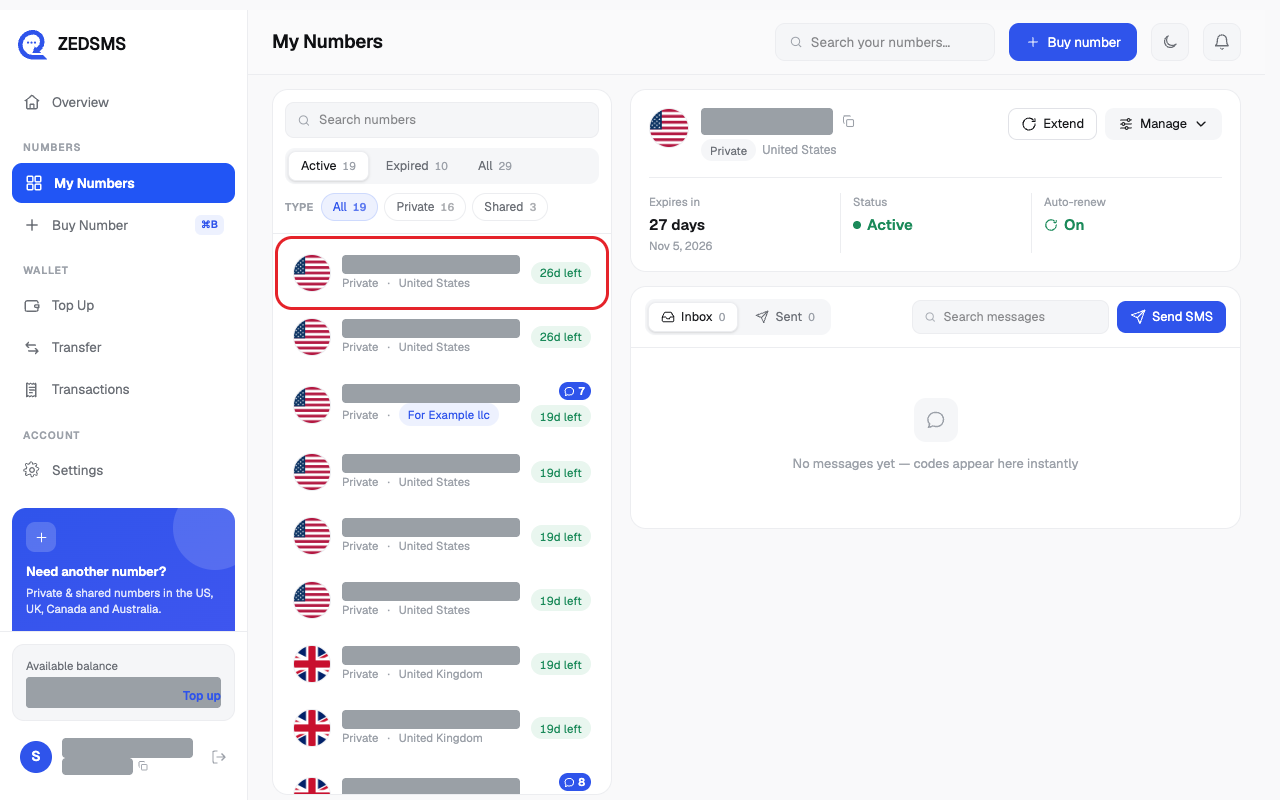
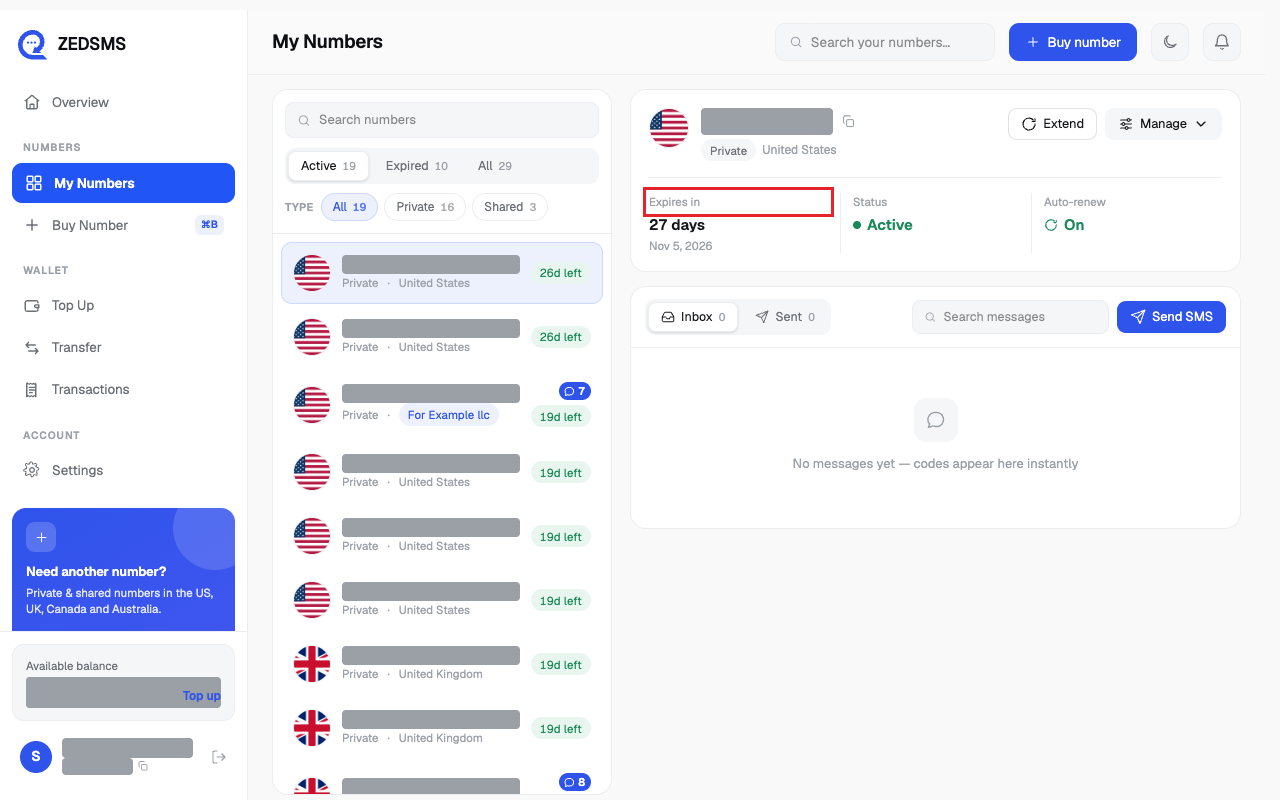
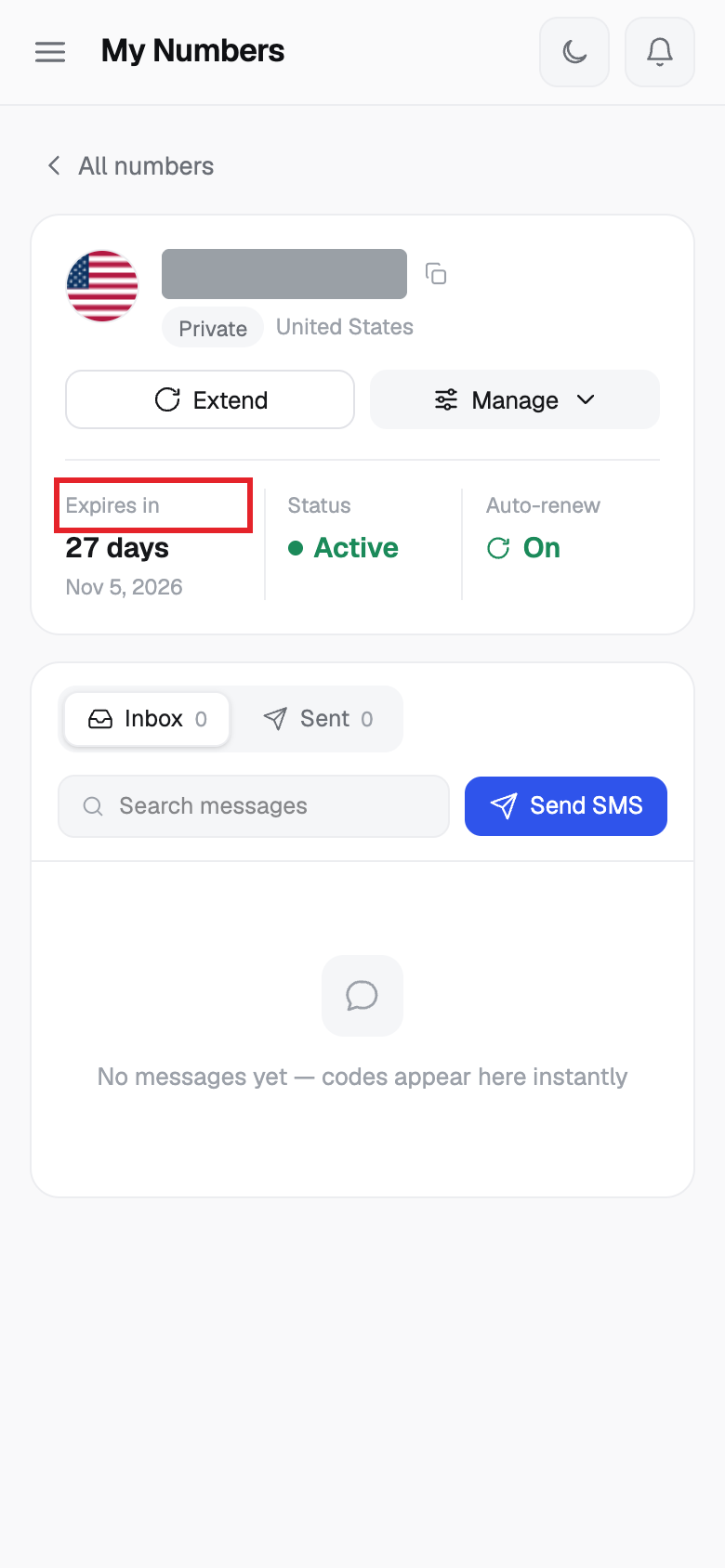
- Look at Expires in to see how long is left.
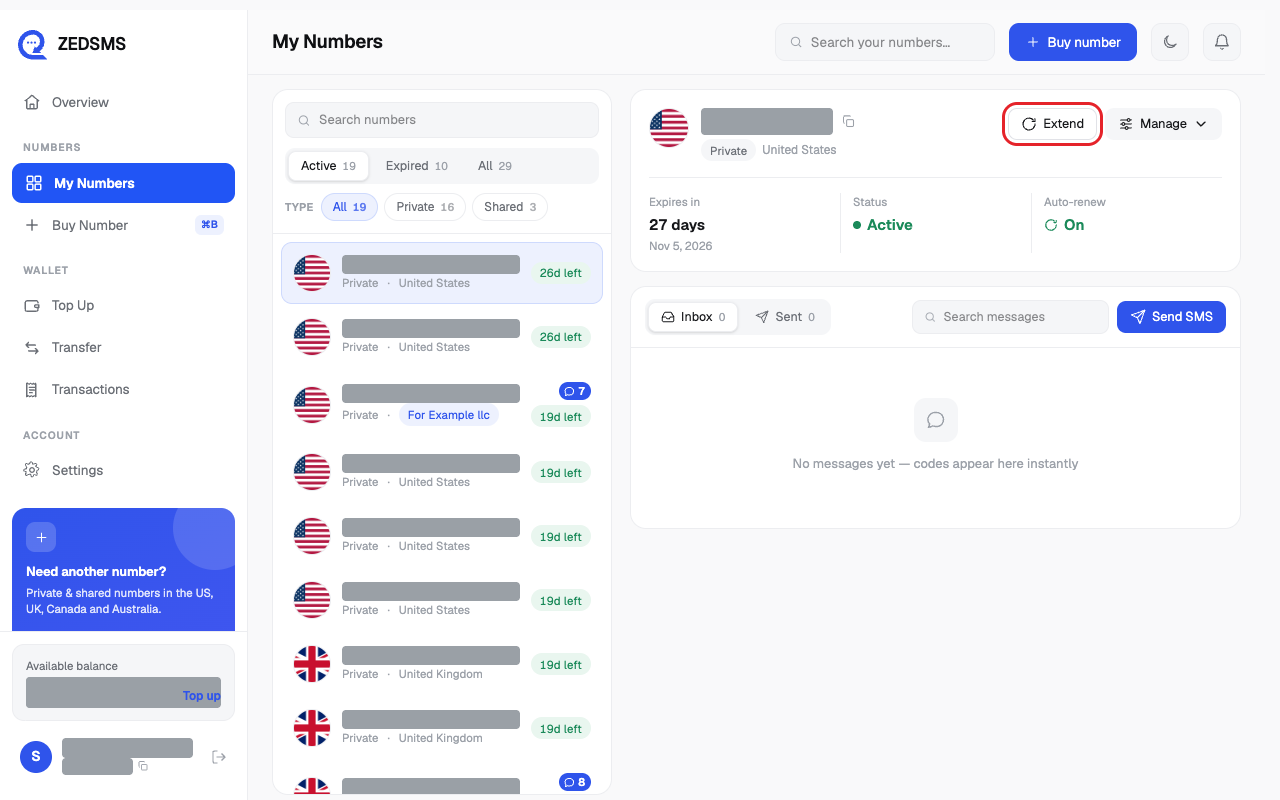
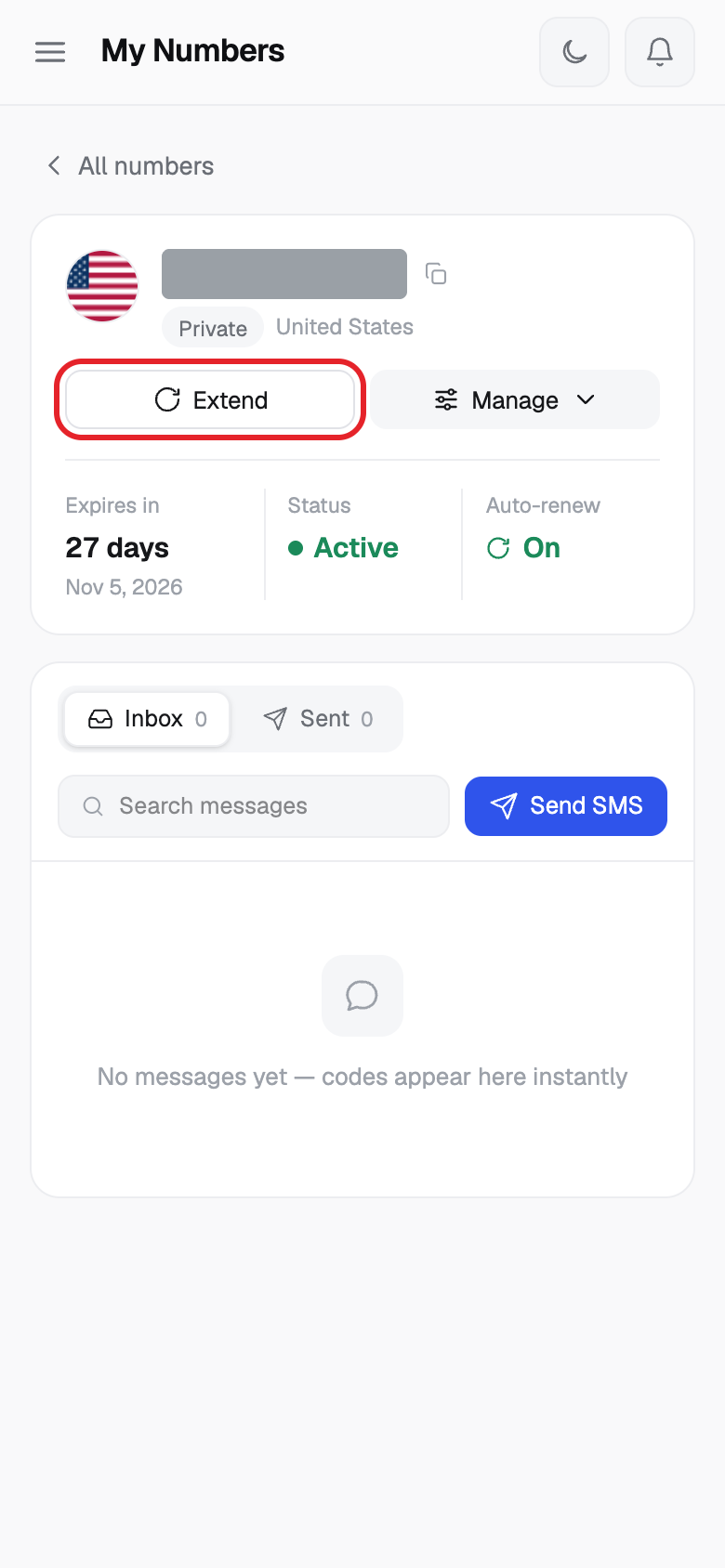
- Click Extend.
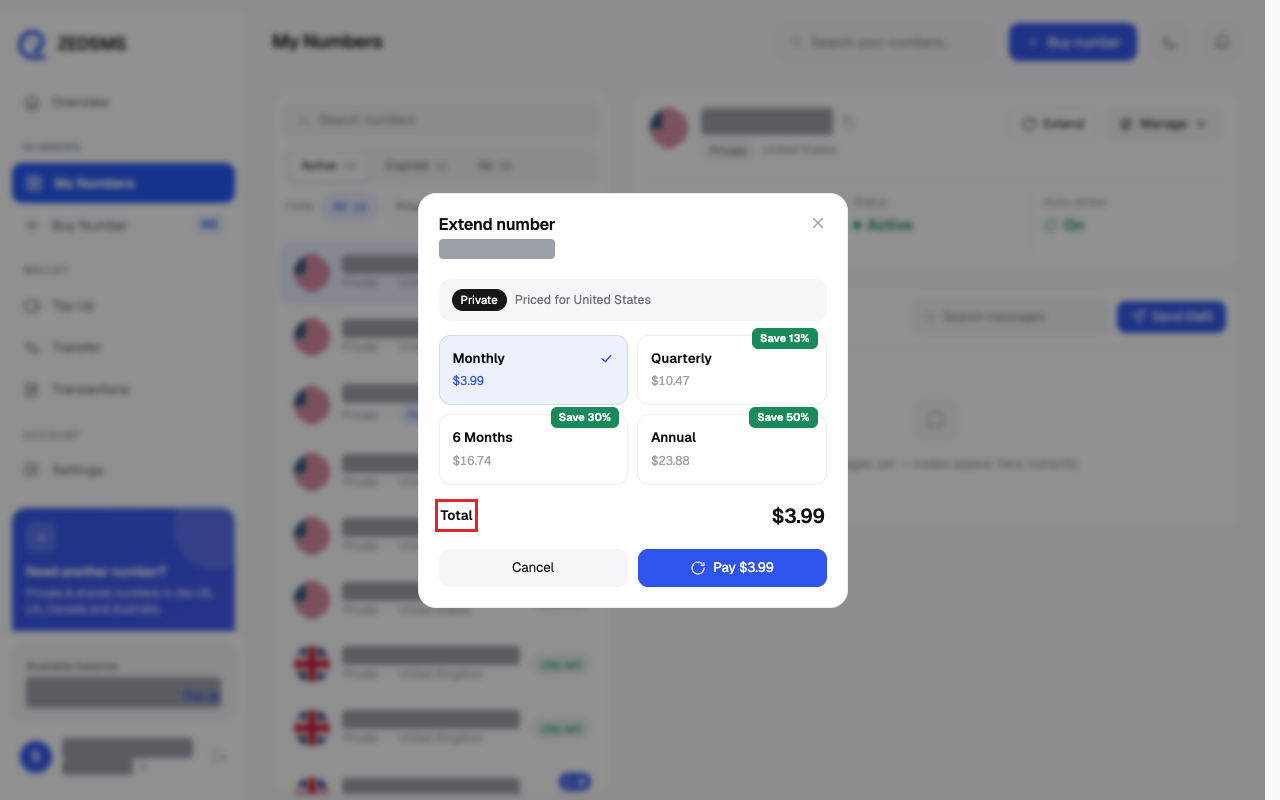
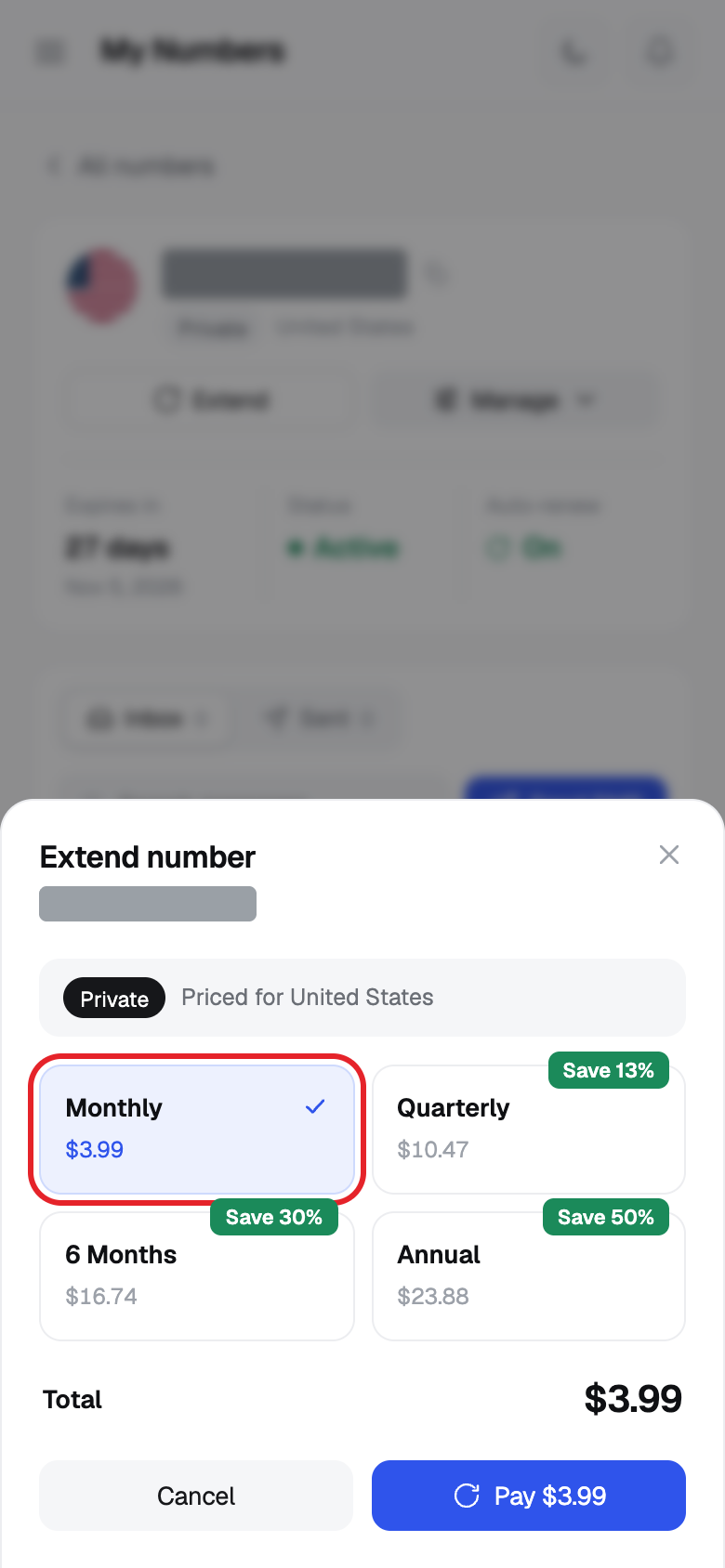
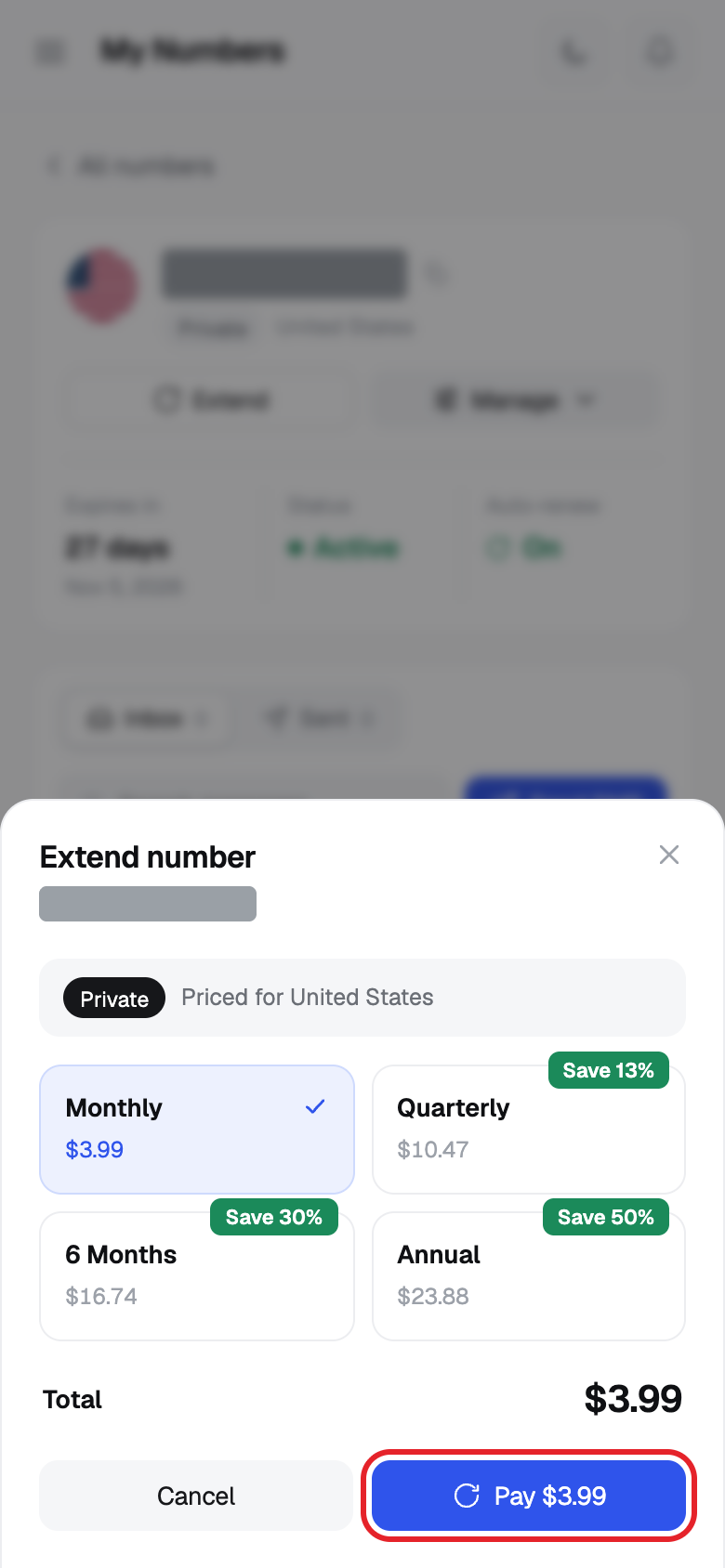
- In Extend number, choose a plan: Monthly, Quarterly, 6 Months or Annual. A Save % tag shows the discount.
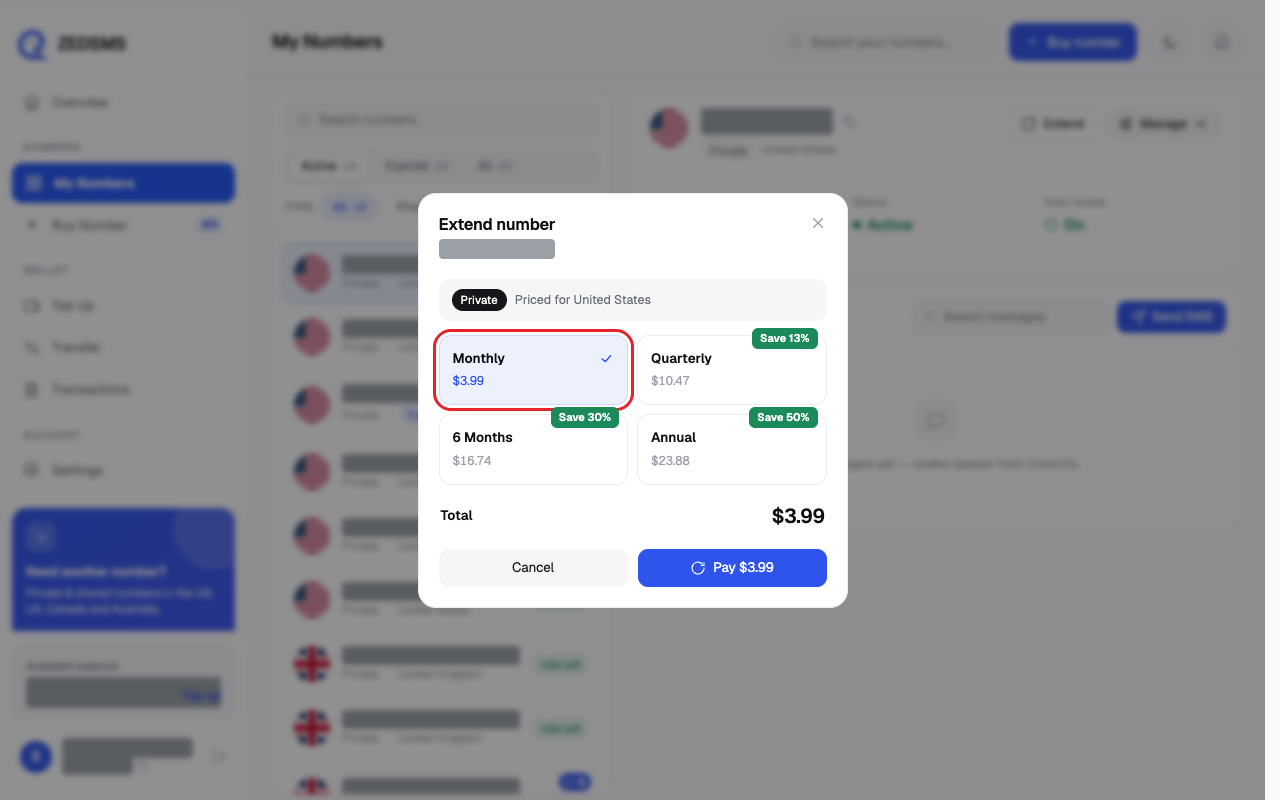
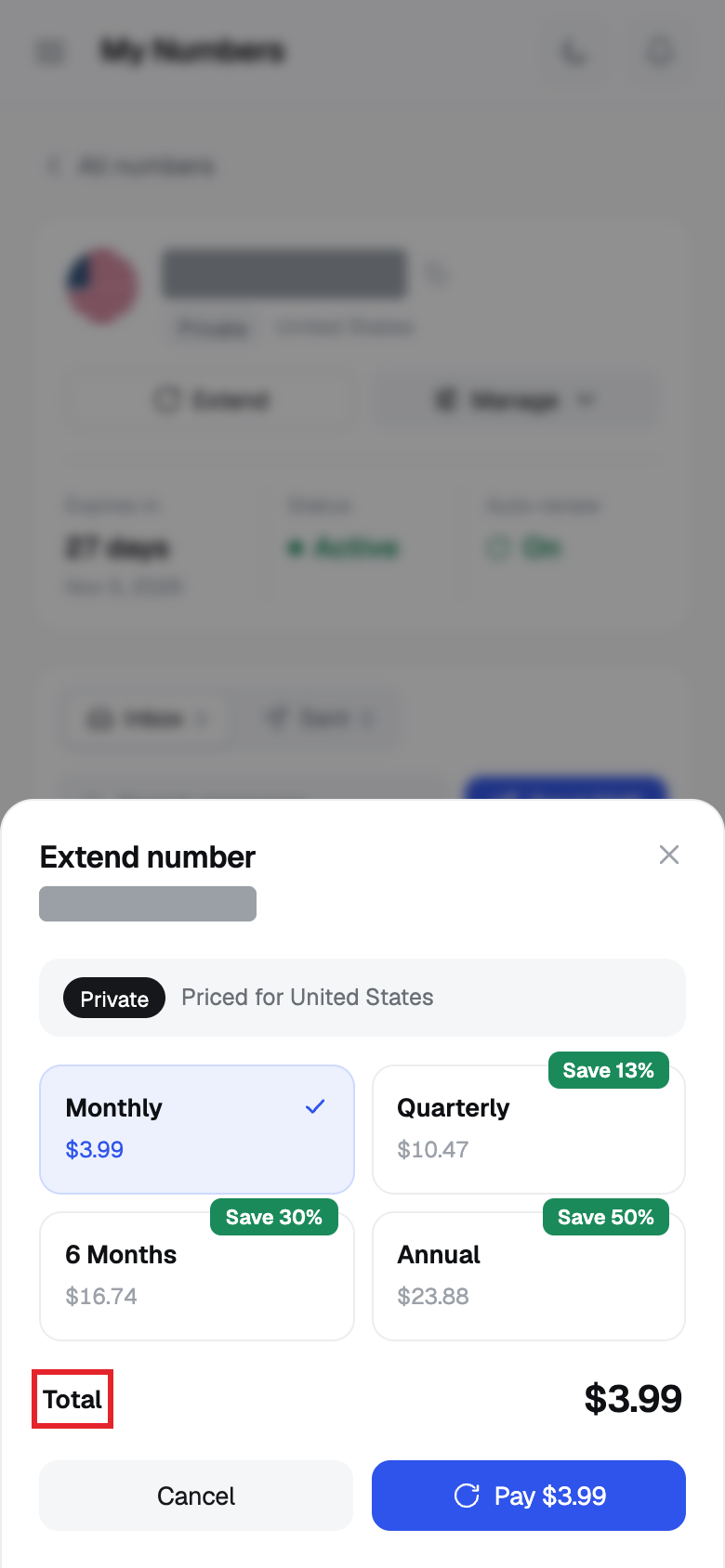
- Check Total.
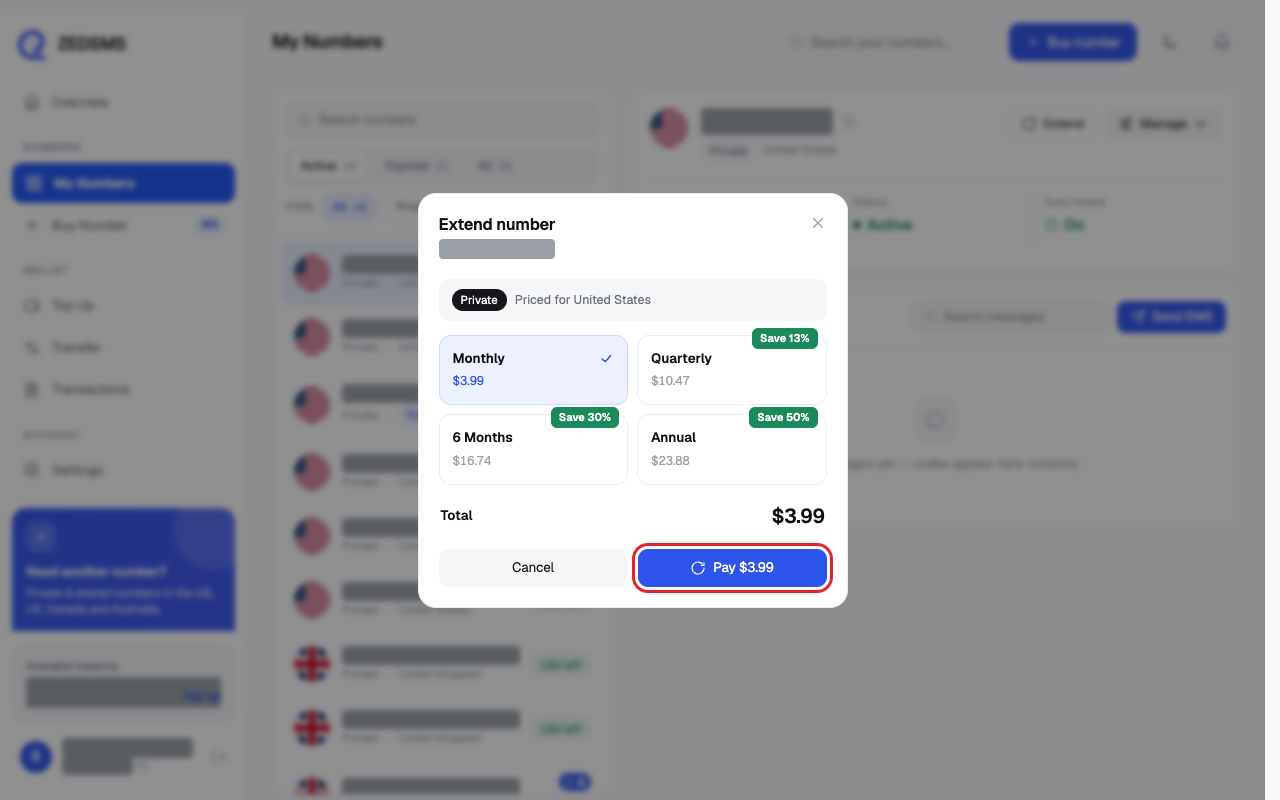
- Click Pay $ and the amount. A message says your number was extended.
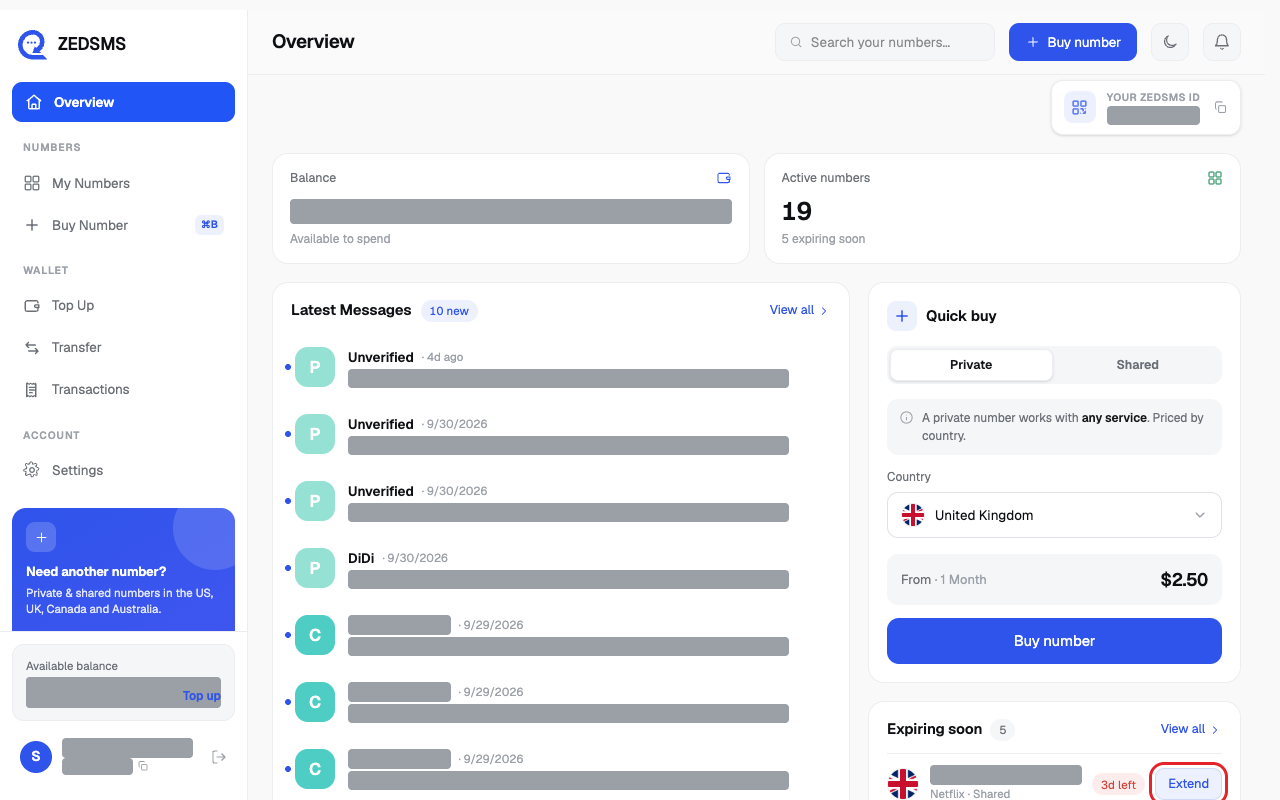
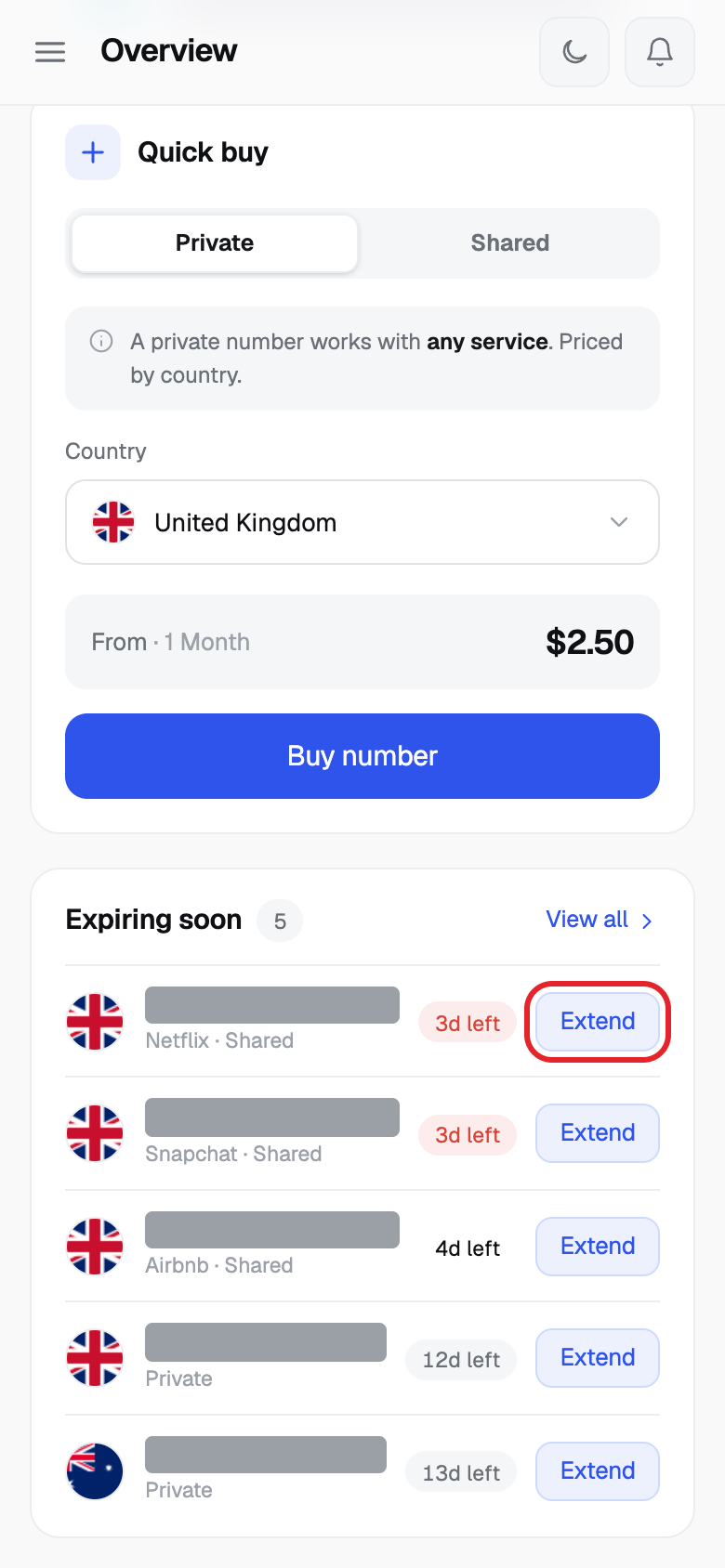
- Shortcut: on Overview, find Expiring soon and click Extend next to the number.
Using a phone? See the same steps on a small screen
Step 1
Step 2
Step 3
Step 4
Step 5
Step 6
Step 7
Good to know
- Numbers that expire within 14 days appear under Expiring soon on your Overview.
- Shared numbers show their own plans in the same box.
- The price depends on the number and country. The dialog shows the exact price for each plan.
- You can also turn on auto-renew so you do not have to remember.
- A payment cannot be undone. Purchases are final except as stated in our Terms of Service.
Common problems
- Renewal plans are not available. Please try again later. Click Close and try again in a few minutes.
- Number extension failed: … The reason is shown after the colon. If your balance is too low, add balance first, then try again.
- Failed to extend number Try again. If it keeps failing, email support@zedsms.com.
- Loading renewal plans... Wait a moment. The plans appear when they are ready.