

See the text messages that arrive on your numbers. Private numbers can also send texts. This article also explains calls.
Before you start
- You have at least one active number. See How do I buy a number?
- To send a text: a Private number that is not expired, and some balance.
Steps
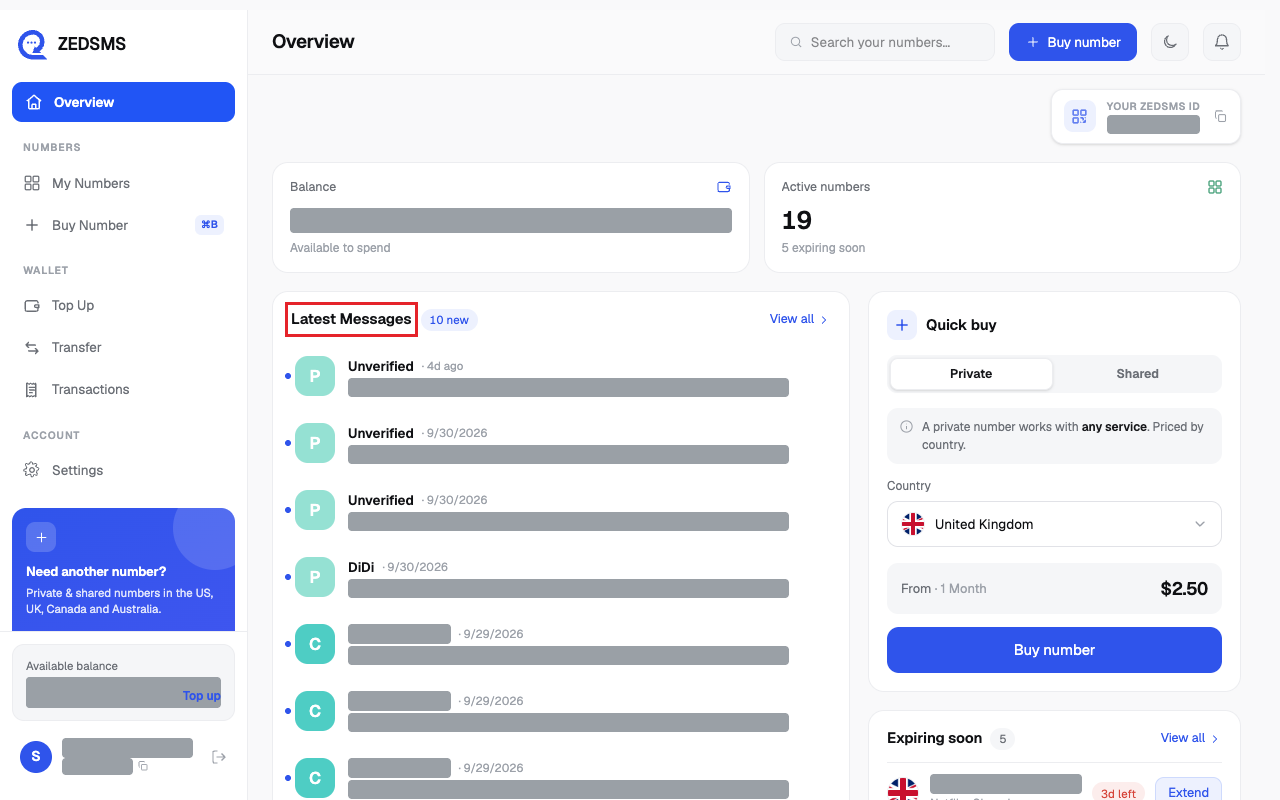
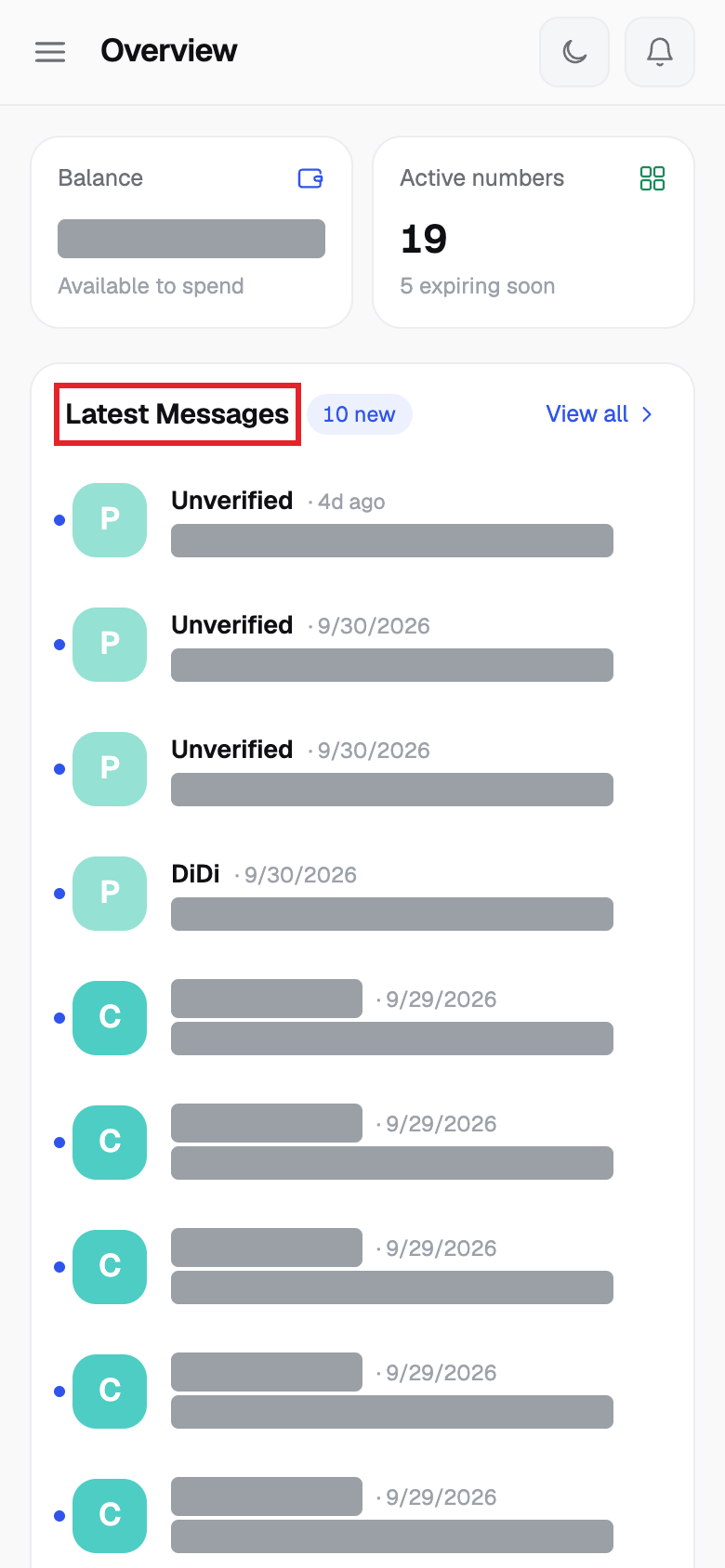
- On Overview, Latest Messages shows your newest 10 messages. Click View all or click a message to open its number.
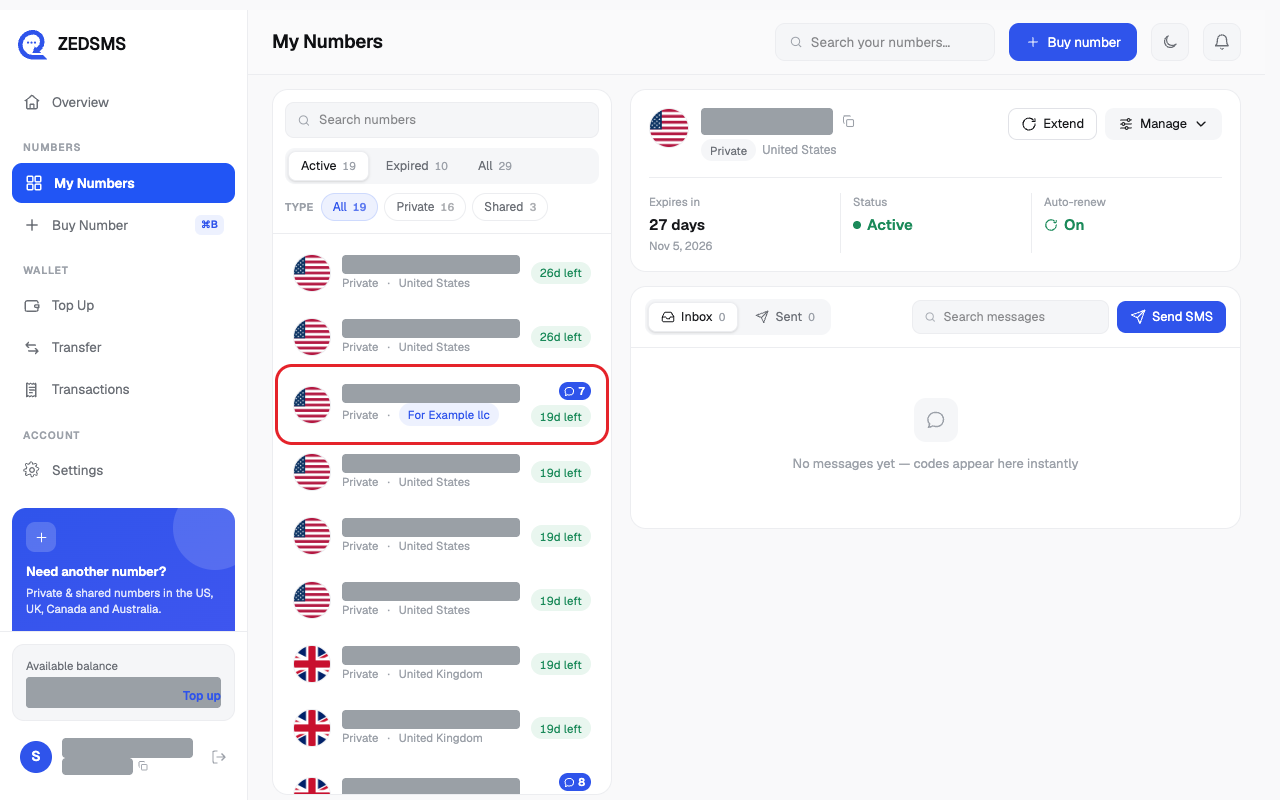
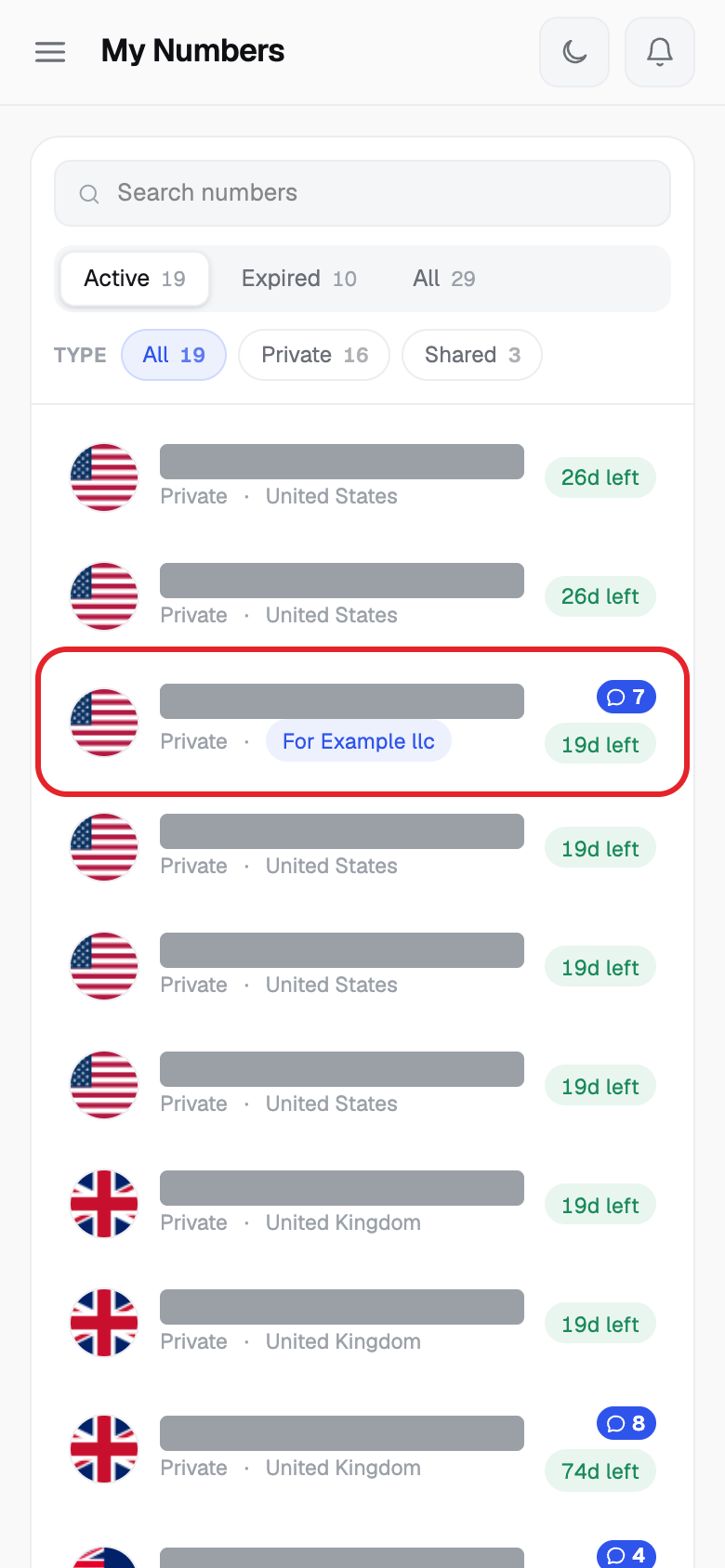
- Or click My Numbers and click a number. A number with new messages shows a blue message count.
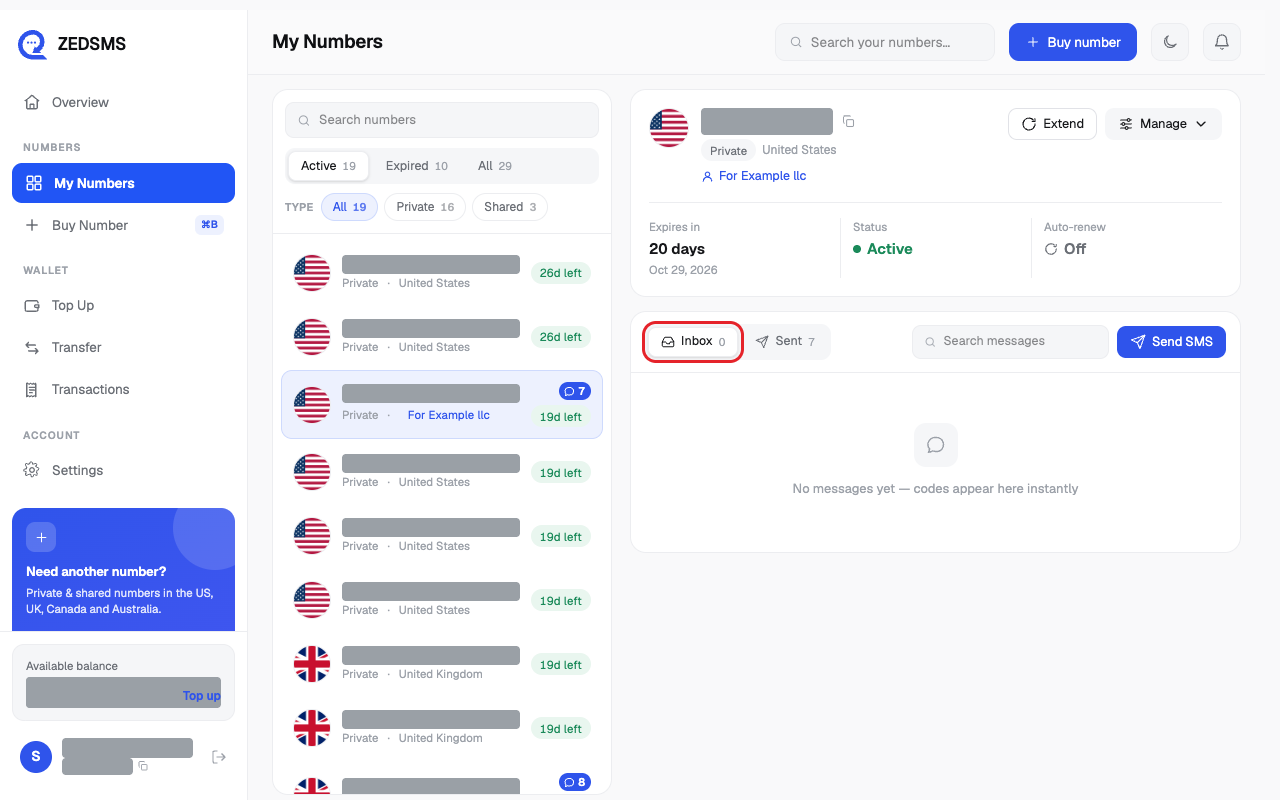
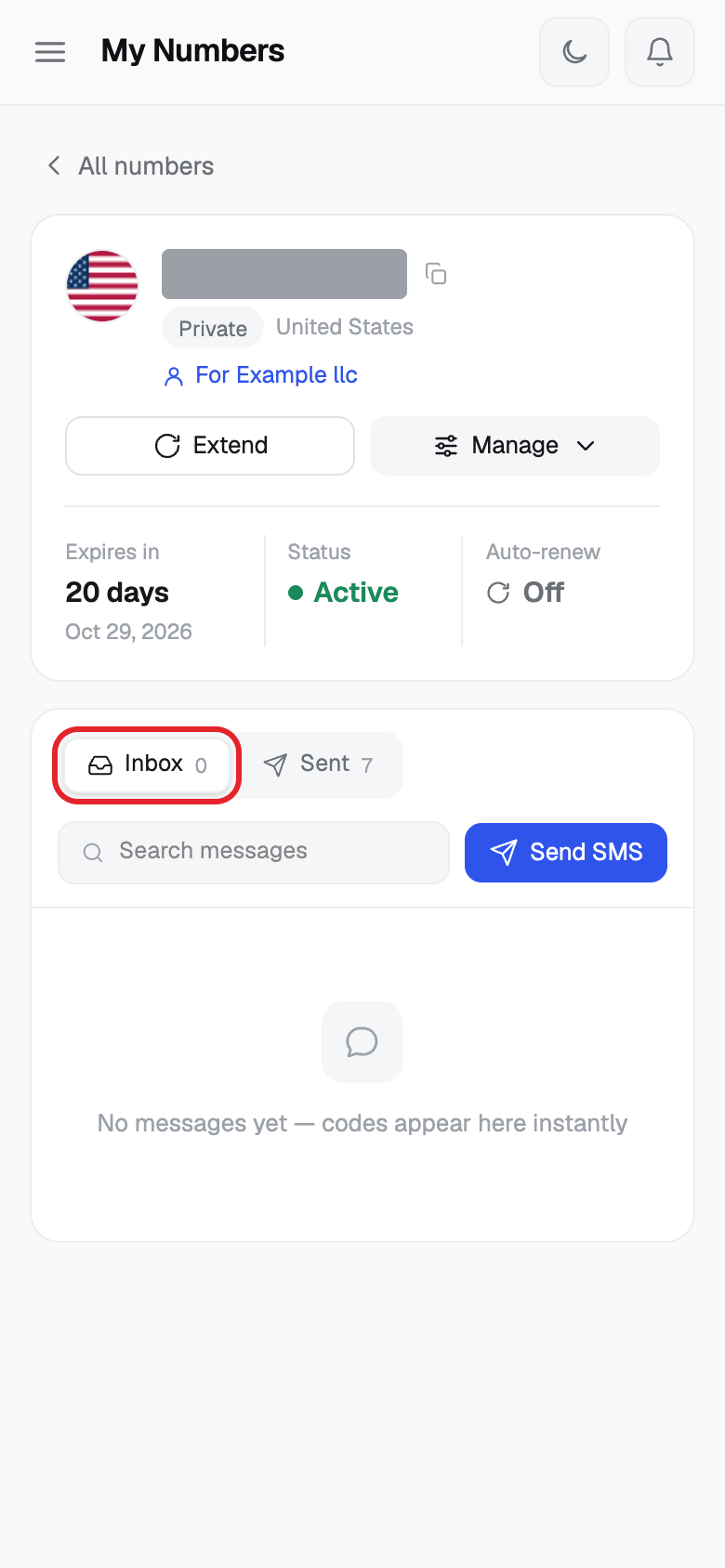
- The Inbox tab lists the messages that arrived. New ones have a new tag. If the message has a code, the code is shown in its own box under the text.
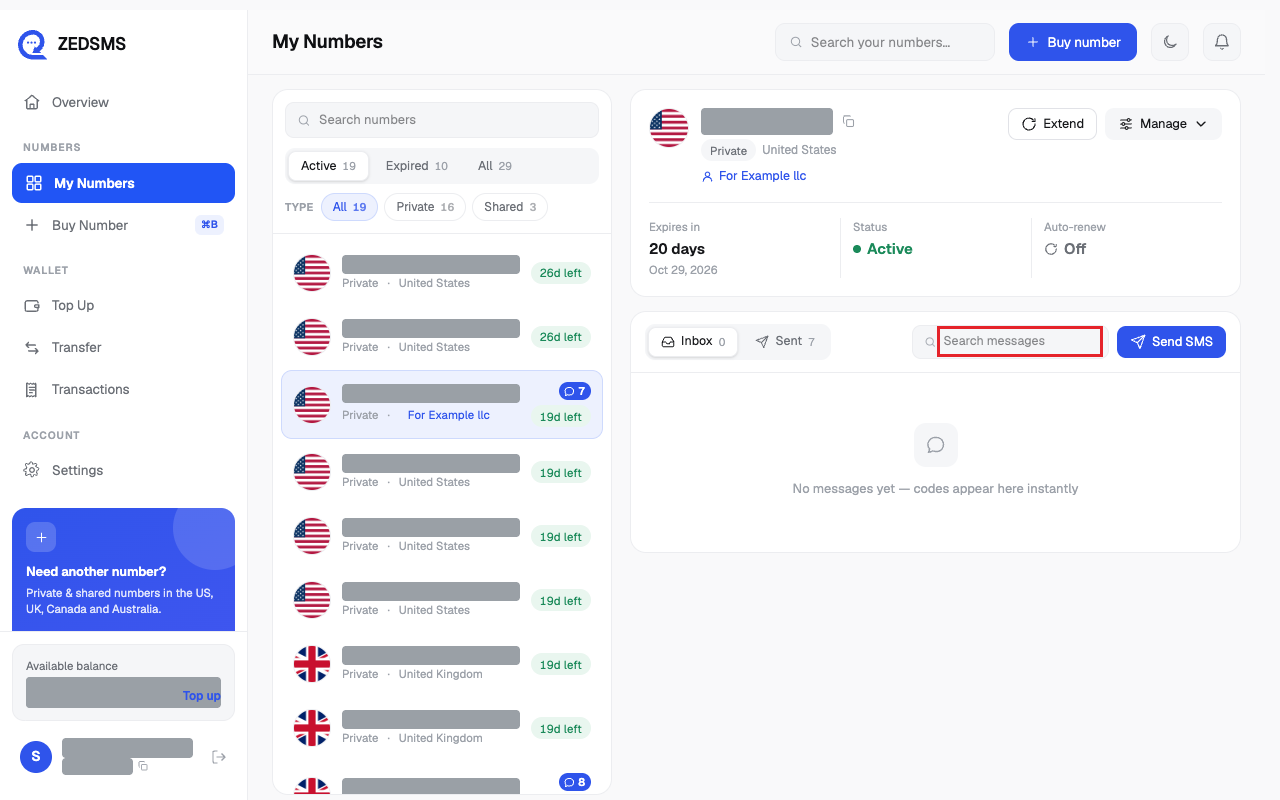
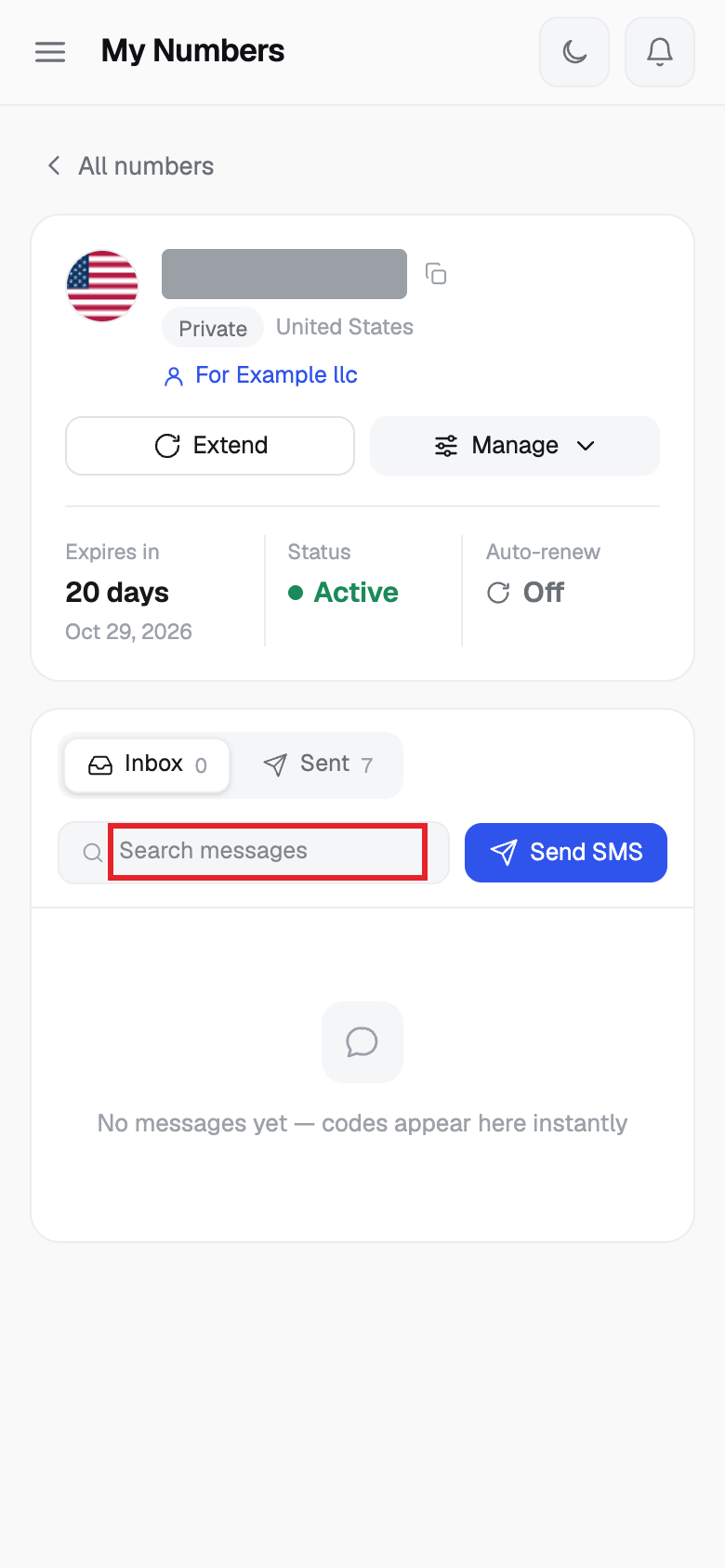
- To find a message, type in Search messages.
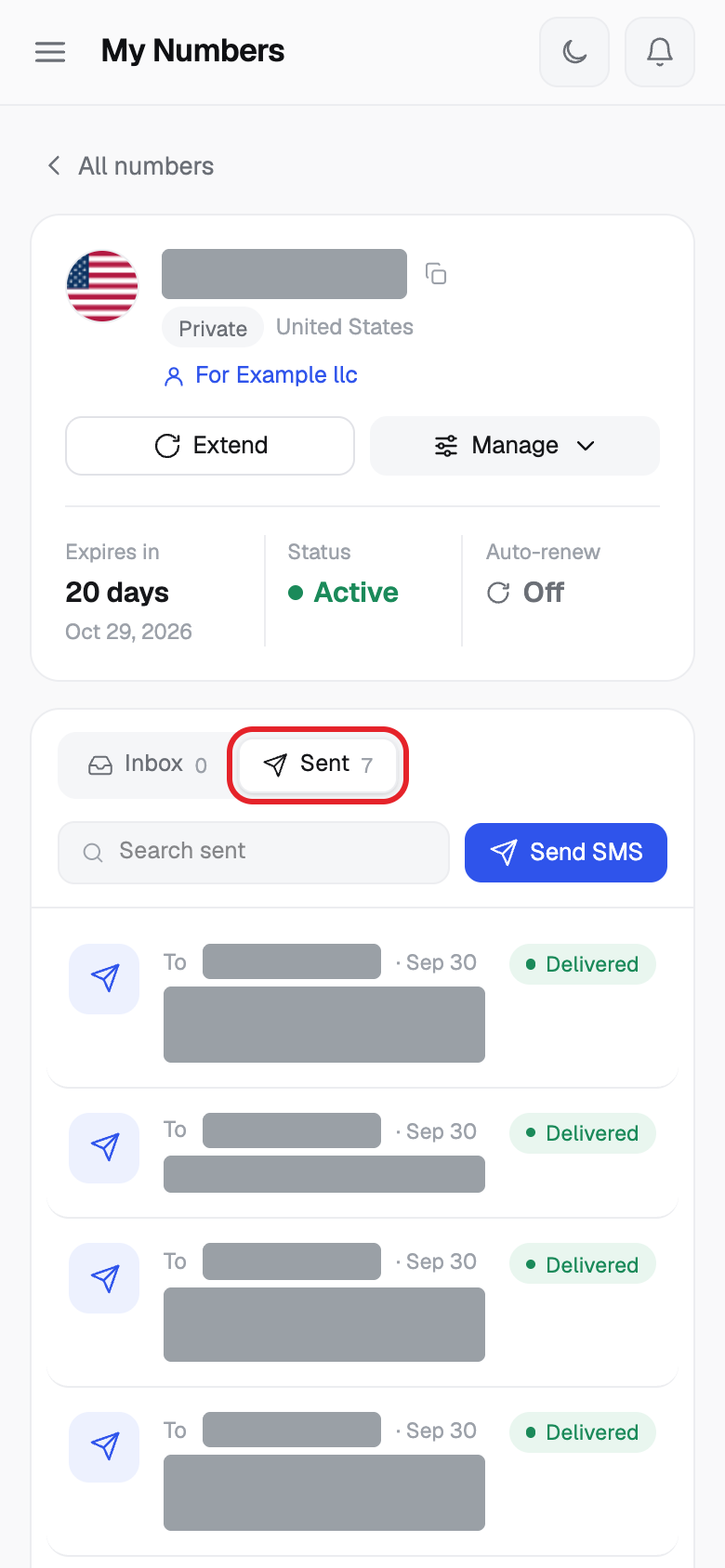
- On a Private number, click the Sent tab to see the texts you sent. Each shows Delivered or Sending.
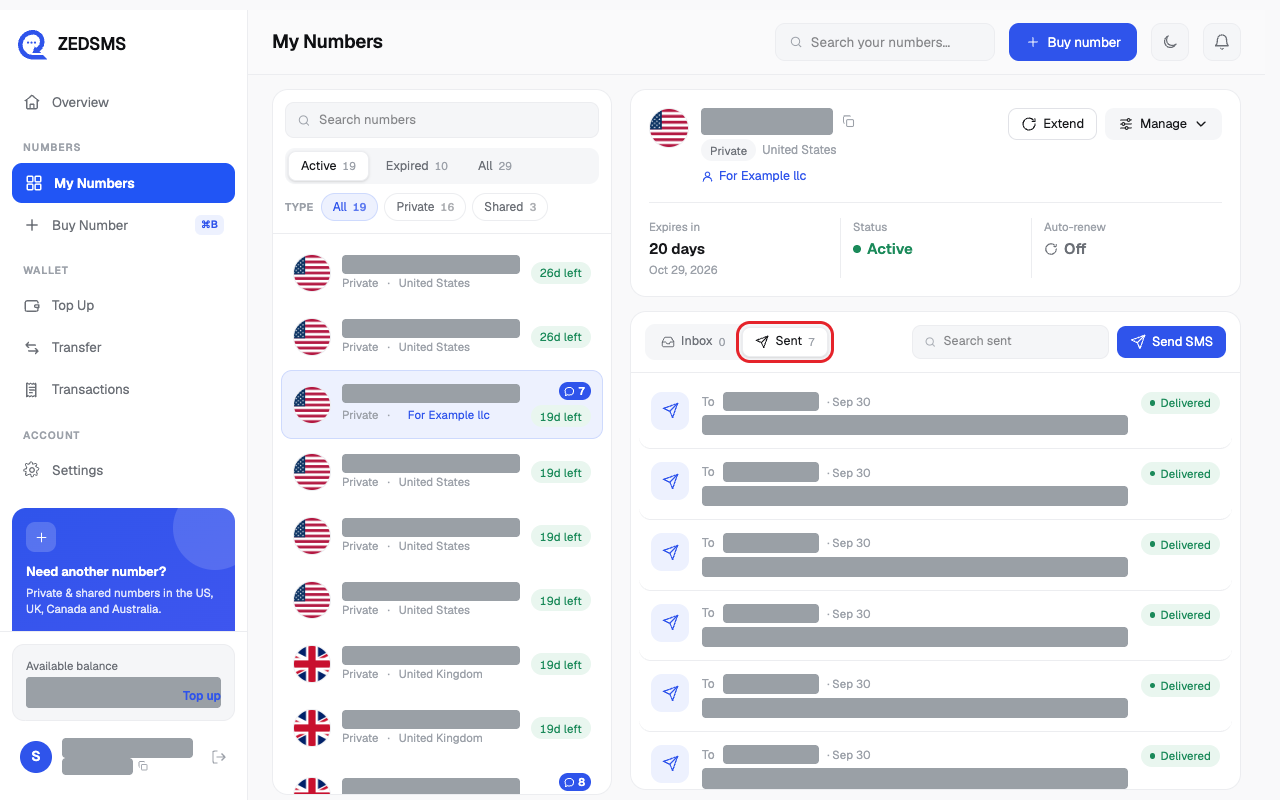
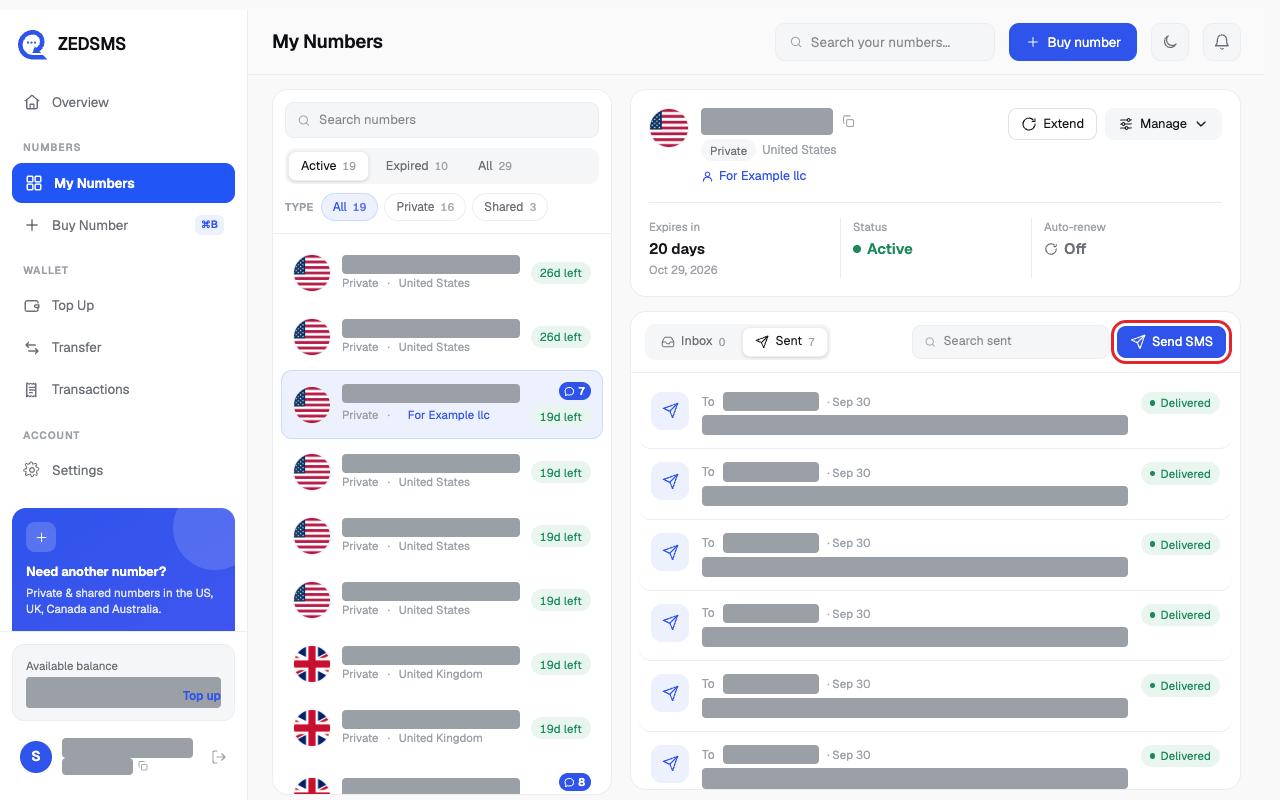
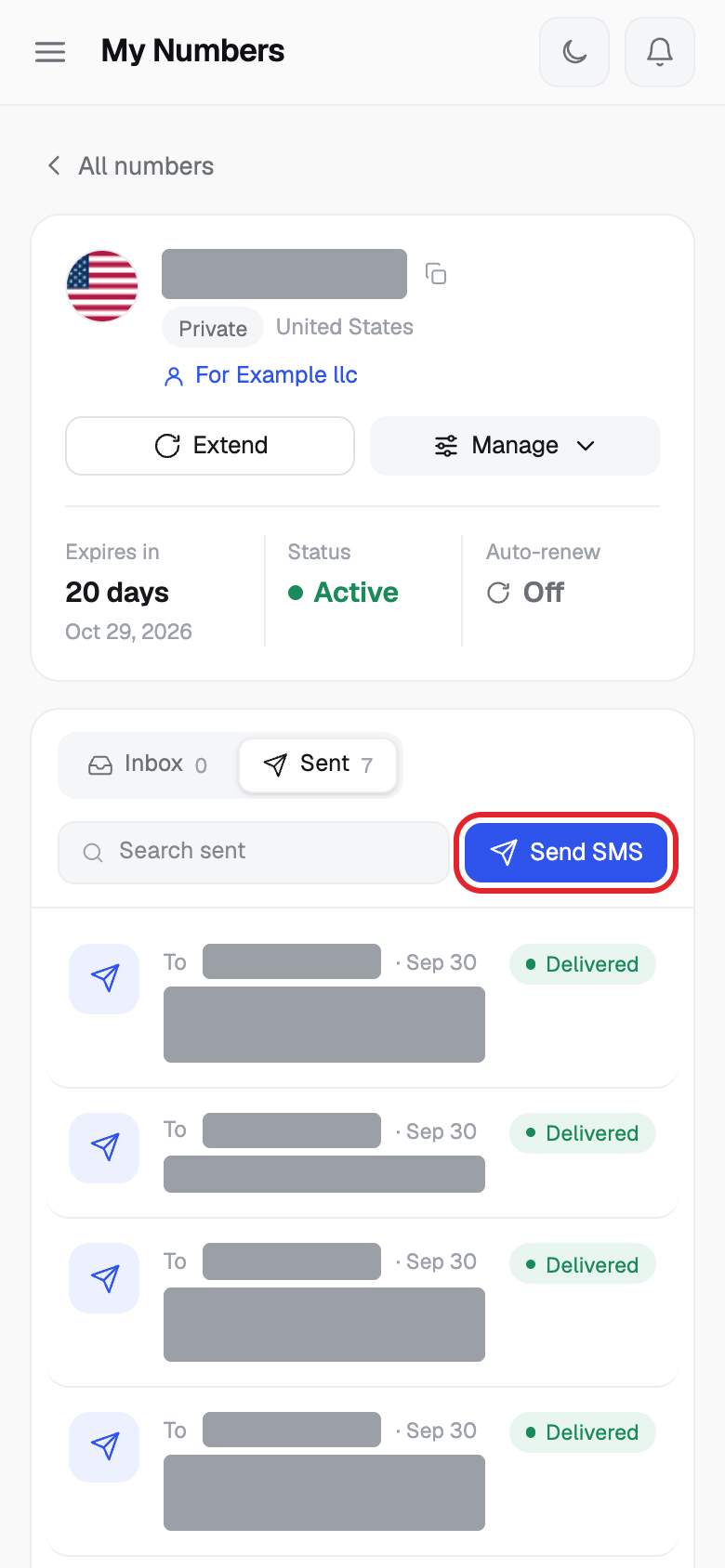
- To send a text, click Send SMS.
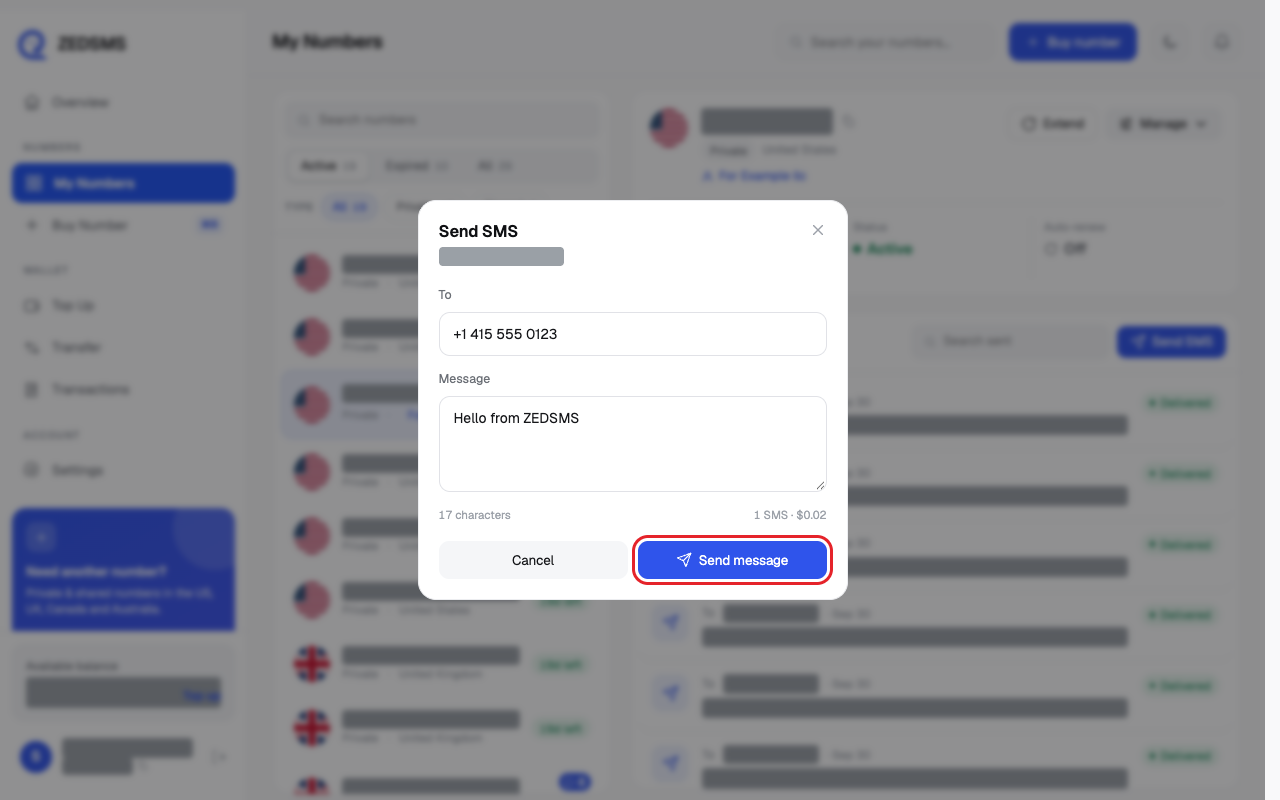
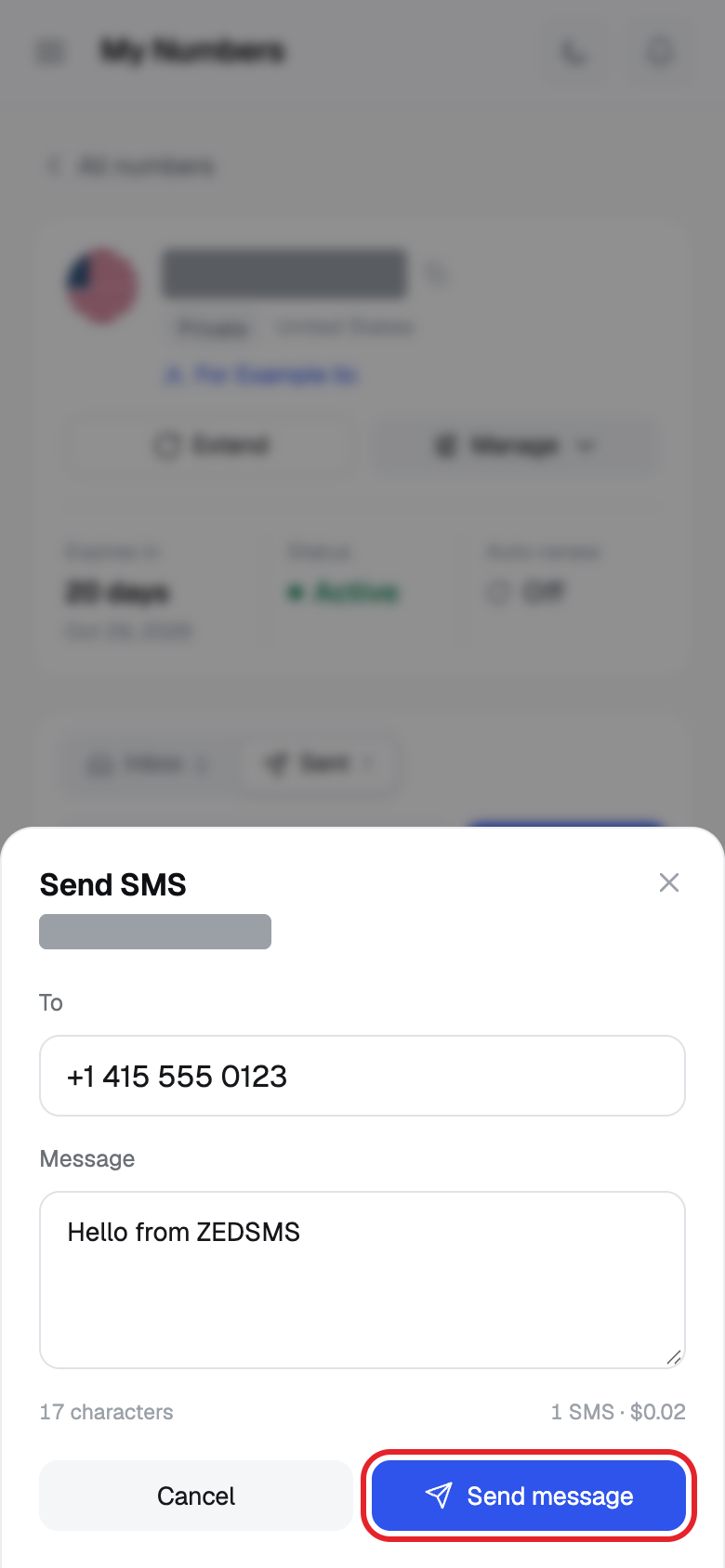
- Type the phone number in To (with the country code, for example +1 415 555 0123). Type your text in Message. Click Send message.
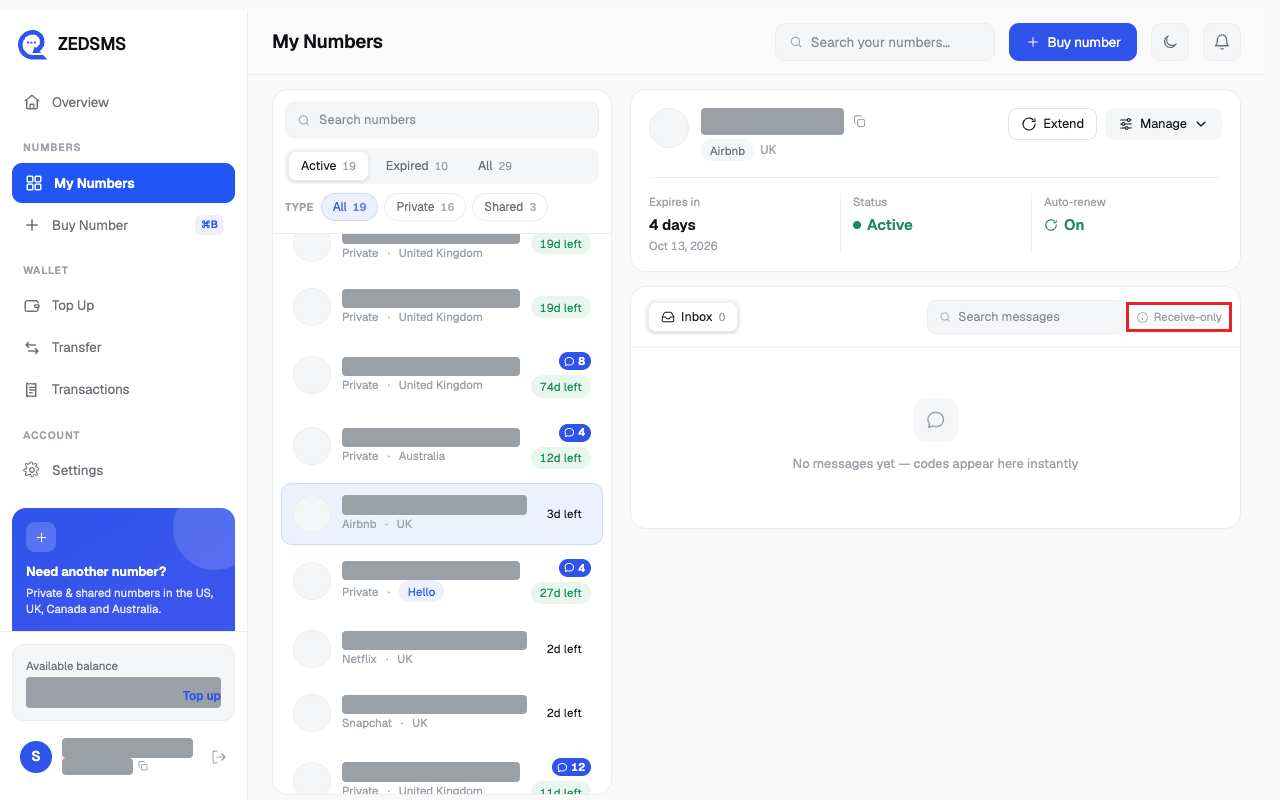
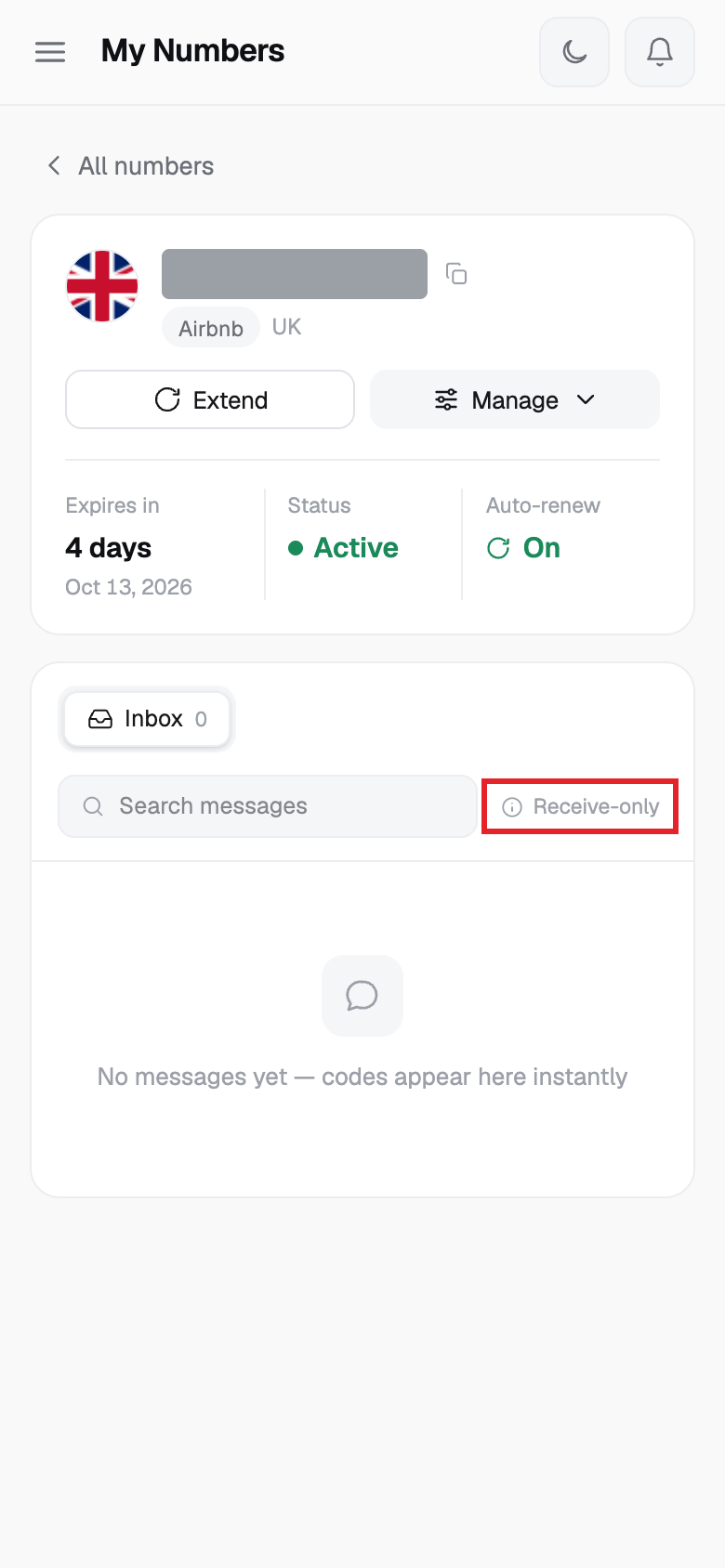
- Shared numbers can only receive. They show Receive-only instead of a send button.
Calls
There is no call screen on this website. Our site says Private numbers support calls as well as texts, and Shared numbers do not. For how to make and receive calls, please use the ZEDSMS mobile app or email support@zedsms.com.
ZEDSMS does not connect emergency calls (for example 999, 911 or 112).
Using a phone? See the same steps on a small screen
Step 1
Step 2
Step 3
Step 4
Step 5
Step 6
Step 7
Step 8
Good to know
- Messages appear here as soon as they arrive. The page shows Updating while it refreshes.
- If a number has no messages yet you see No messages yet — codes appear here instantly.
- Each text part costs $0.02 on the Send SMS screen. A long message uses more parts (one part is up to 160 characters). The screen shows the count and cost before you send.
- Some messages are checked for abuse. You may see Your message is under review. Do not send bulk, marketing or automated messages.
- The Send SMS button is switched off when the number is expired.
- US numbers include 50 free inbound SMS. After that each inbound SMS costs $0.03.
- Want messages sent to your email or Telegram? See the notification channels article.
Common problems
- No messages yet — codes appear here instantly Wait a little. Some apps and websites do not send codes to virtual numbers. We cannot promise every service will send to your number.
- No messages match “…” Clear the search box.
- No sent messages yet — tap Send SMS to start a conversation You have not sent a text from this number yet.
- Failed to send SMS The reason is shown with it. Check the number, your balance, and that the number is not expired.
- Your message is under review Wait for the check to finish. Nothing more is needed.