

Send money from your ZEDSMS balance to another person's ZEDSMS balance. It is instant and free.
Before you start
- The other person has a ZEDSMS account. You need their ZEDSMS ID or their account email.
- Enough balance for the amount.
- Be careful: a transfer cannot be undone.
Steps
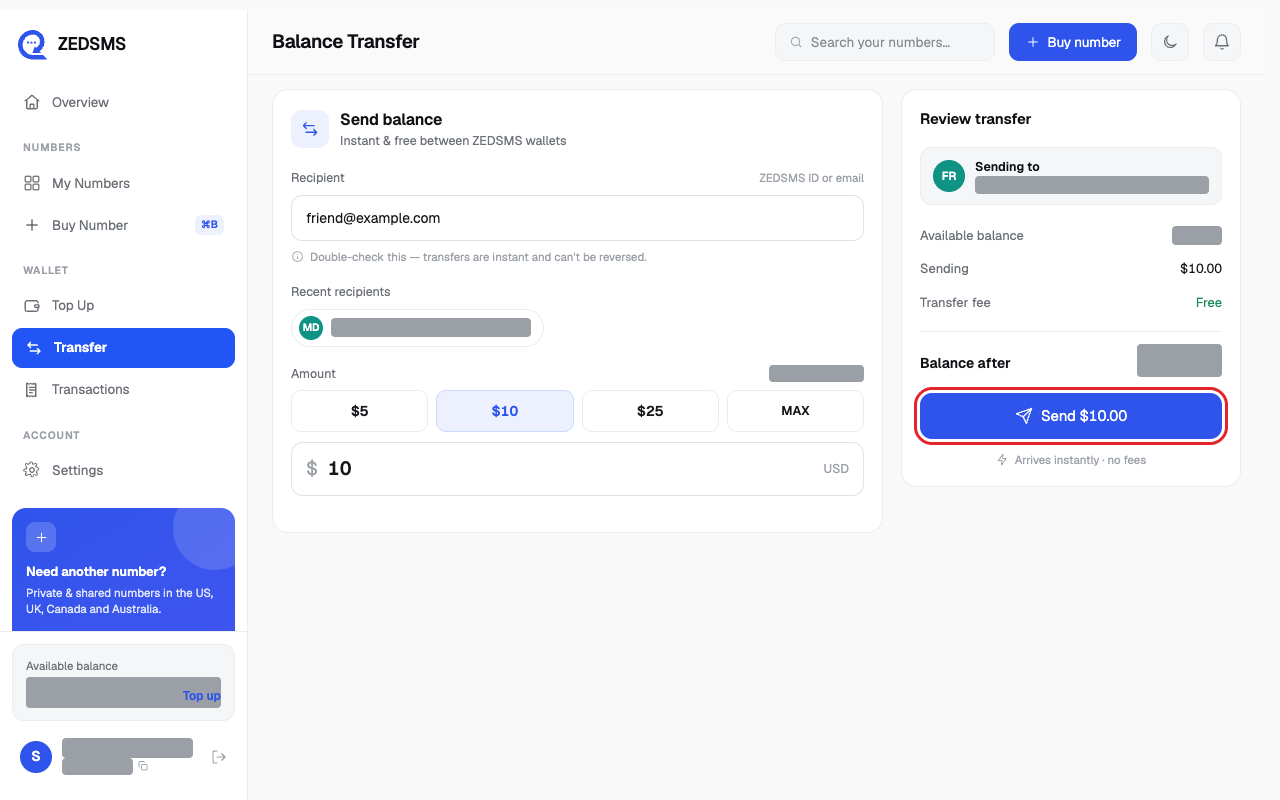
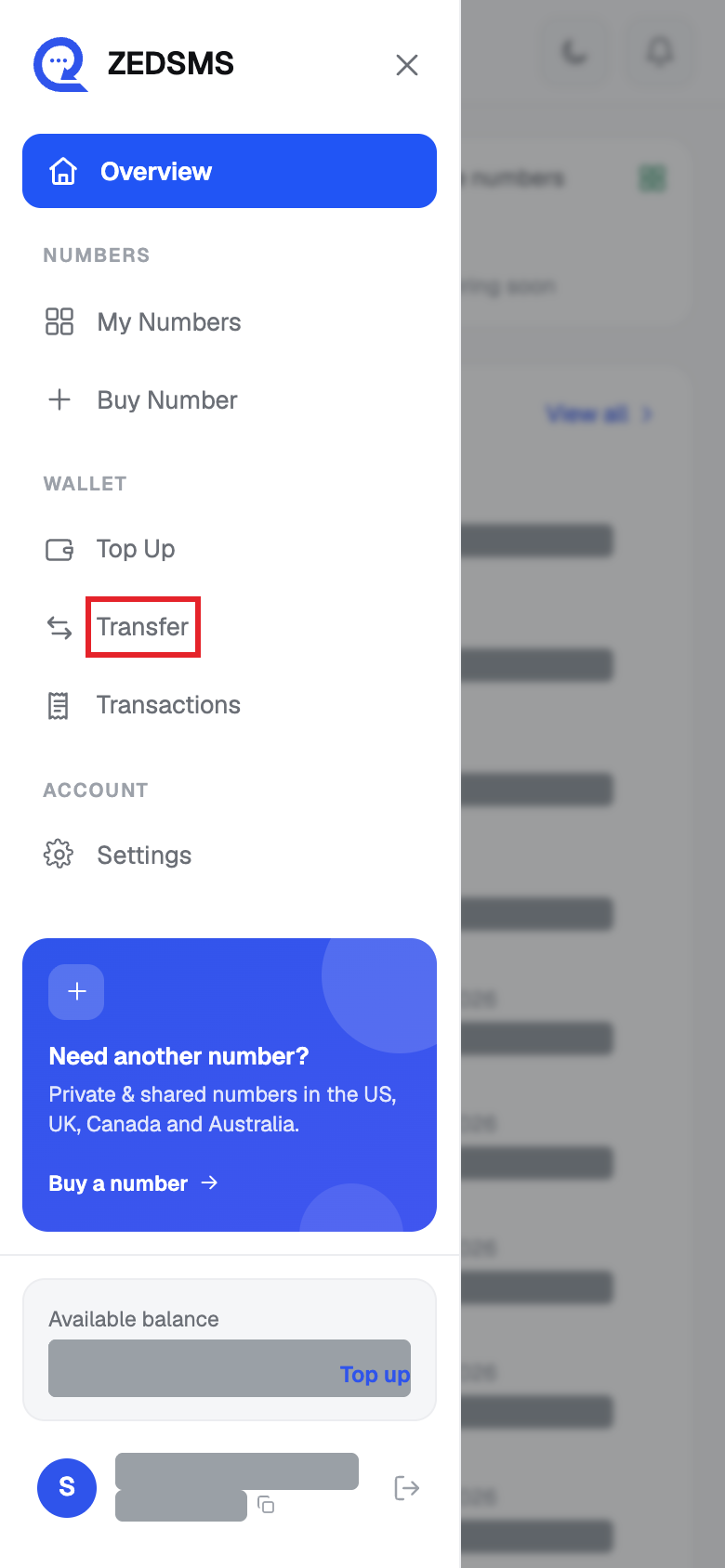
- Click Transfer in the left menu. On a phone, open the menu first.
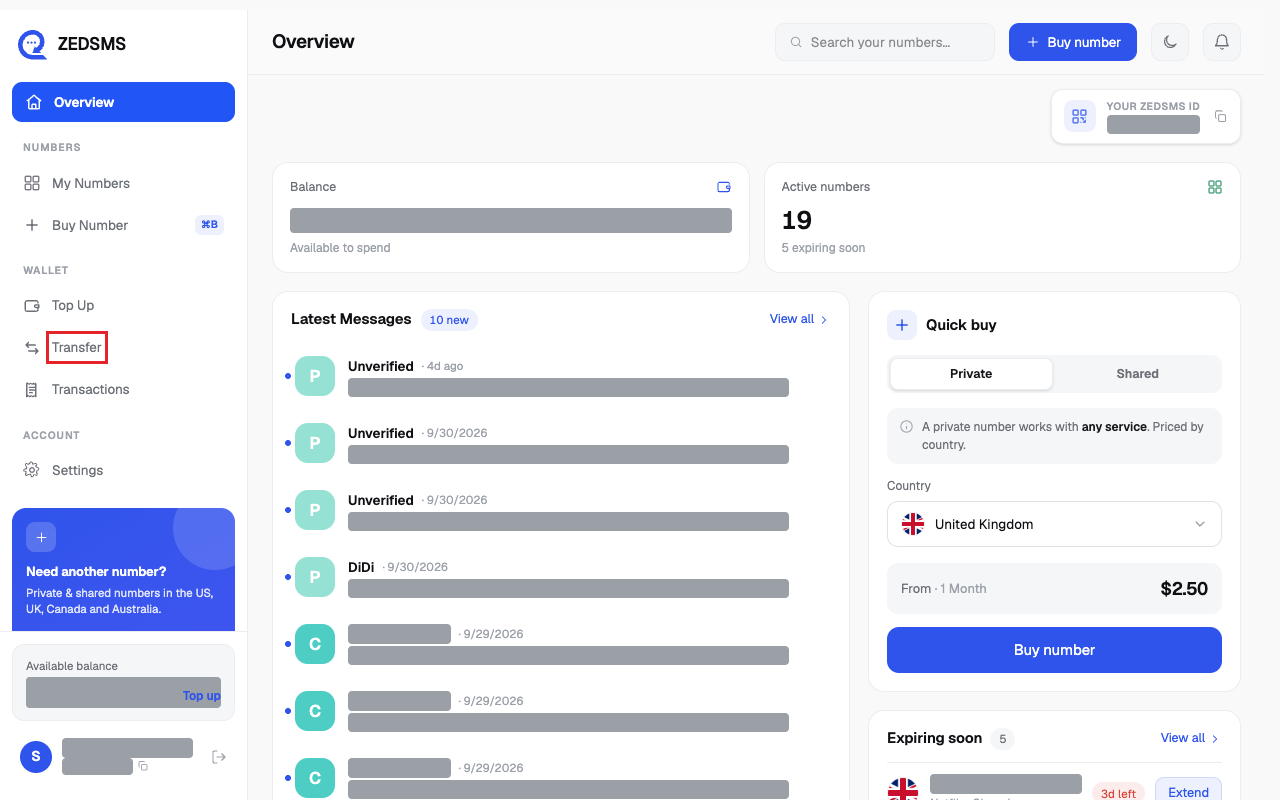
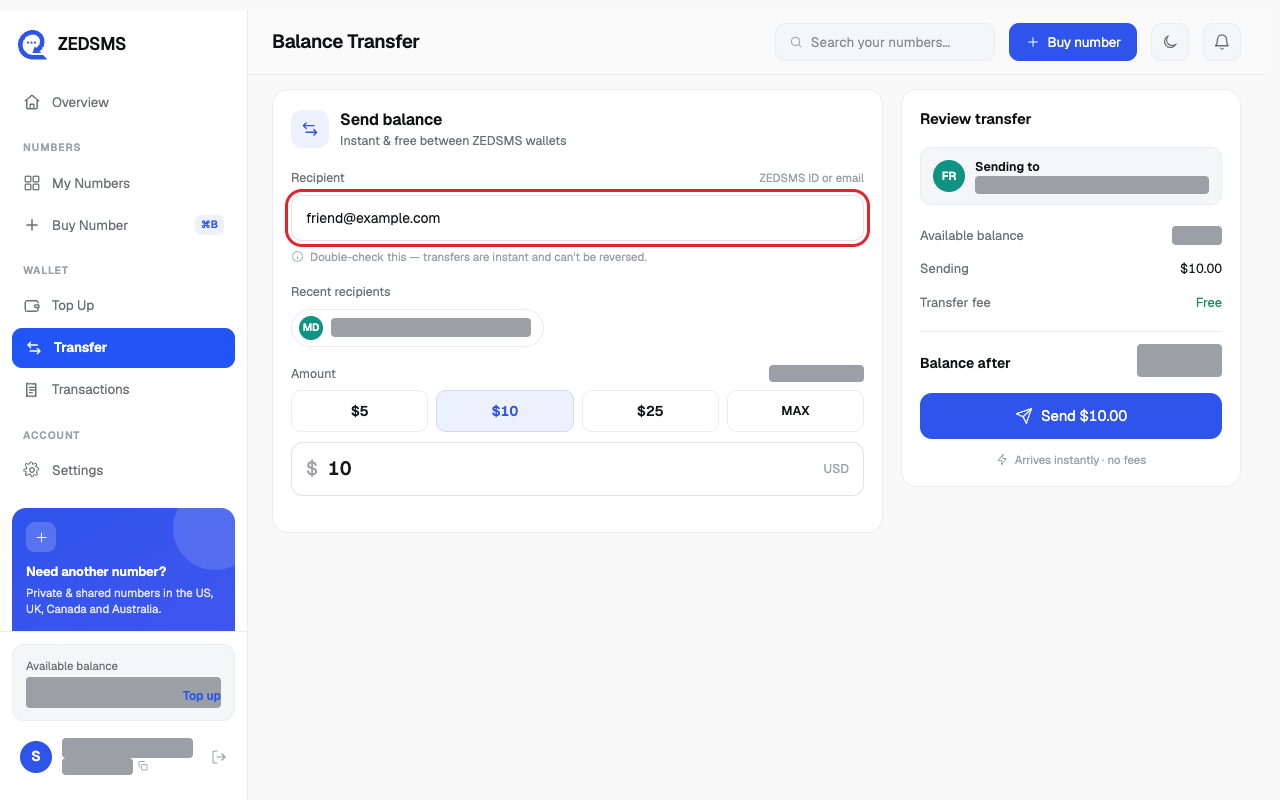
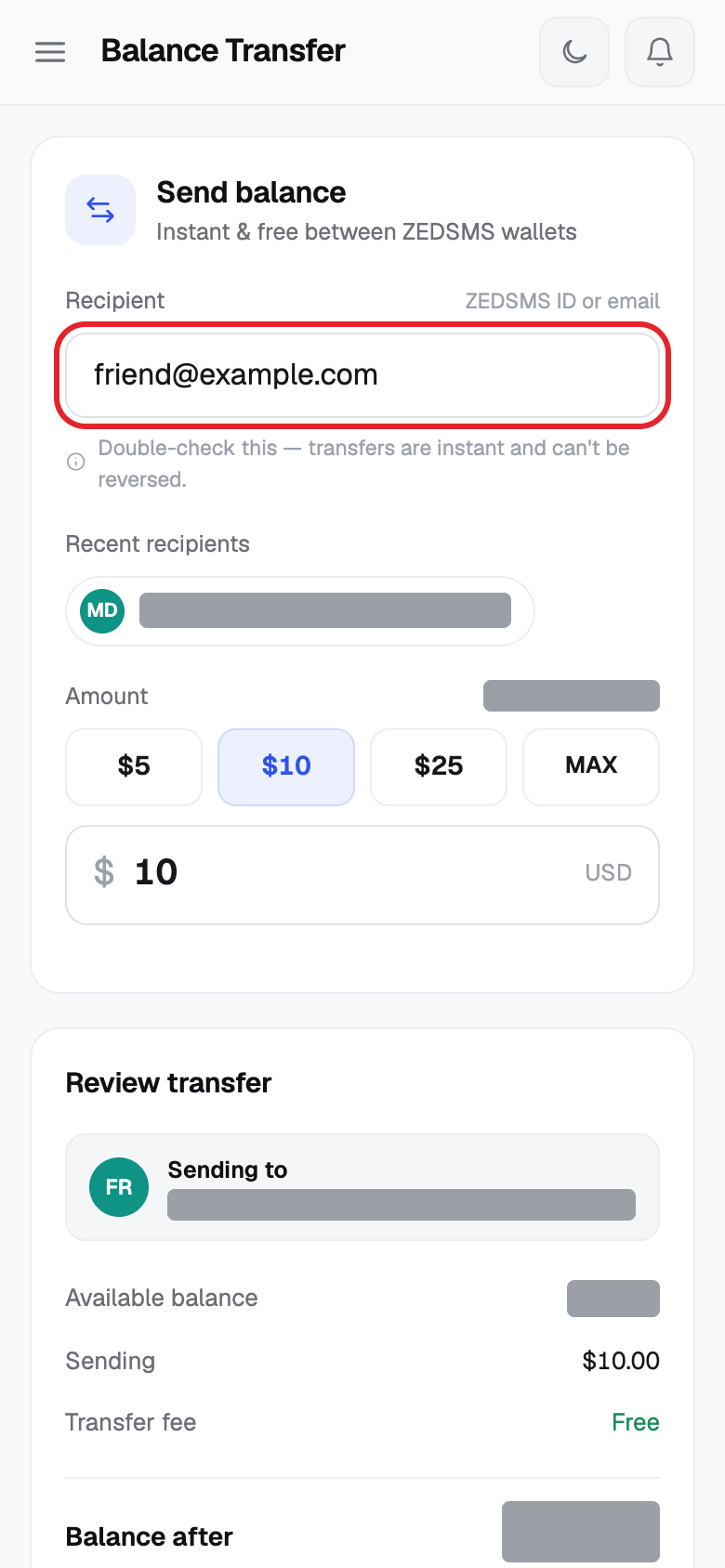
- Type the other person's ZEDSMS ID or email in Recipient. People you sent to before appear as Recent recipients. Click one to use it.
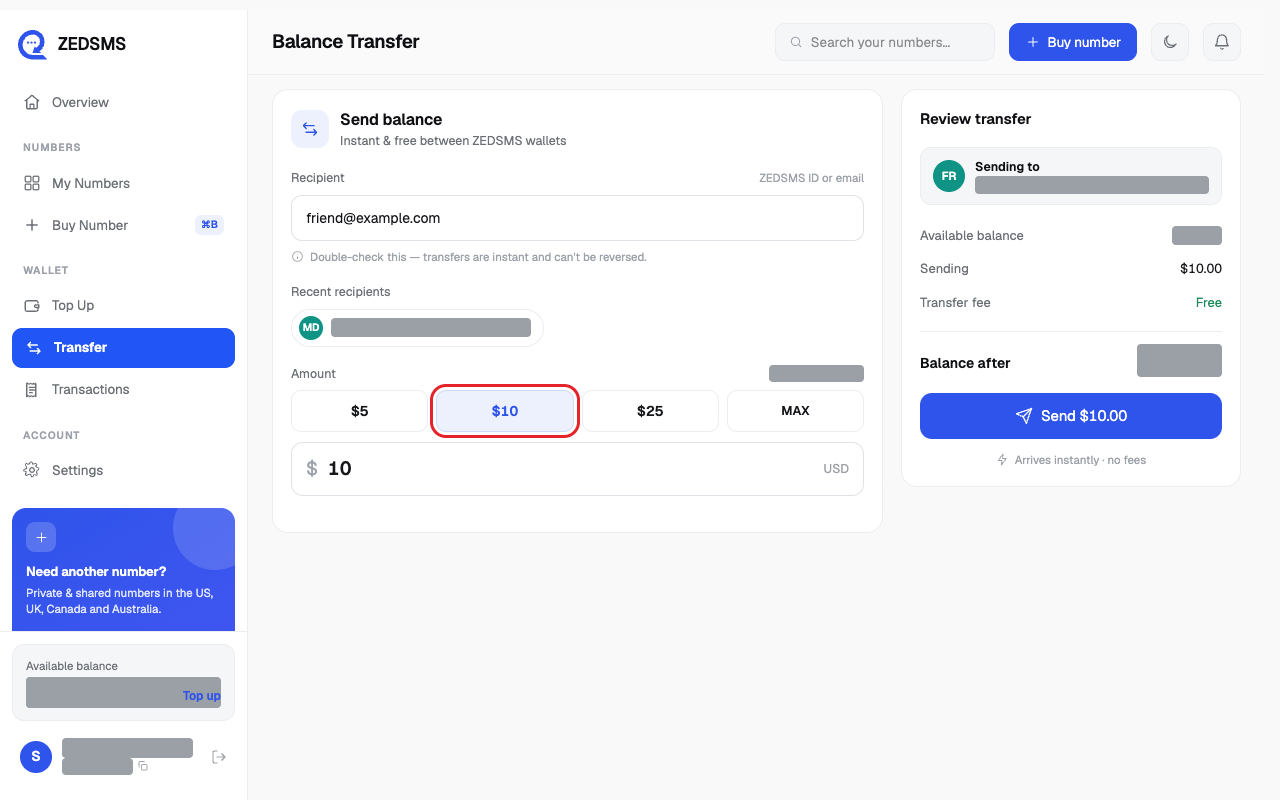
- Choose an amount: $5, $10, $25 or MAX, or type your own amount.
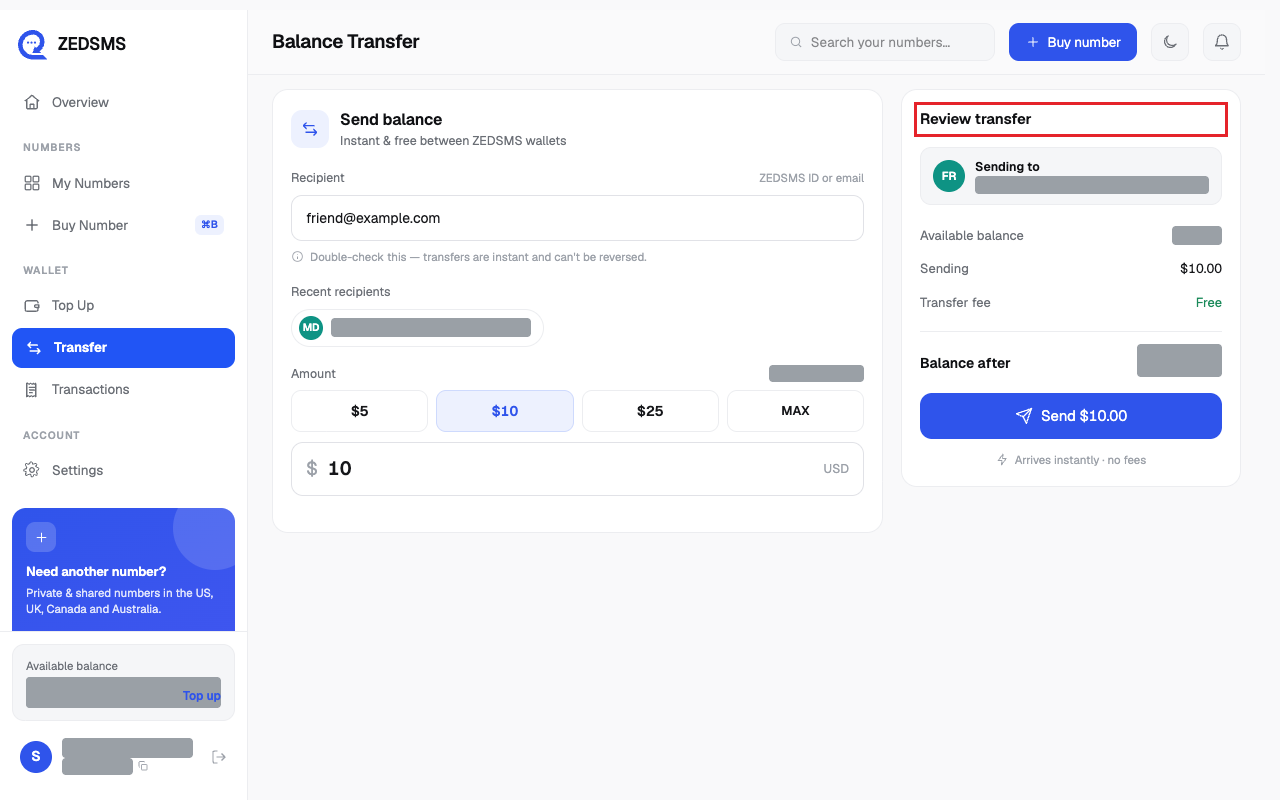
- Check Review transfer. It shows Sending, Transfer fee (Free) and Balance after.
- Click Send $ and the amount.
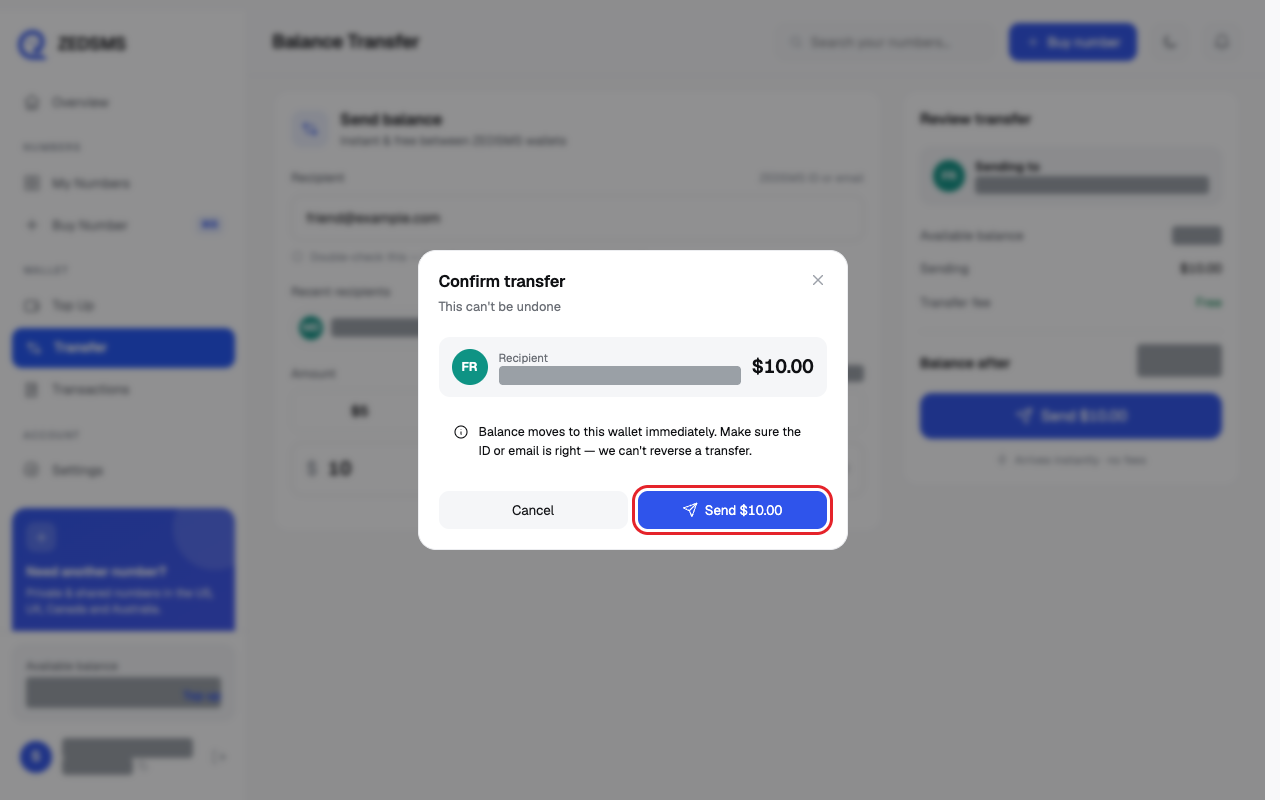
- A box called Confirm transfer opens. Check the recipient and amount, then click Send $ and the amount again.
Using a phone? See the same steps on a small screen
Step 1
Step 2
Step 3
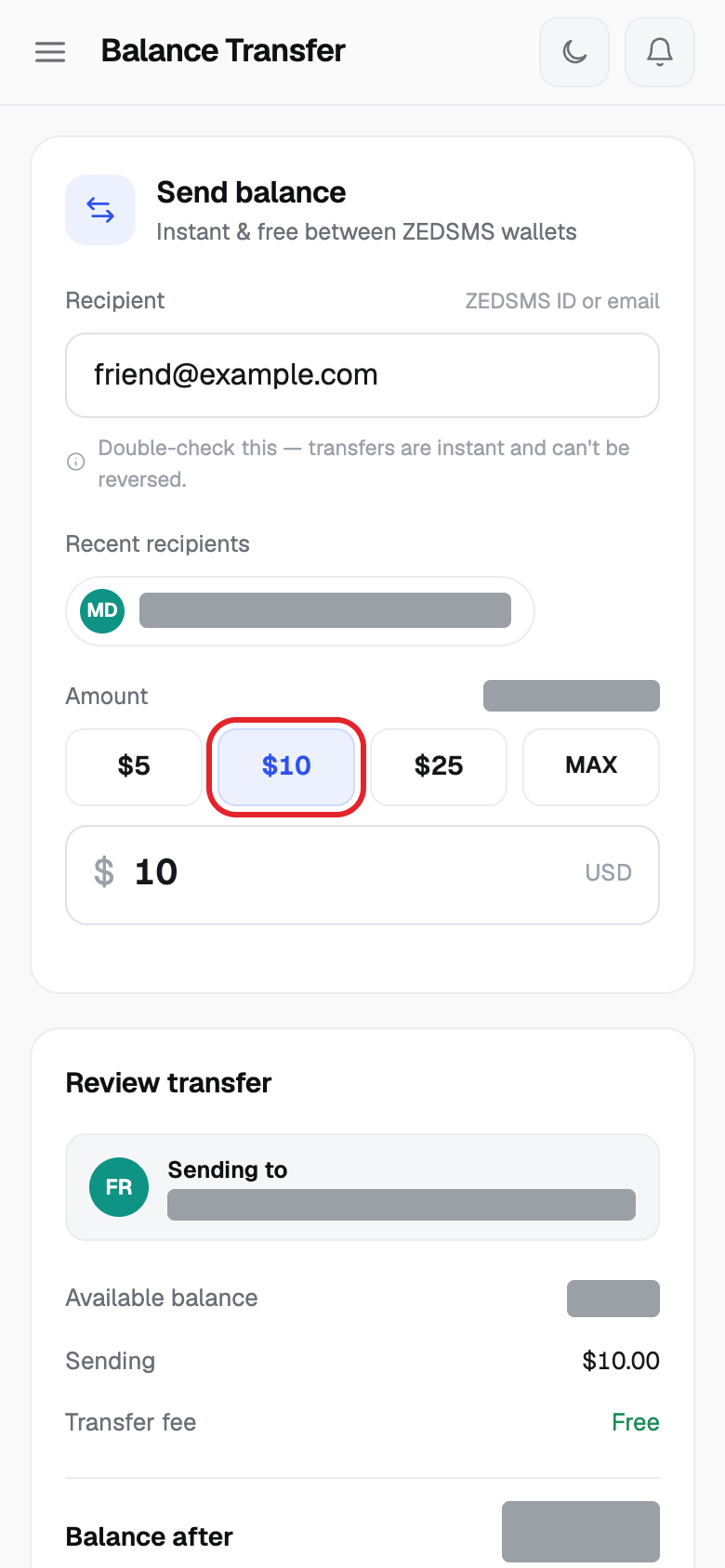
Step 4
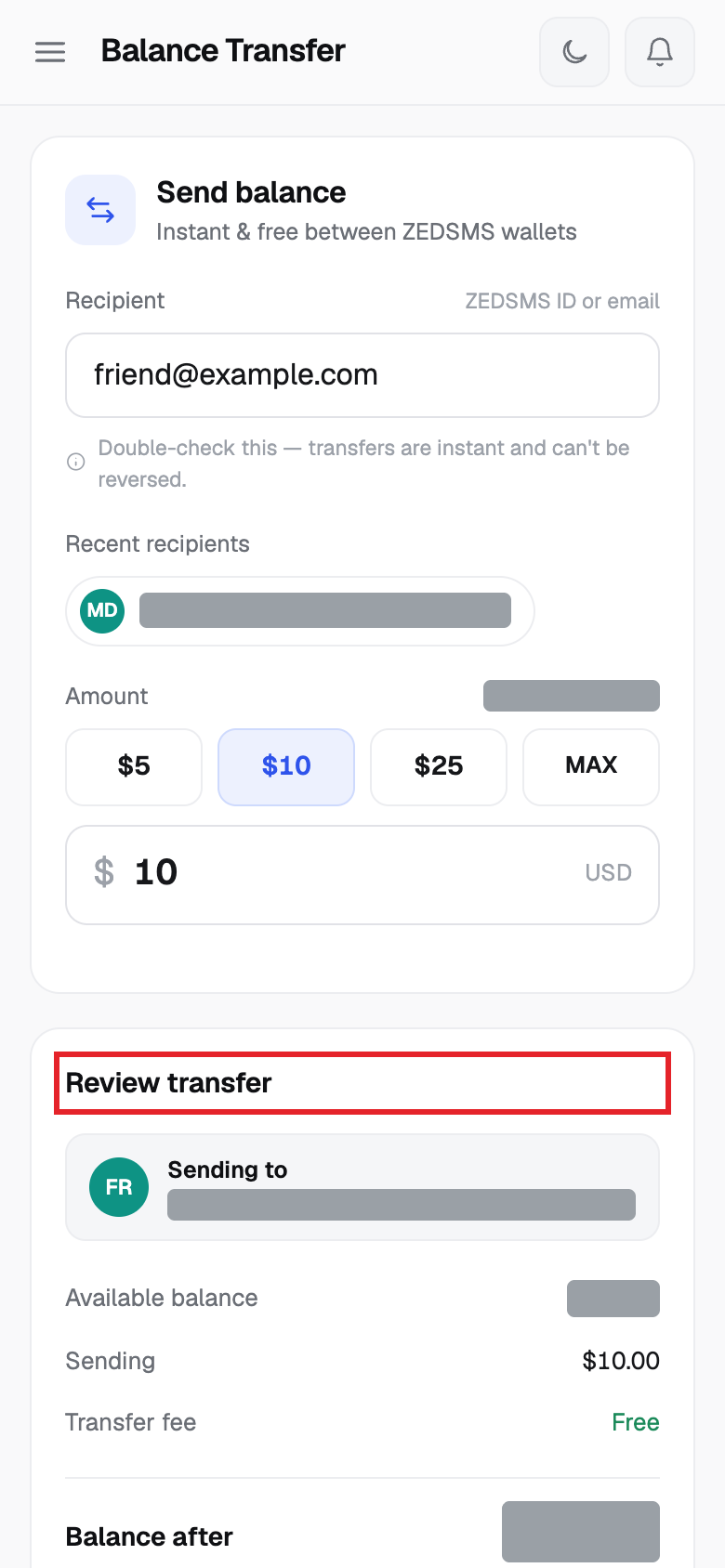
Step 5
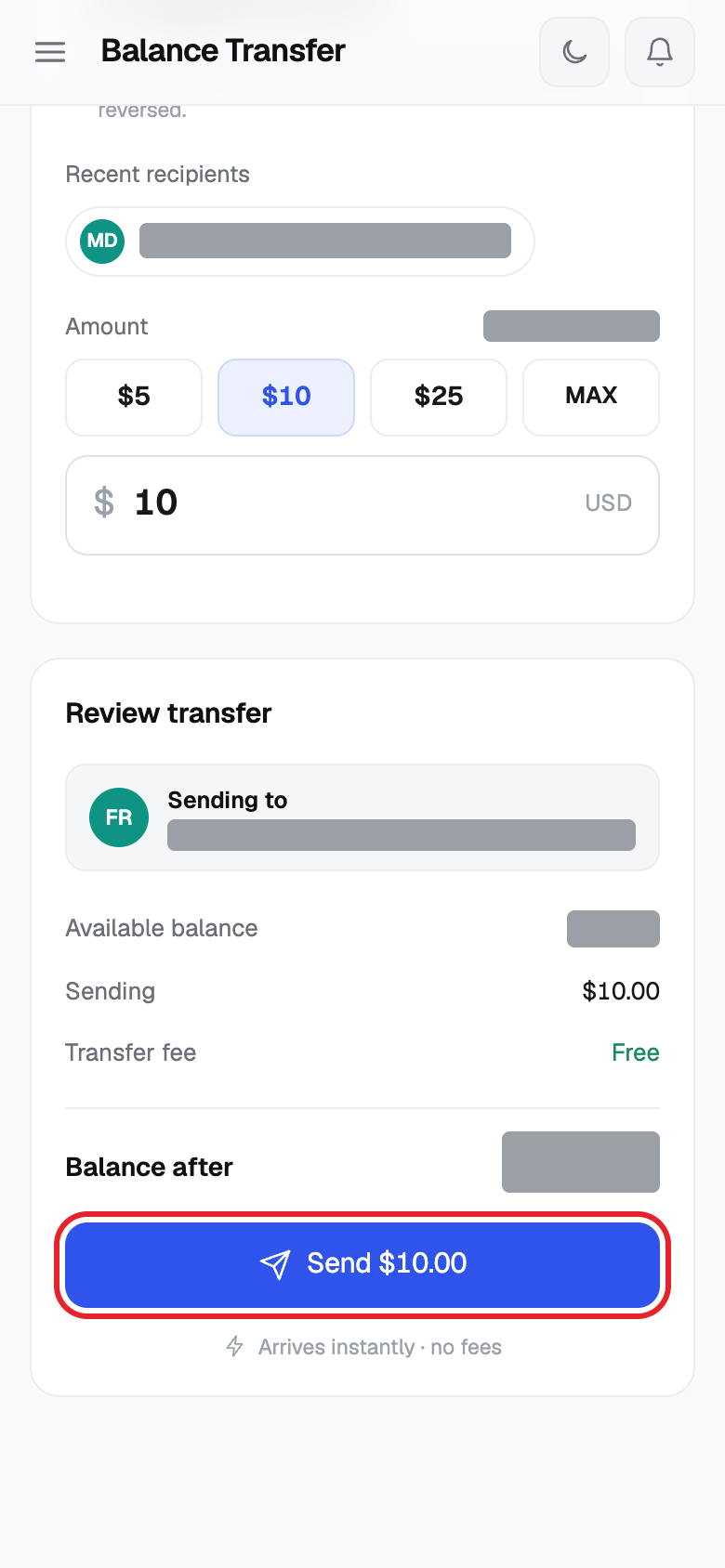
Step 6
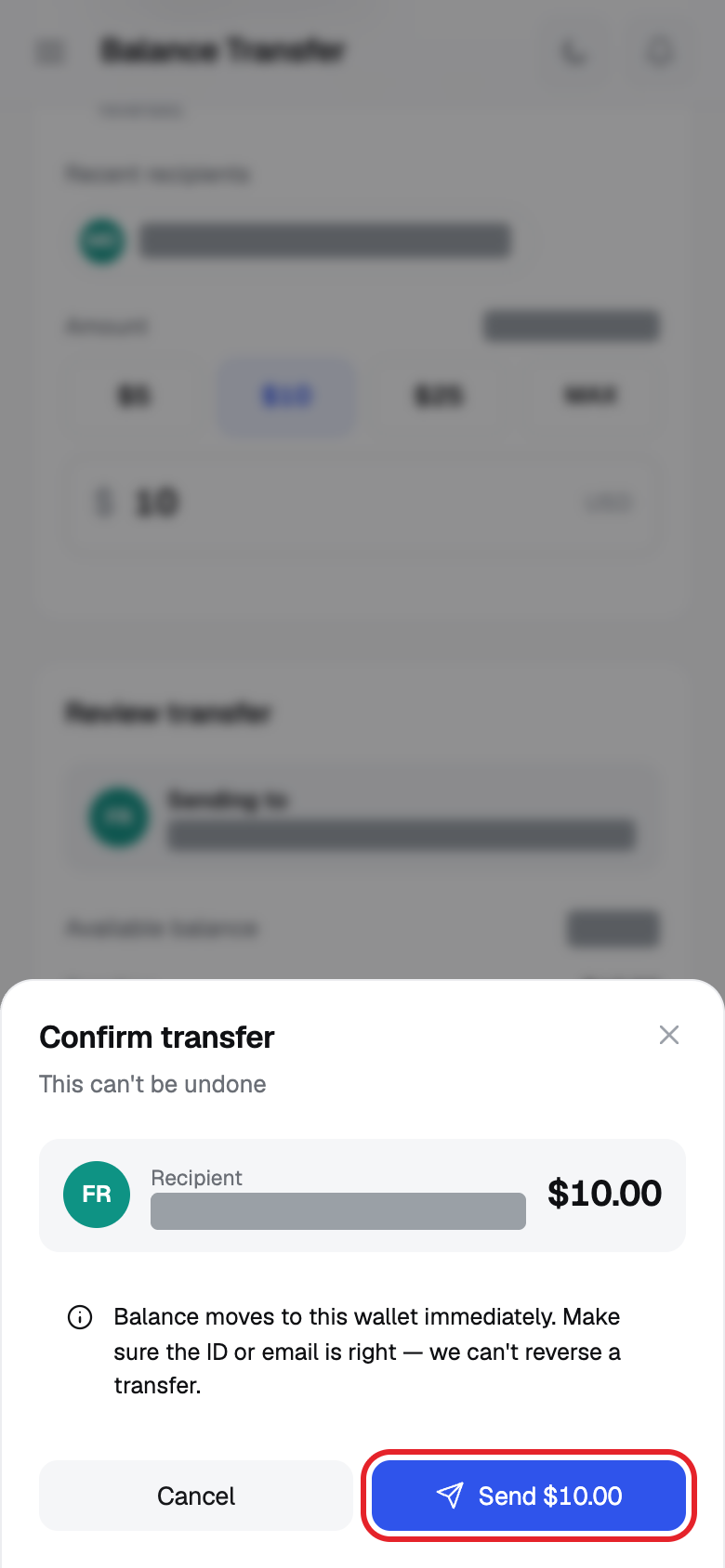
Good to know
- The page says: instant and free between ZEDSMS wallets.
- The money moves at once. We cannot reverse a transfer, so check the ID or email twice.
- You cannot send more than your available balance. MAX fills in all of it.
- Your transfer appears in Transactions as Balance Transfer.
- Your own ZEDSMS ID is in Settings. Share it so others can send you balance.
Common problems
- You can't transfer to yourself Type someone else's ZEDSMS ID or email.
- Amount exceeds your available balance Type a smaller amount or add balance first.
- Transfer failed Check the recipient and try again. The service may give a reason such as the user was not found.