

Your ZEDSMS ID is how other people send you balance or a number. It never changes.
Before you start
- You are signed in.
Steps
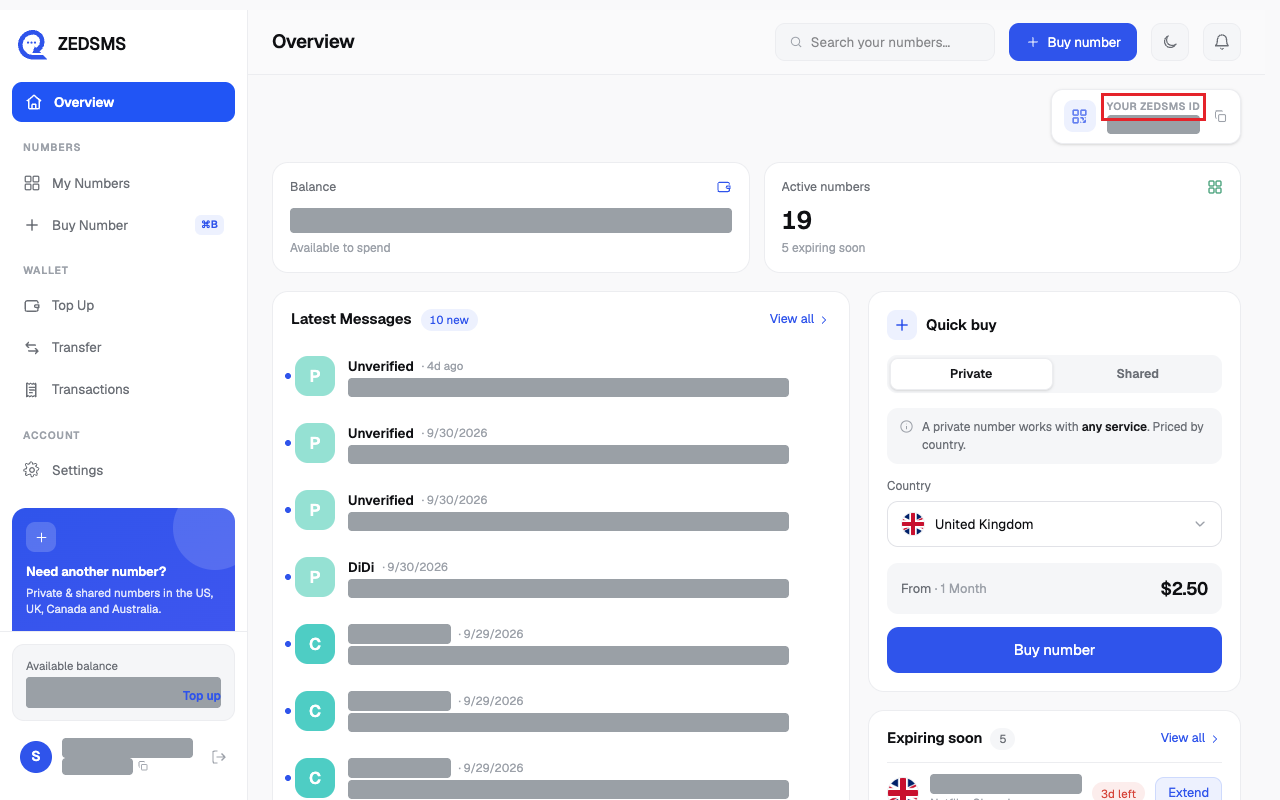
- On a computer, look at Your ZEDSMS ID at the top right of Overview. Click it to copy.
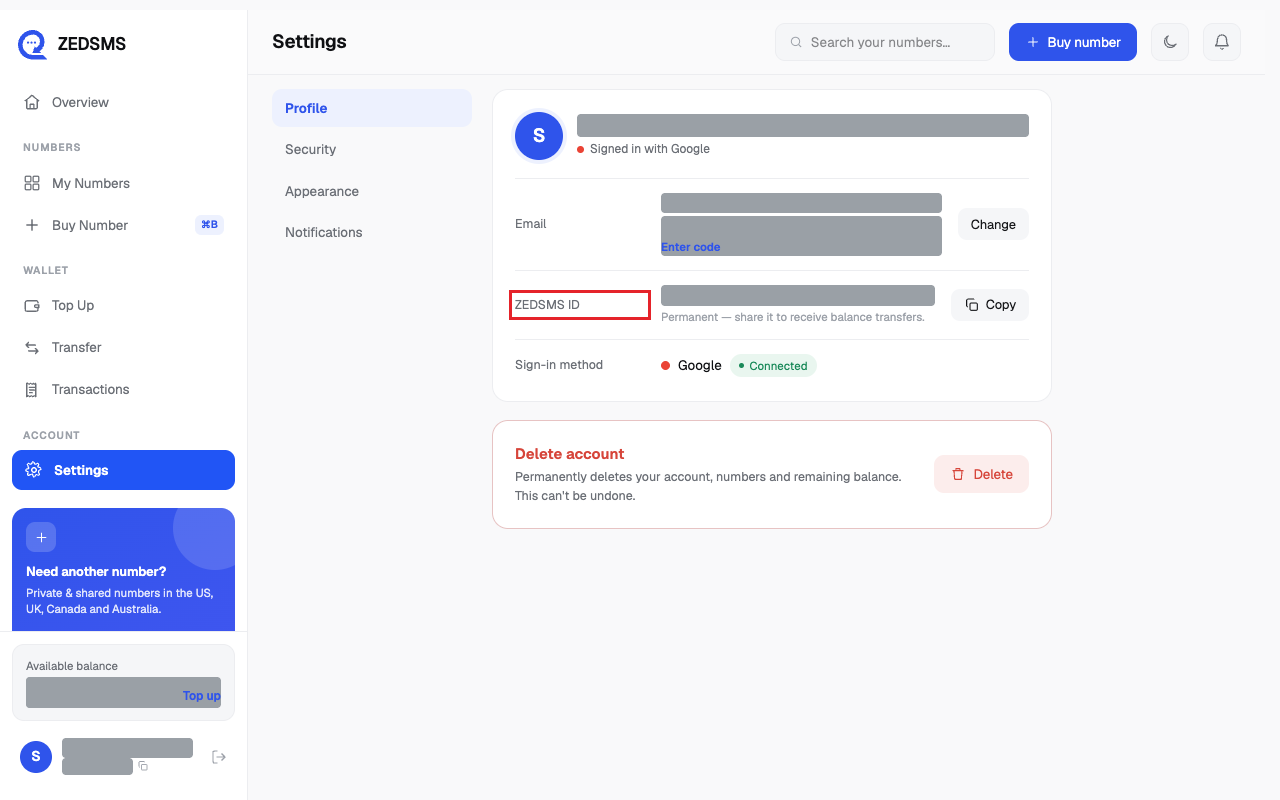
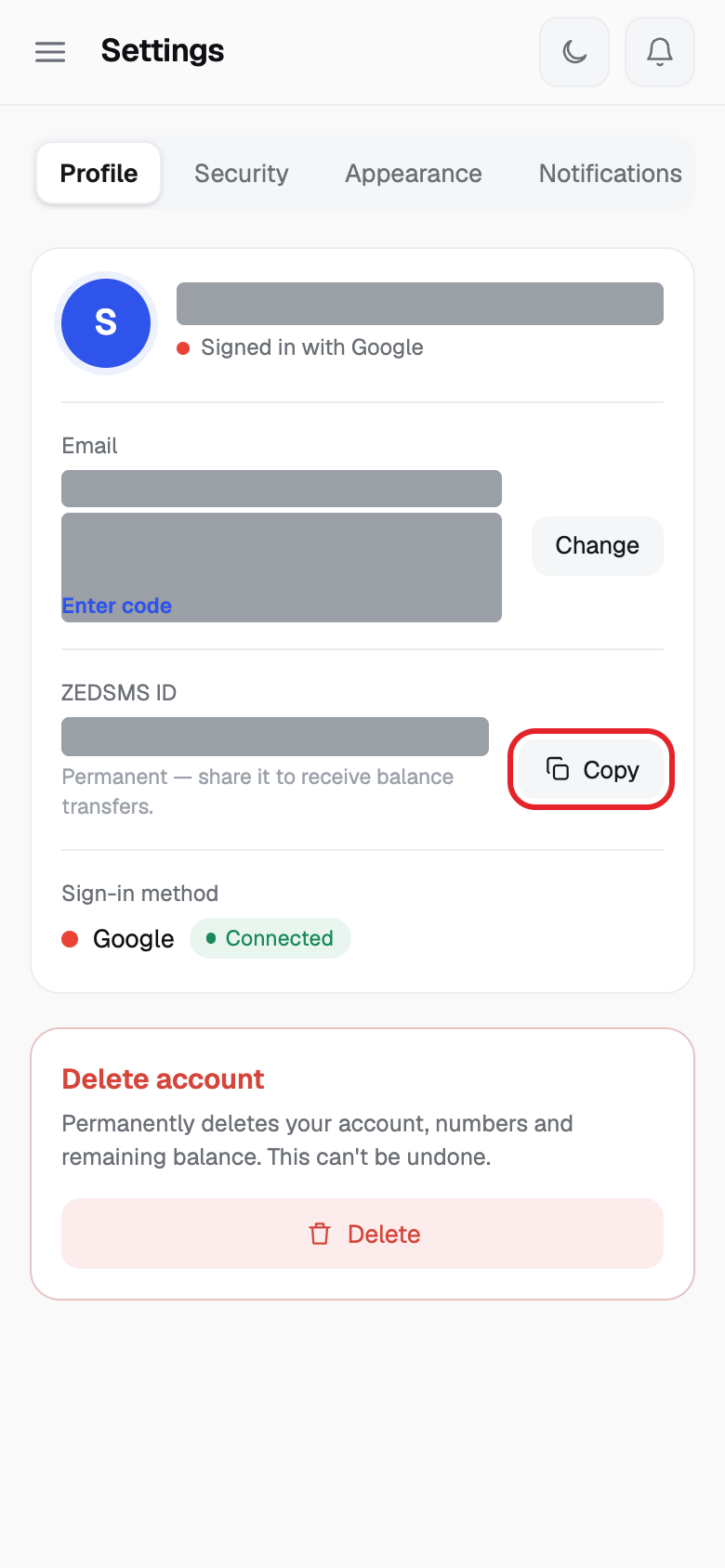
- Or click Settings in the left menu. On the Profile tab, find ZEDSMS ID.
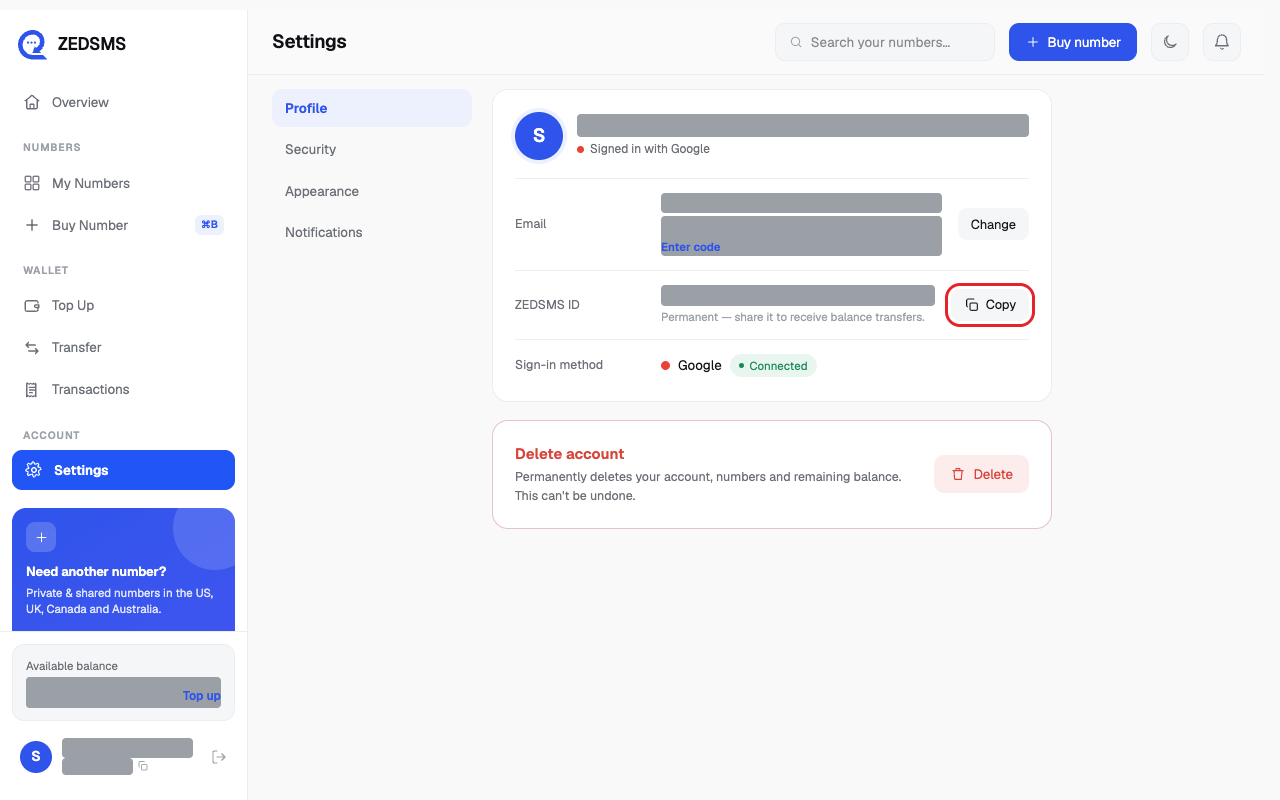
- Click Copy. The button says Copied.
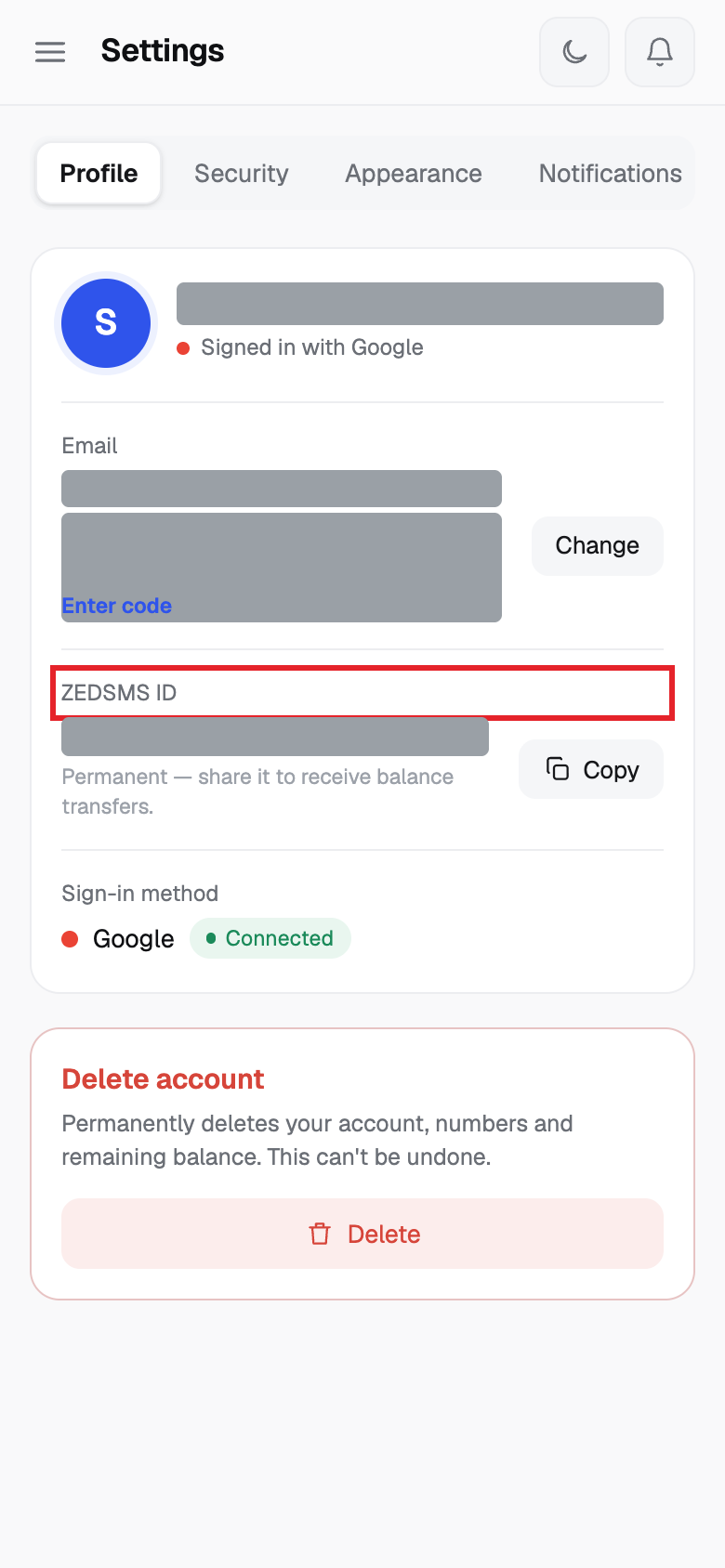
Using a phone? See the same steps on a small screen
Step 2
Step 3
Good to know
- The ID is permanent.
- You can also click your ID at the bottom of the left menu to copy it.
- Share only with people you trust. They can use your ID or your email to send you balance.
Common problems
- Couldn't copy — press and hold the ID instead Press and hold the ID, then choose Copy.