

Give one of your active numbers to another ZEDSMS user. The days left on the number go with it.
Before you start
- The number is active. Expired numbers cannot be transferred. Reactivate it first.
- The other person has a ZEDSMS account. You need their ZEDSMS ID or email.
- Be careful: you lose access at once and it cannot be undone.
Steps
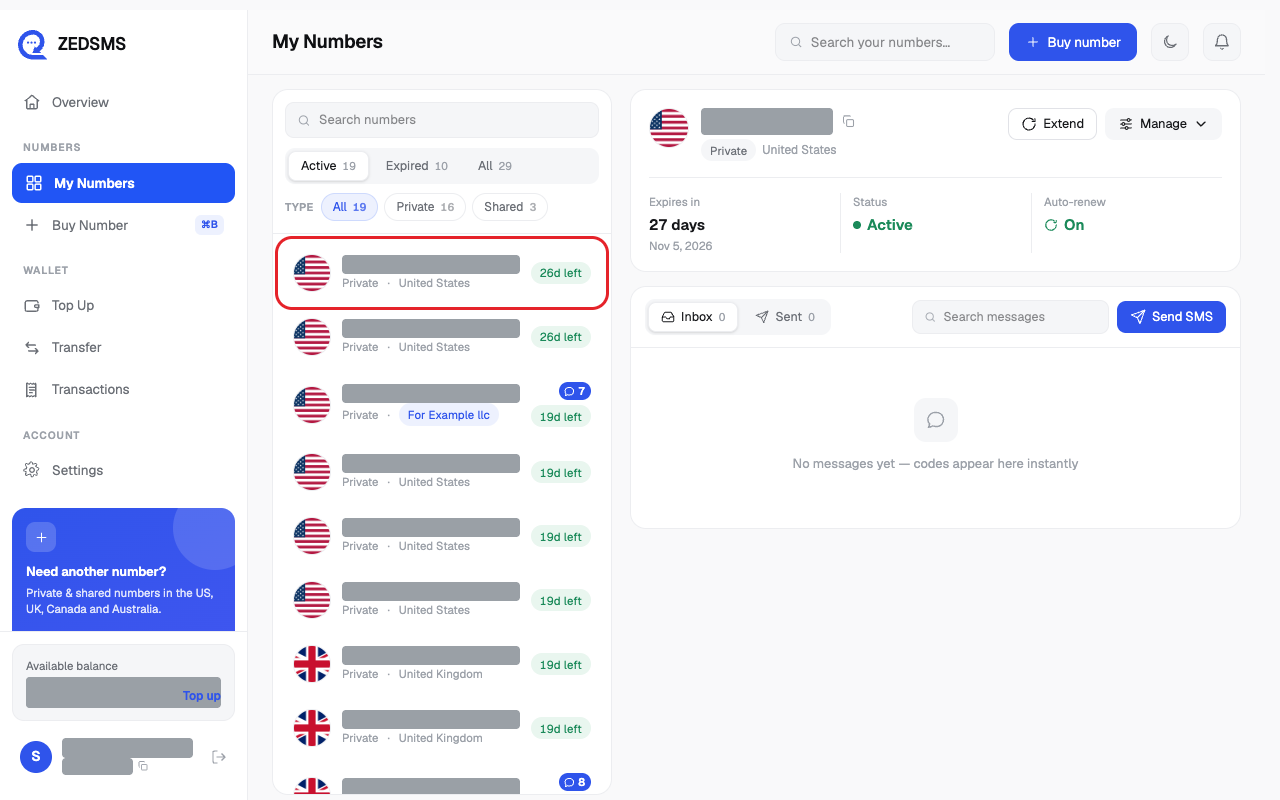
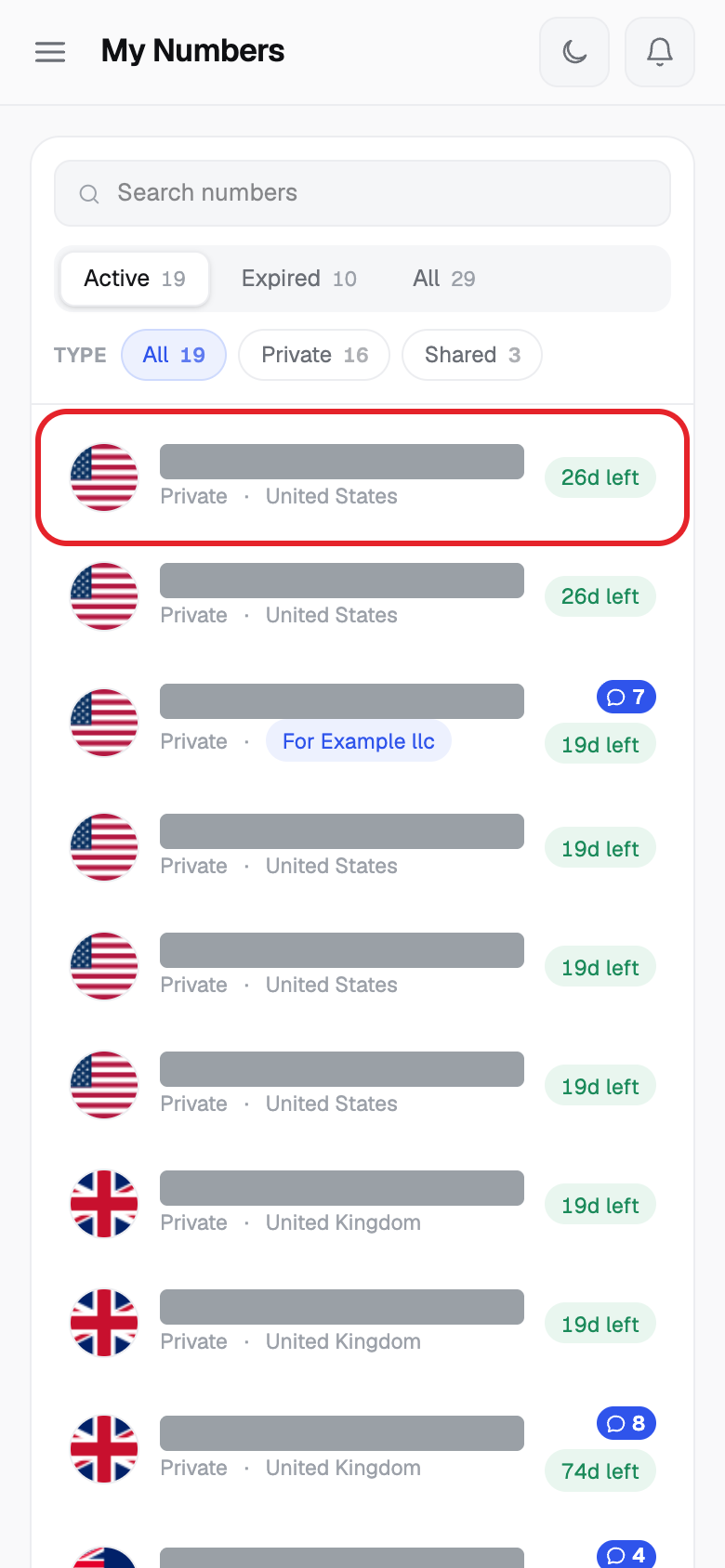
- Click My Numbers, then click the number.
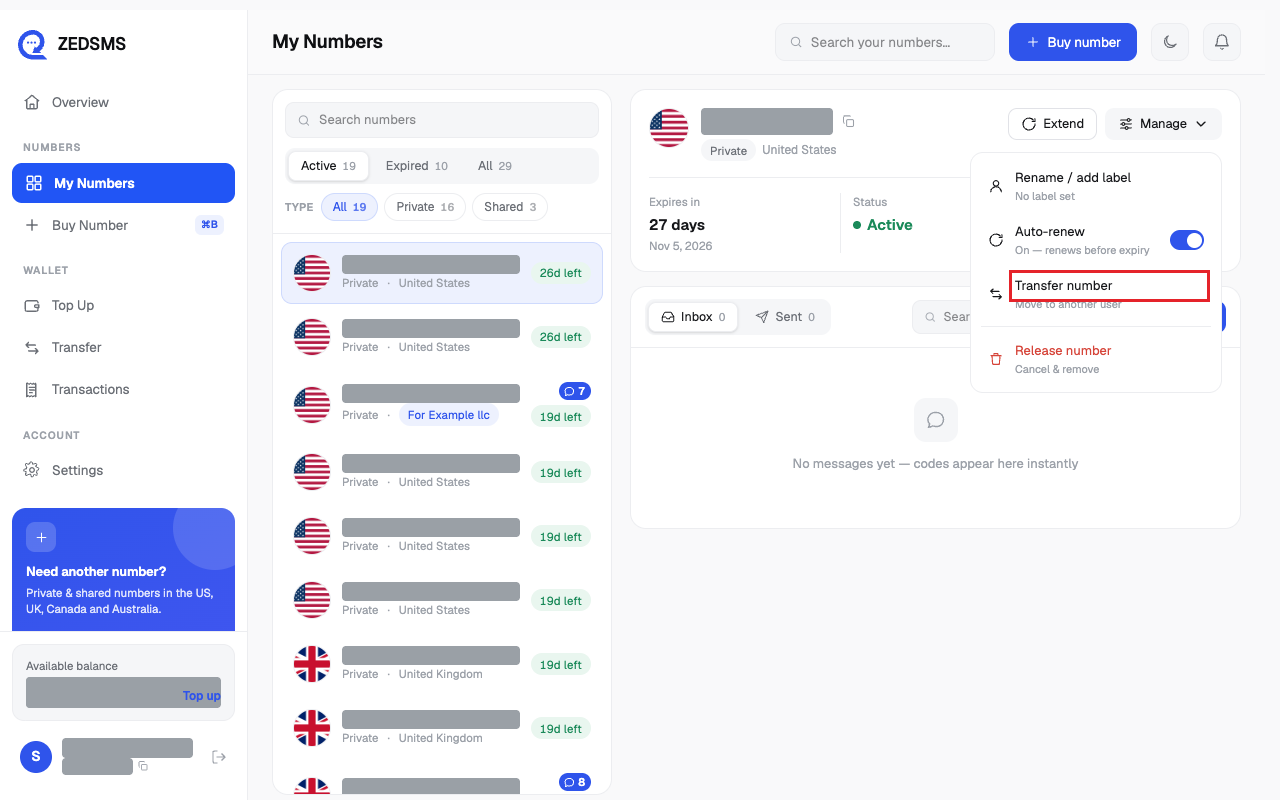
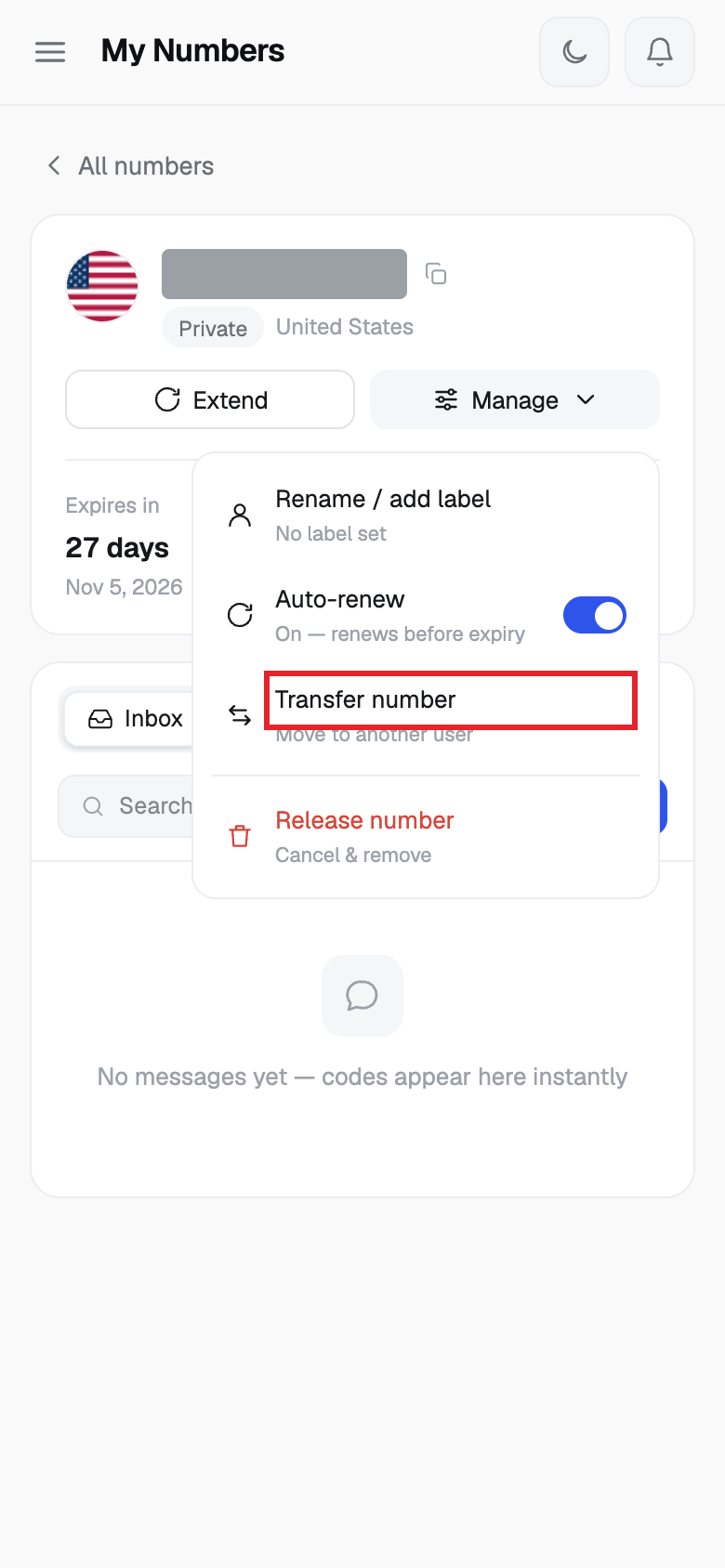
- Click Manage, then click Transfer number (it says Move to another user).
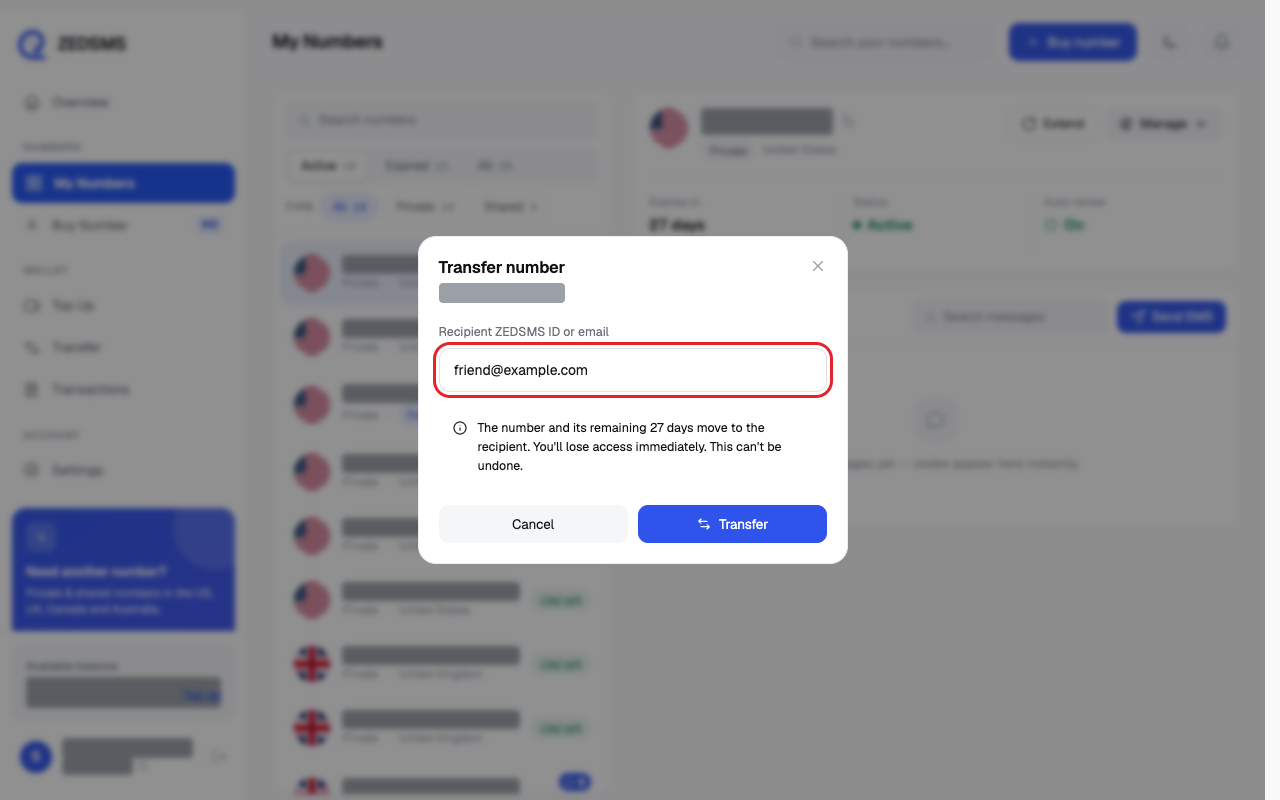
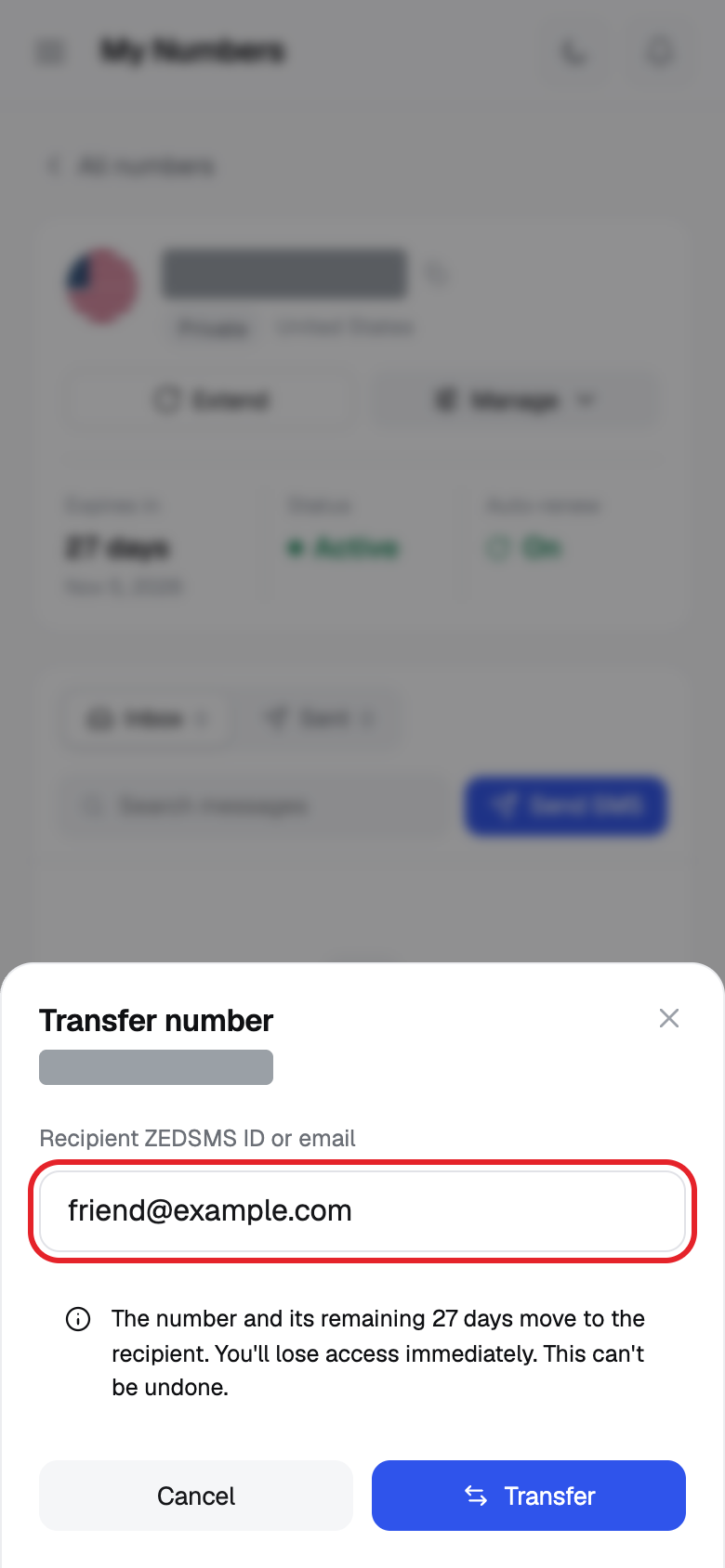
- Type the person's ZEDSMS ID or email in Recipient ZEDSMS ID or email.
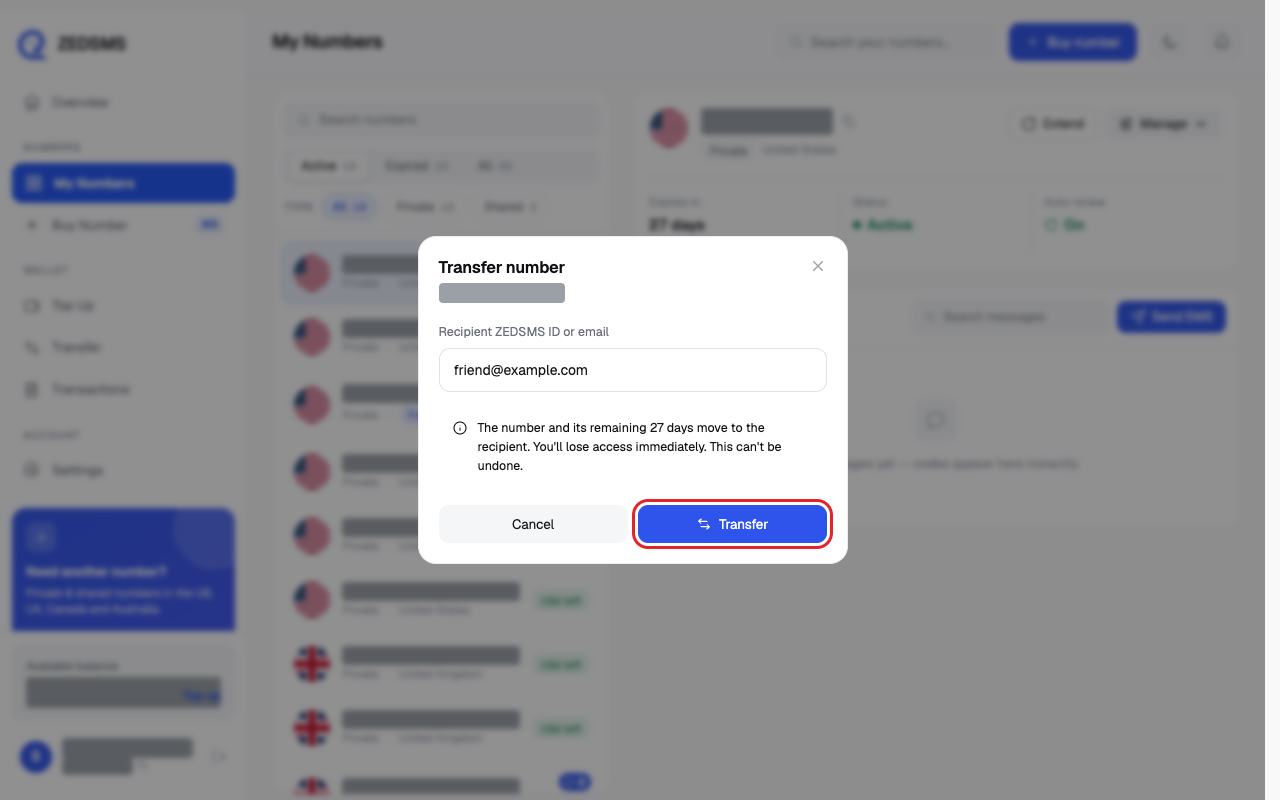
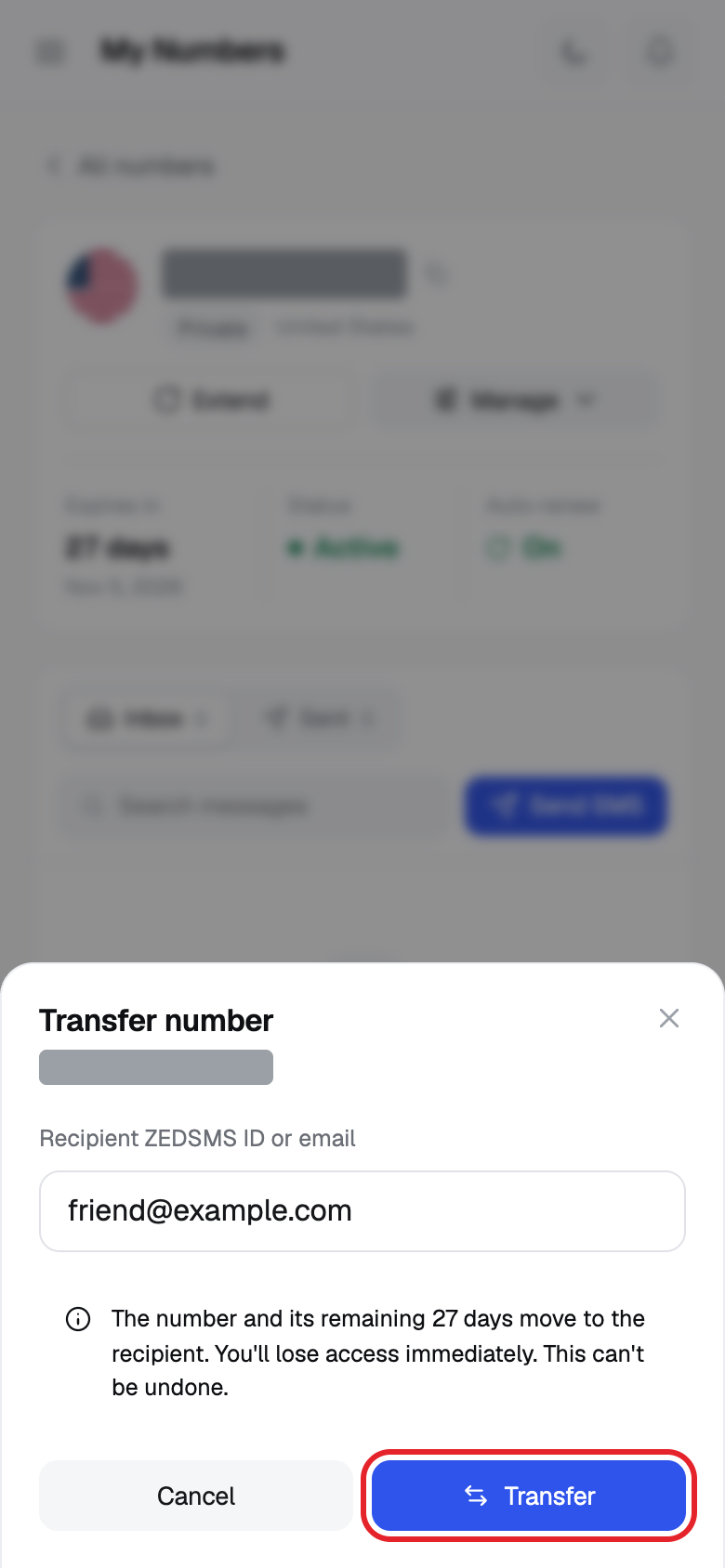
- Read the yellow warning. Click Transfer. Or click Cancel to stop.
Using a phone? See the same steps on a small screen
Step 1
Step 2
Step 3
Step 4
Good to know
- The number and its remaining days move to the other person.
- You lose access immediately. This cannot be undone.
- No fee is shown on the screen.
- A message says the number was transferred to the person.
Common problems
- Expired numbers can't be transferred — reactivate it first Open the number and click Reactivate, then try again.
- Failed to transfer number / Number transfer failed: … The reason is shown after the colon. Check the ID or email. You cannot transfer to yourself.