

If a number is not renewed in time it stops working. For a short time you may be able to get the same number back.
Before you start
- Enough balance to pay. The price is shown before you pay.
- Act quickly. The time to restore is short.
Steps
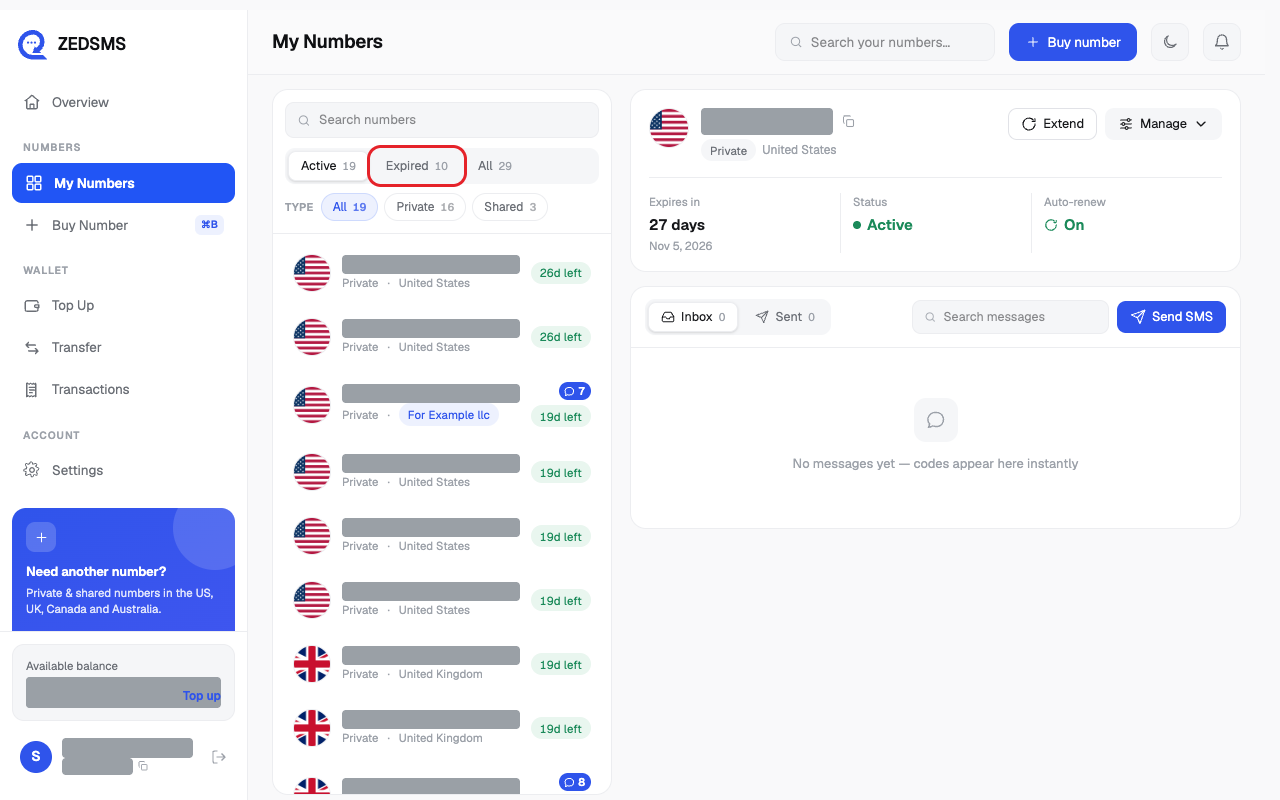
- Click My Numbers, then click the Expired tab.
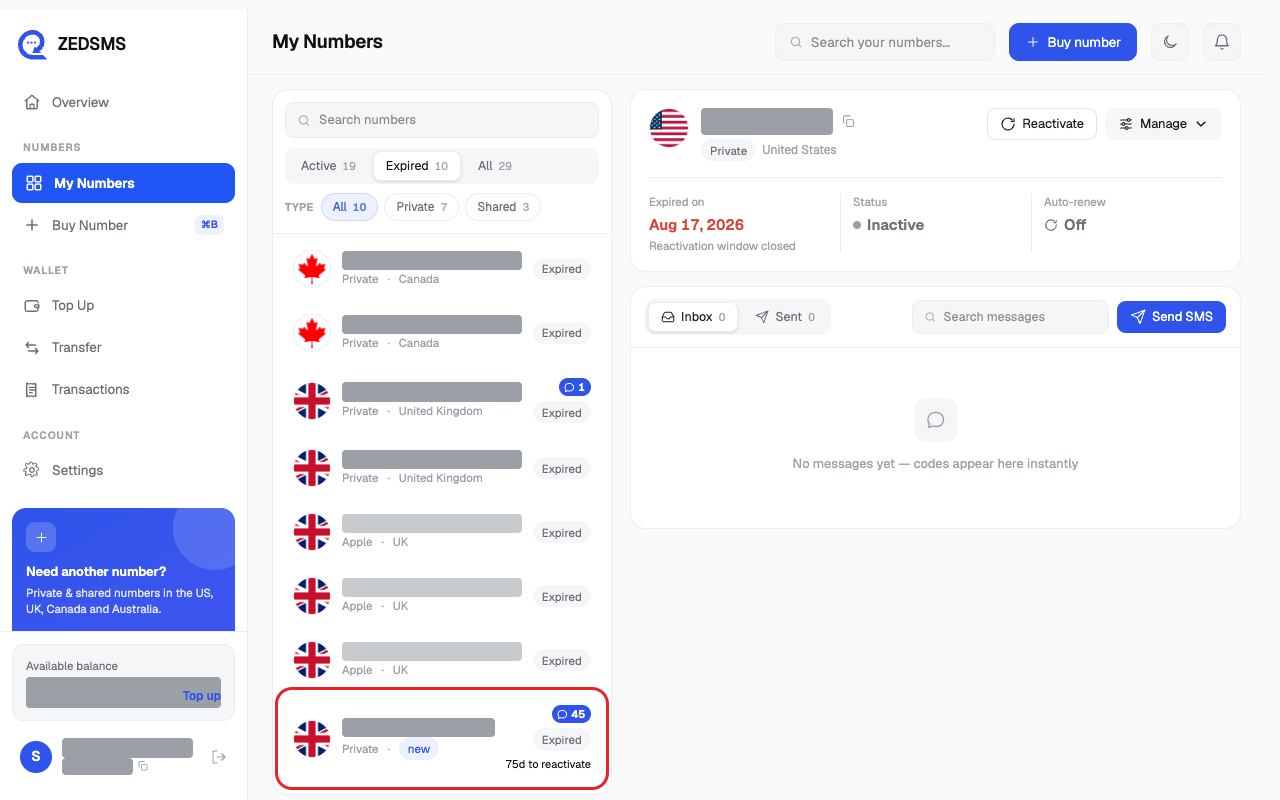
- Click the expired number.
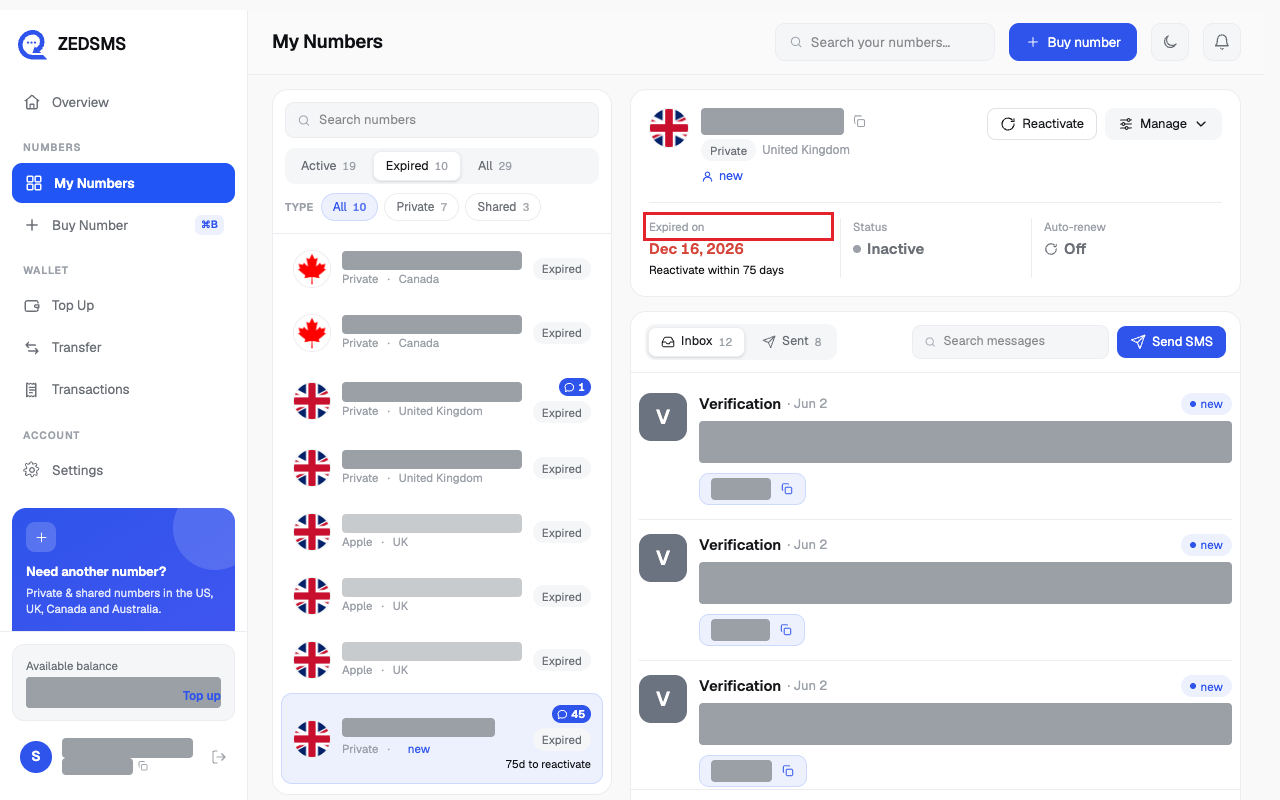
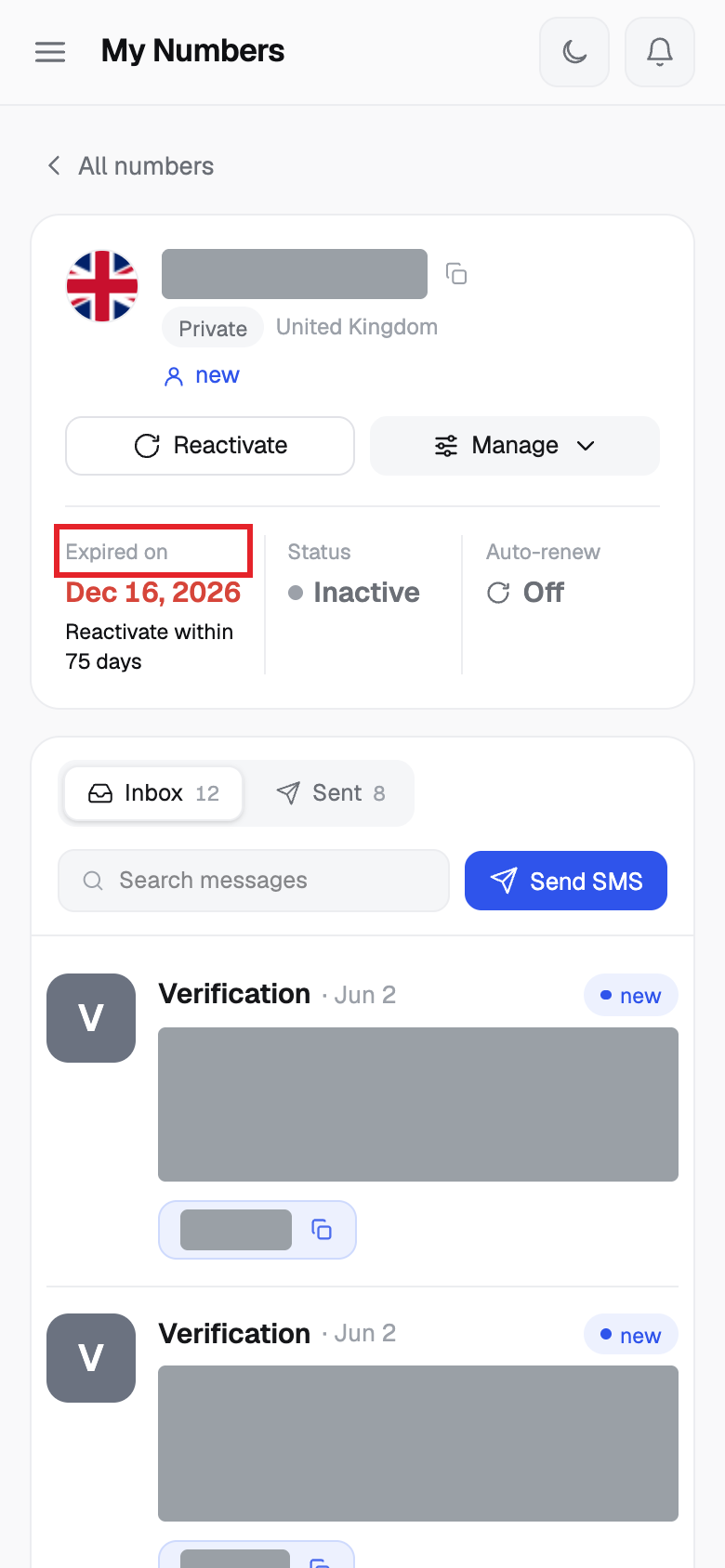
- Look at Expired on. Under it you see how many days are left to reactivate, or that the window is closed.
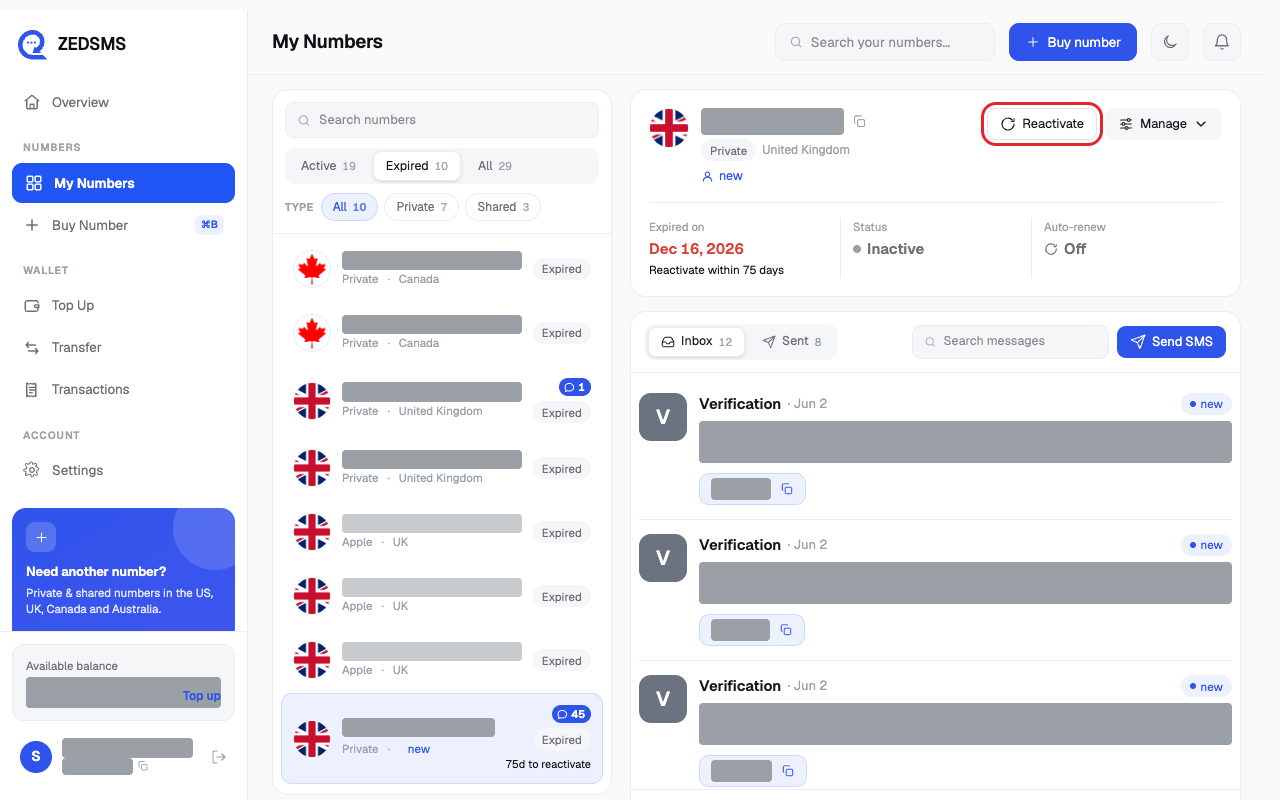
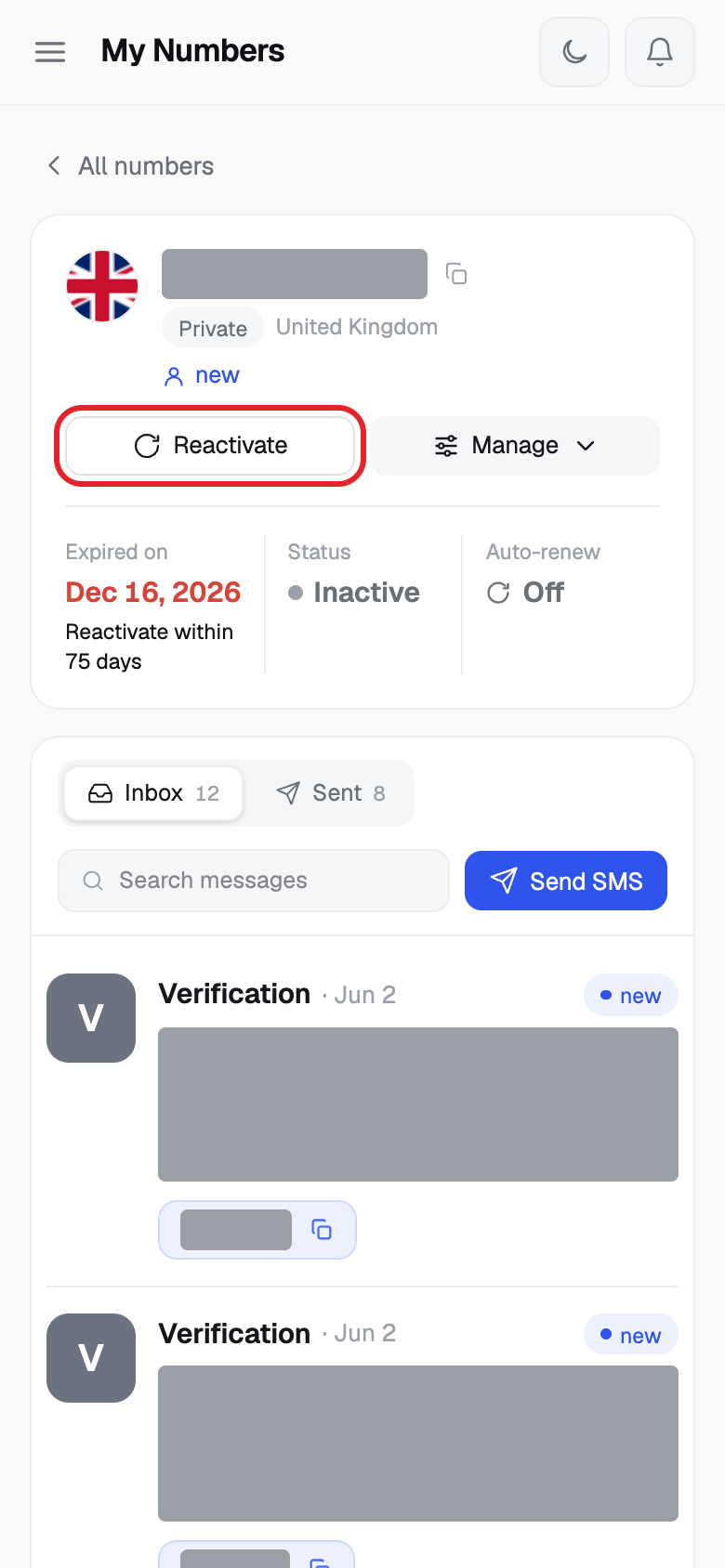
- Click Reactivate.
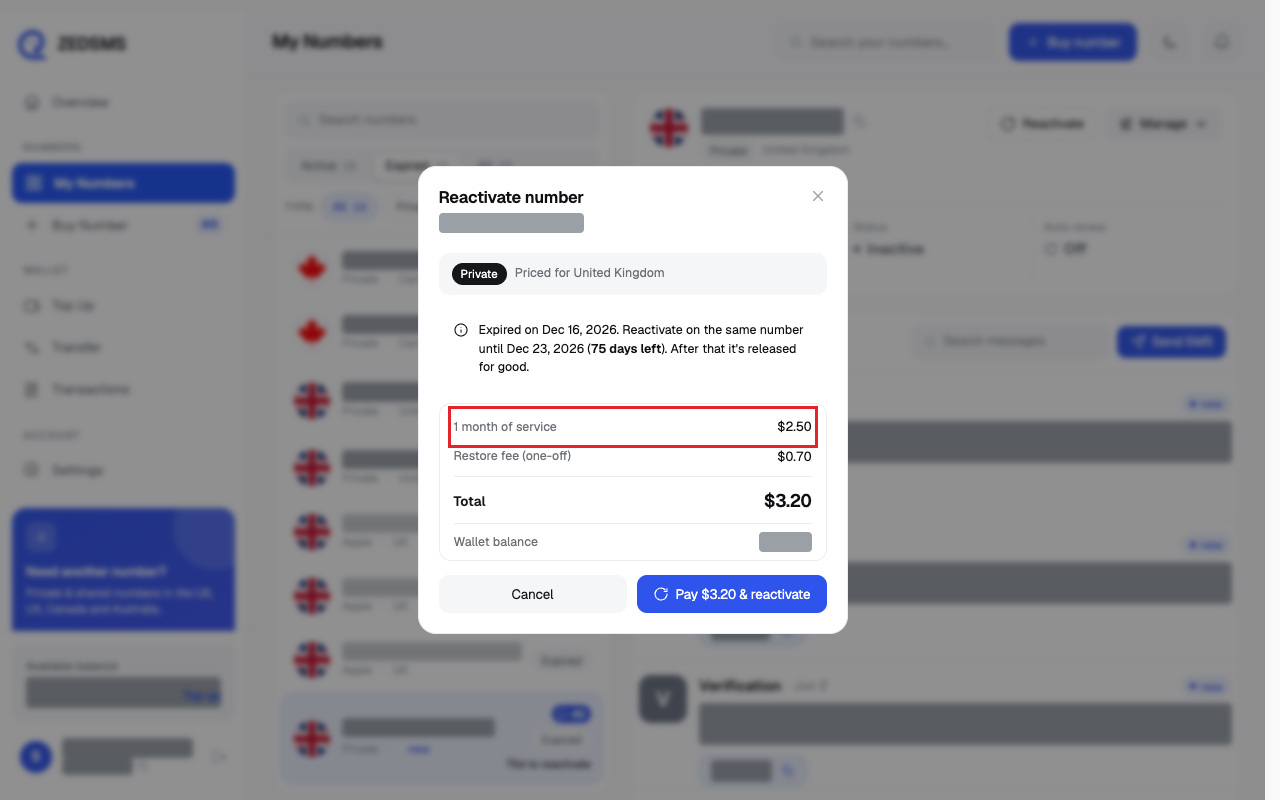
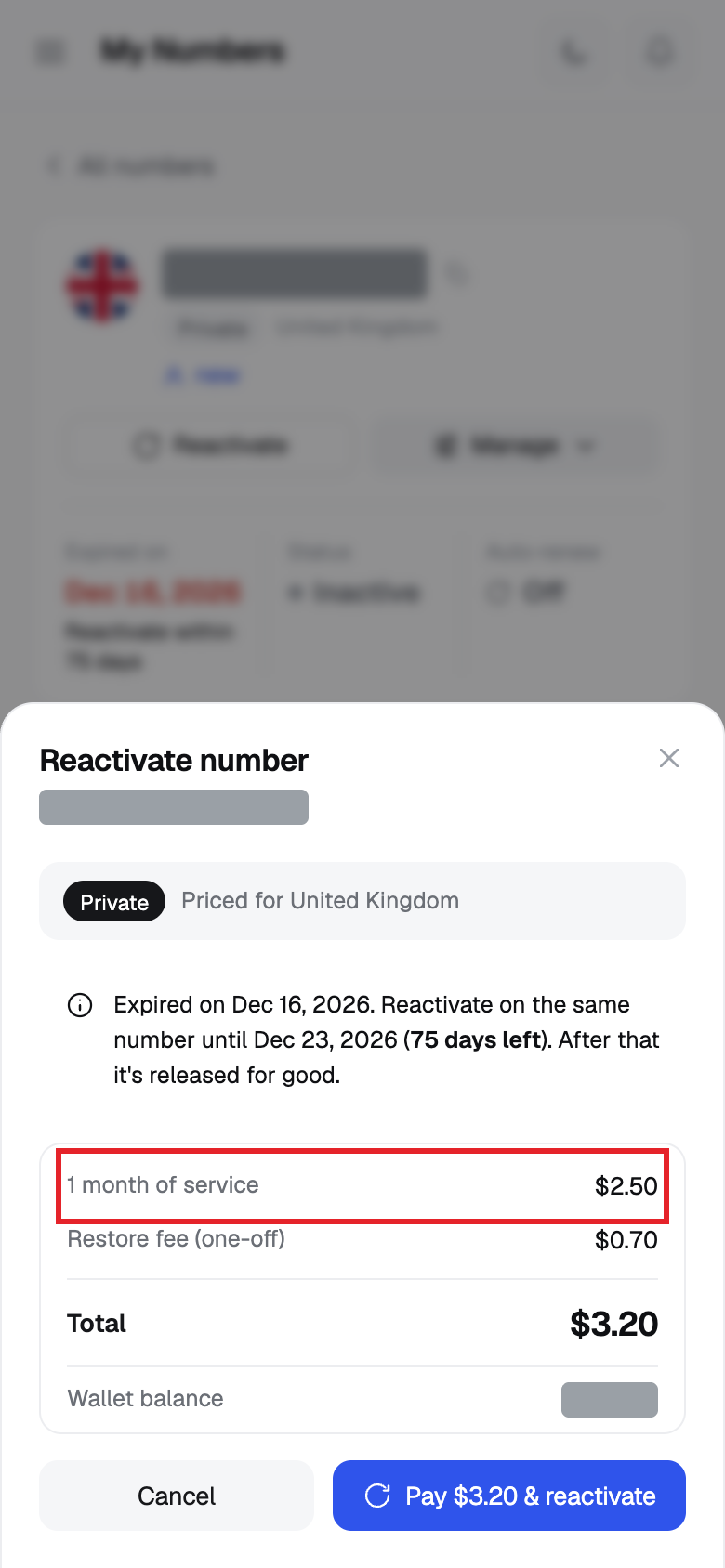
- In Reactivate number, read the dates and the price: 1 month of service, Restore fee (one-off) if there is one, Total and Wallet balance.
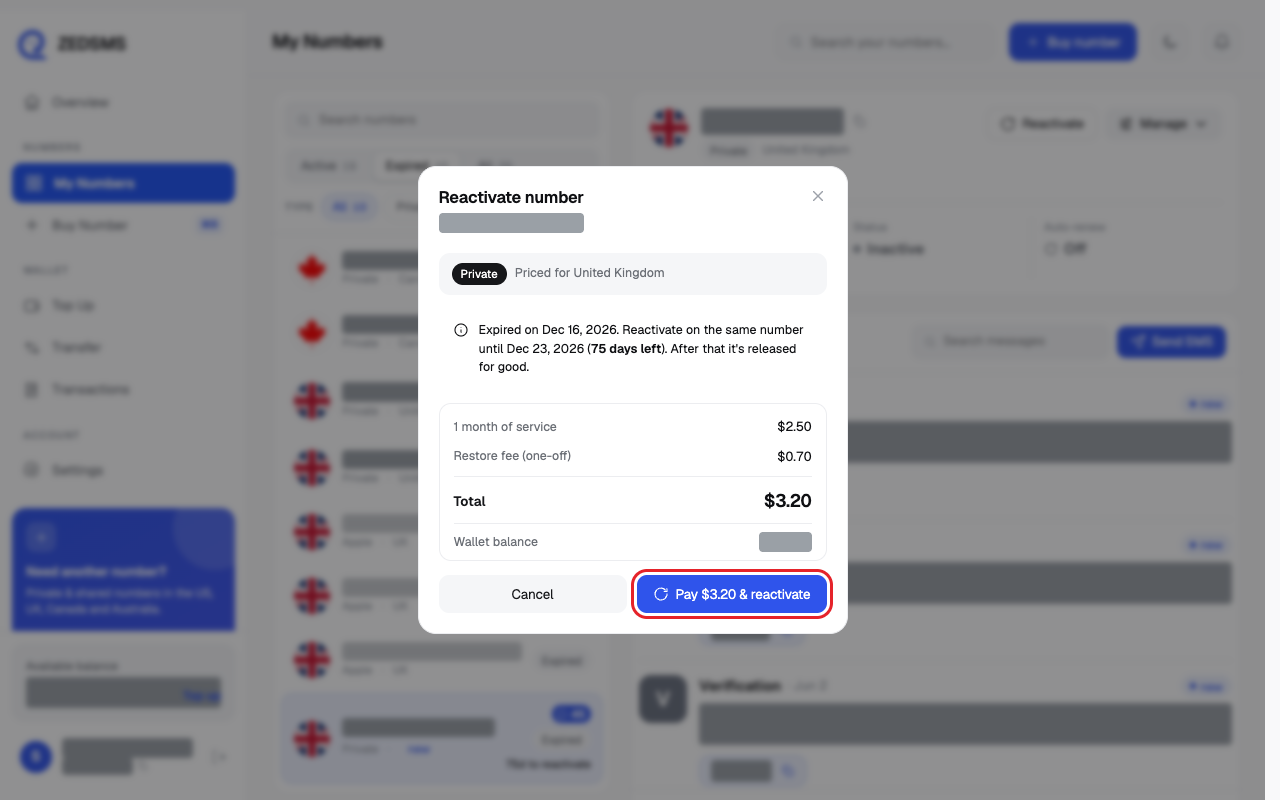
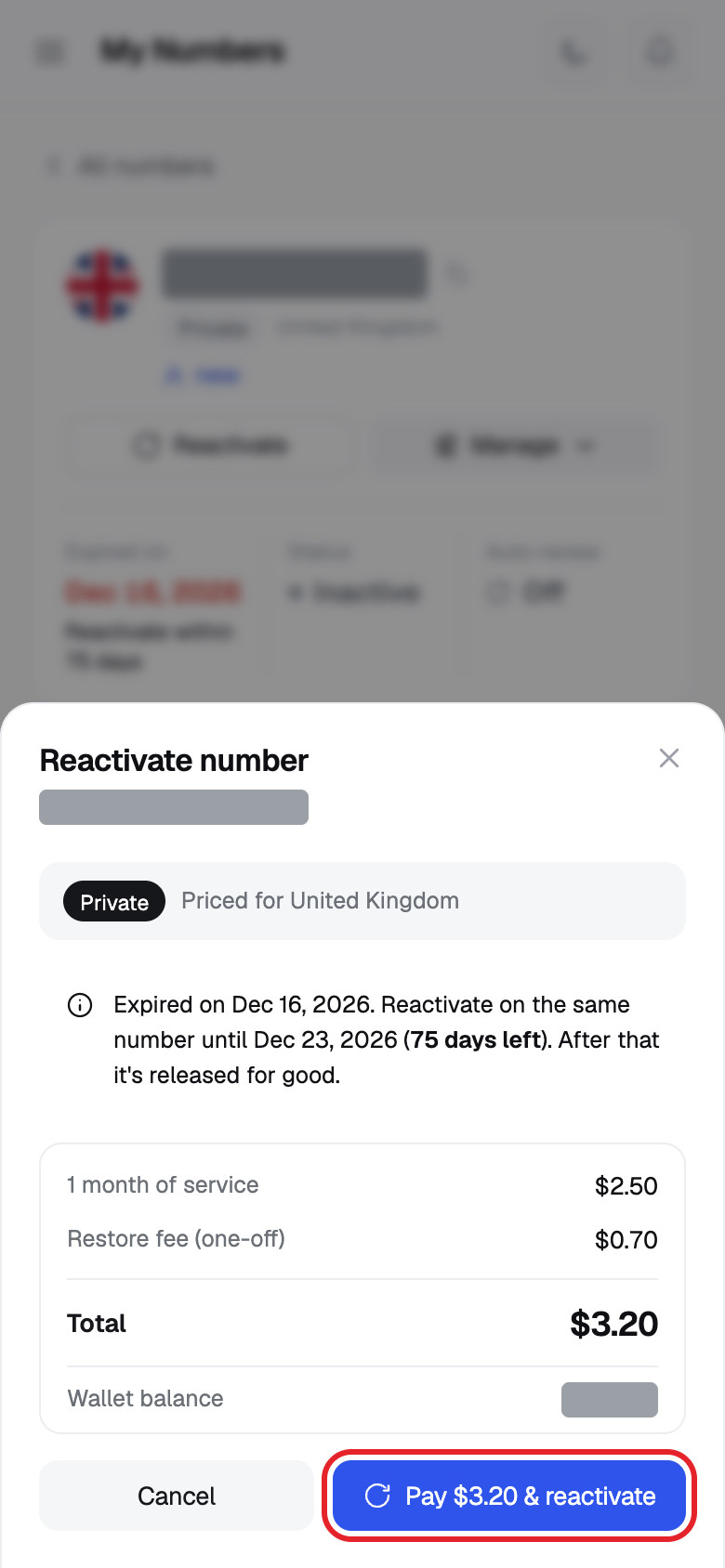
- Click Pay $ & reactivate. A message says the number was reactivated.
What happens when a number expires
- It stops working and incoming messages stop.
- It moves to the Expired tab. Its status shows Inactive and the list shows Expired.
- You cannot send SMS from it, and you cannot transfer it.
- For a limited time, the list shows how many days are left to reactivate, for example 5d to reactivate.
- After that time it is released for good and you must buy a new number.
Using a phone? See the same steps on a small screen
Step 1
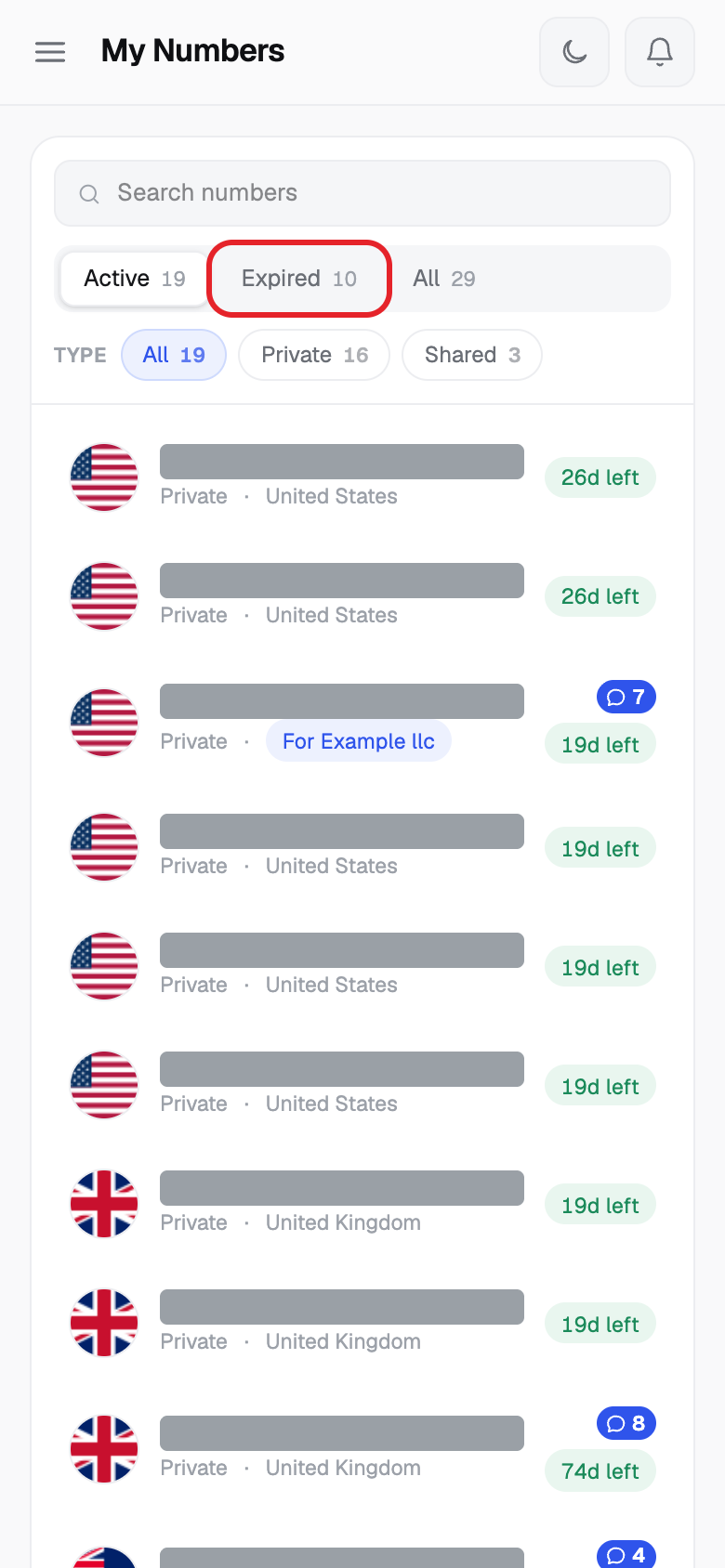
Step 2
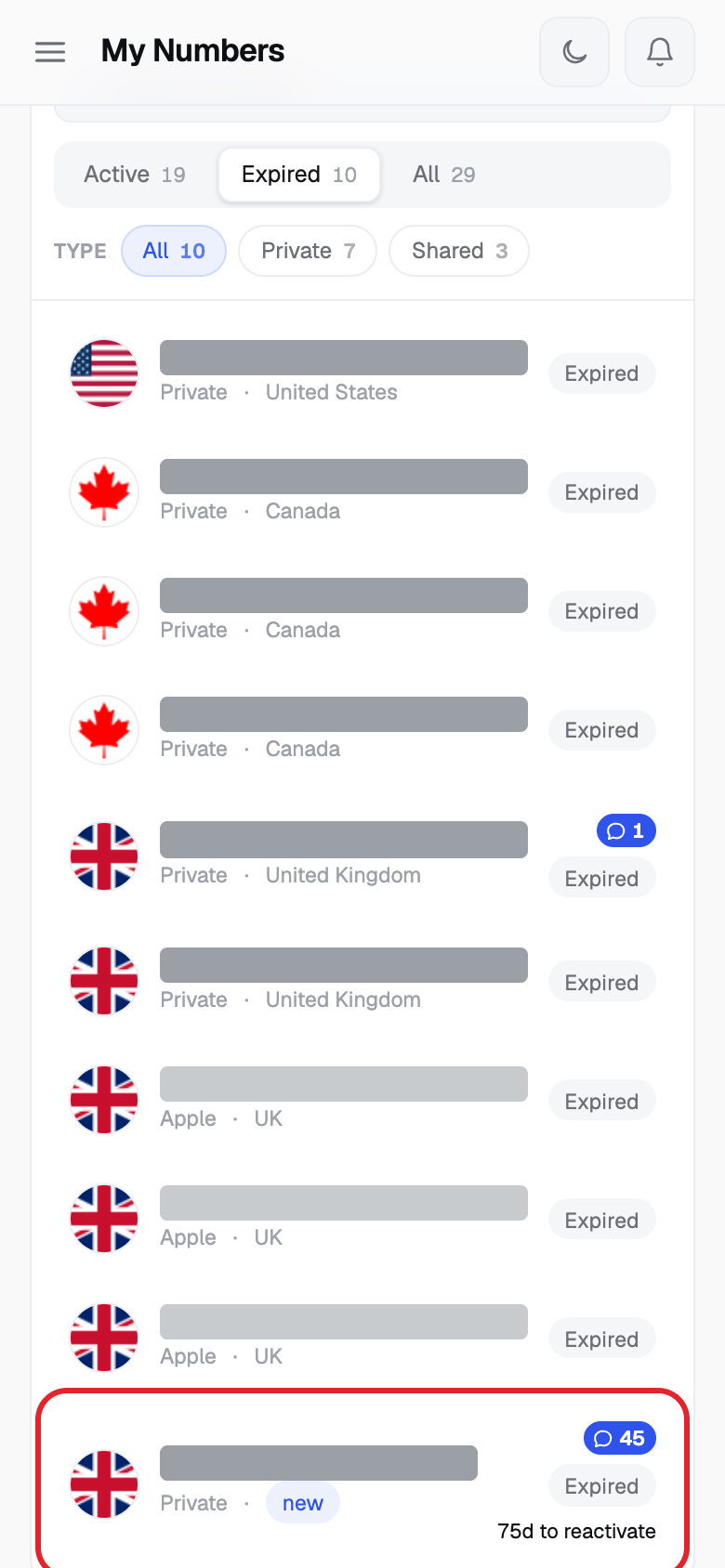
Step 3
Step 4
Step 5
Step 6
Good to know
- Reactivating costs one month of service. Some numbers also have a one-off restore fee. In the picture above, one month of service is $2.50 and the one-off restore fee is $0.70, so the total is $3.20. Your price depends on your number.
- You get the same number back. The dialog shows the last day you can do it.
- Time to restore: the app usually allows 7 days after expiry. Our Terms list it by country: United Kingdom 7 days (extra charge), United States and Canada 15 days if no one else has taken the number, Australia no restore. The Reactivate number box is the final answer for your number.
- We cannot promise any expired number can be restored. A number that expired because it was not renewed is not a reason for a refund.
- To avoid this, turn on auto-renew and keep balance in your account.
Common problems
- The 7-day restore window for this number has expired. The number cannot be restored. Buy a new number.
- Your balance is $X short. Top up your wallet before reactivating. Add balance, then try again.
- This number can't be reactivated. Close the box. The number cannot be restored. Buy a new number.
- Failed to reactivate number / Number restore failed: … The reason is shown after the colon. Try again or email support@zedsms.com.
- Checking restore price... Wait a moment.
- Expired numbers can't be transferred — reactivate it first Reactivate the number before you transfer it.