

Release a number when you do not need it any more. It is removed from your account.
Before you start
- Be sure. A released number cannot be brought back.
- If you still want the number, think about transferring it or letting it expire instead.
Steps
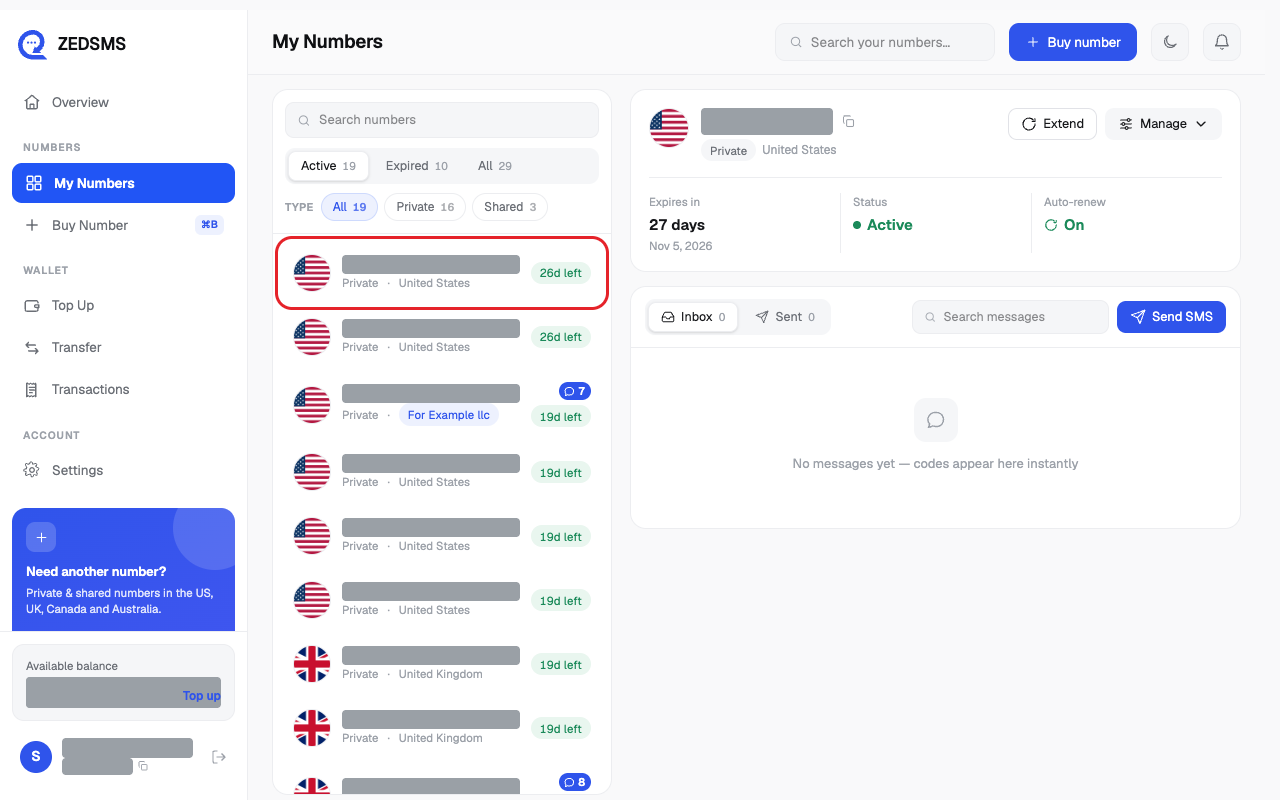
- Click My Numbers, then click the number.
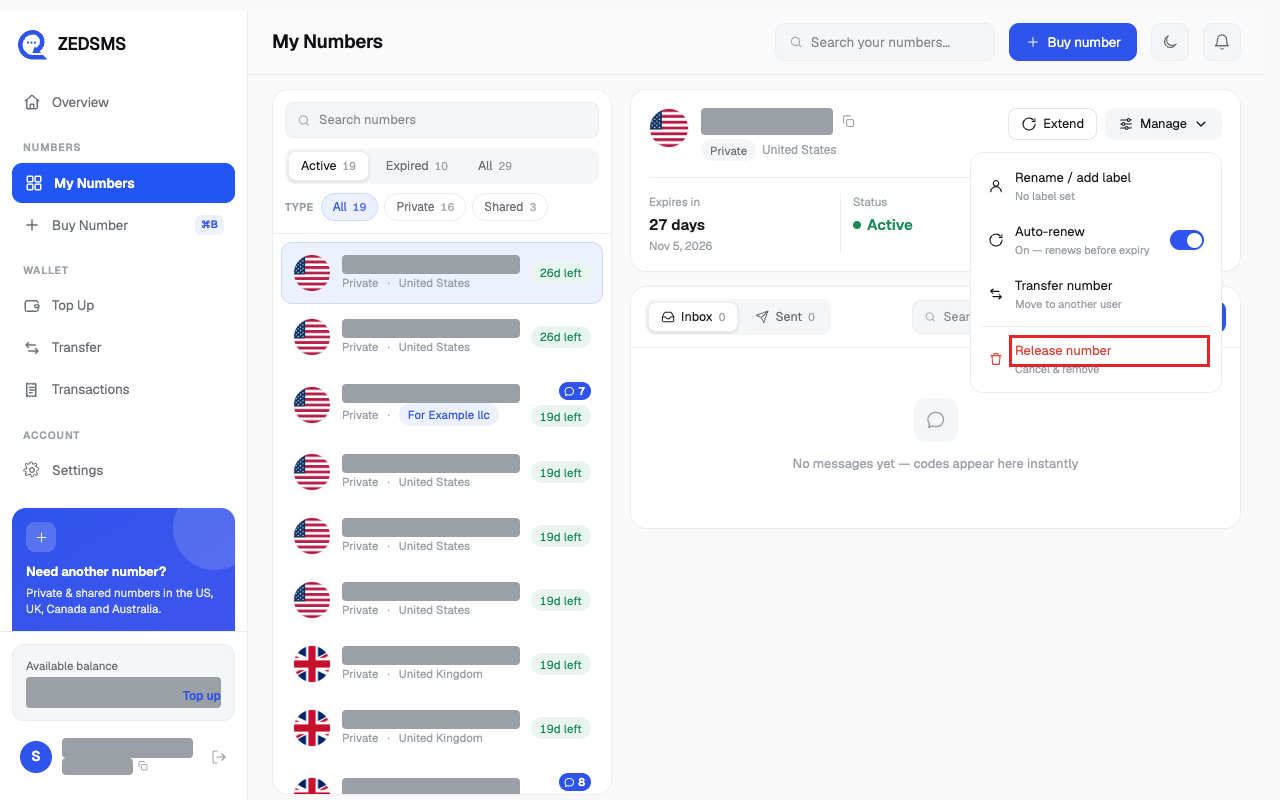
- Click Manage, then click Release number (the red line at the bottom).
- A box called Release this number? opens. Read the warning.
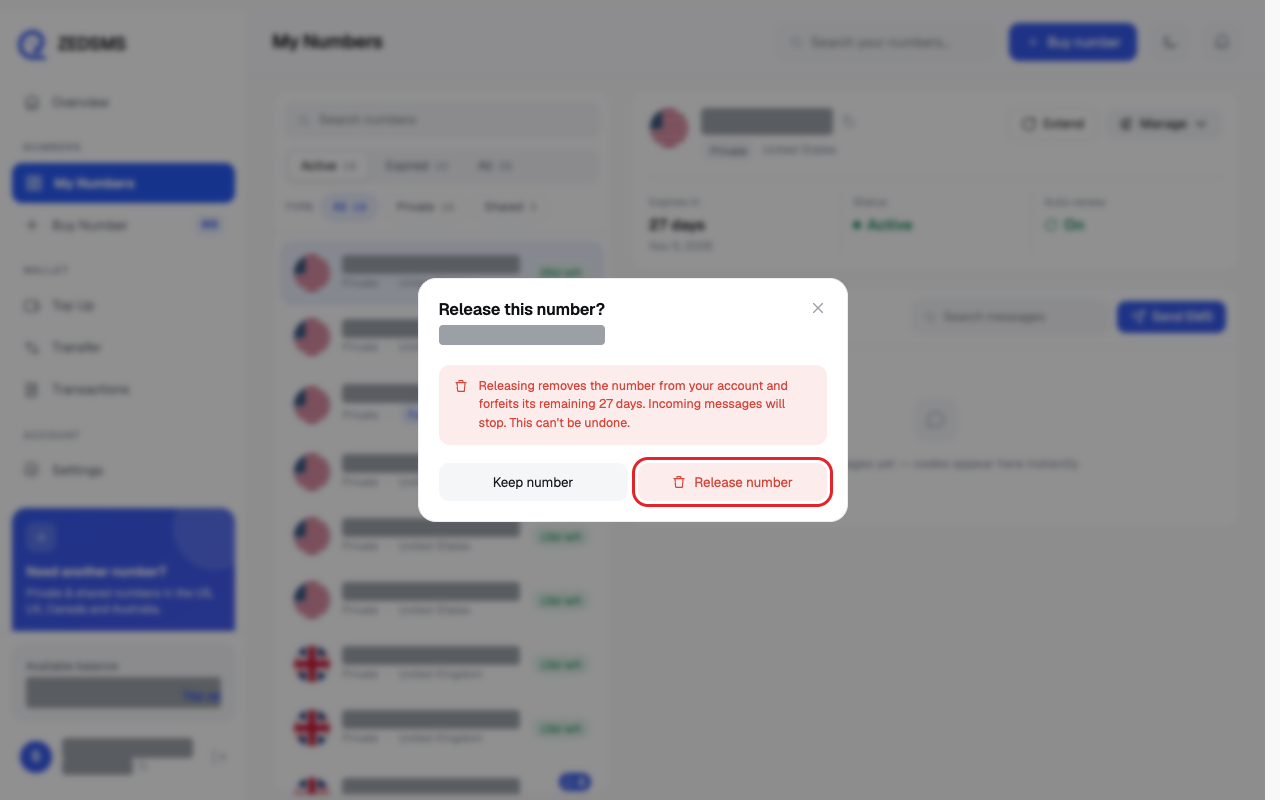
- Click Release number to confirm. Or click Keep number to stop.
- A message says the number was released and you go back to your list.
Using a phone? See the same steps on a small screen
Step 1
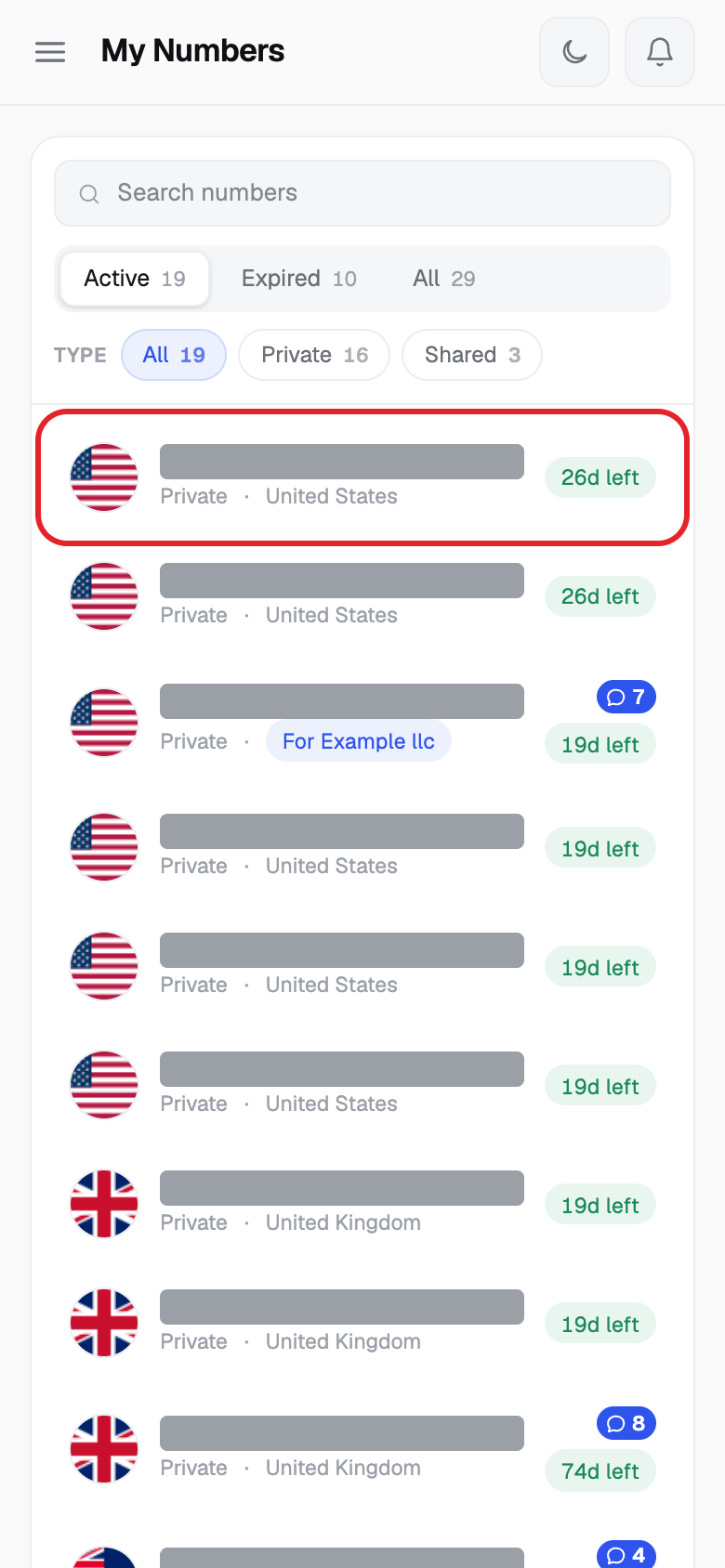
Step 2
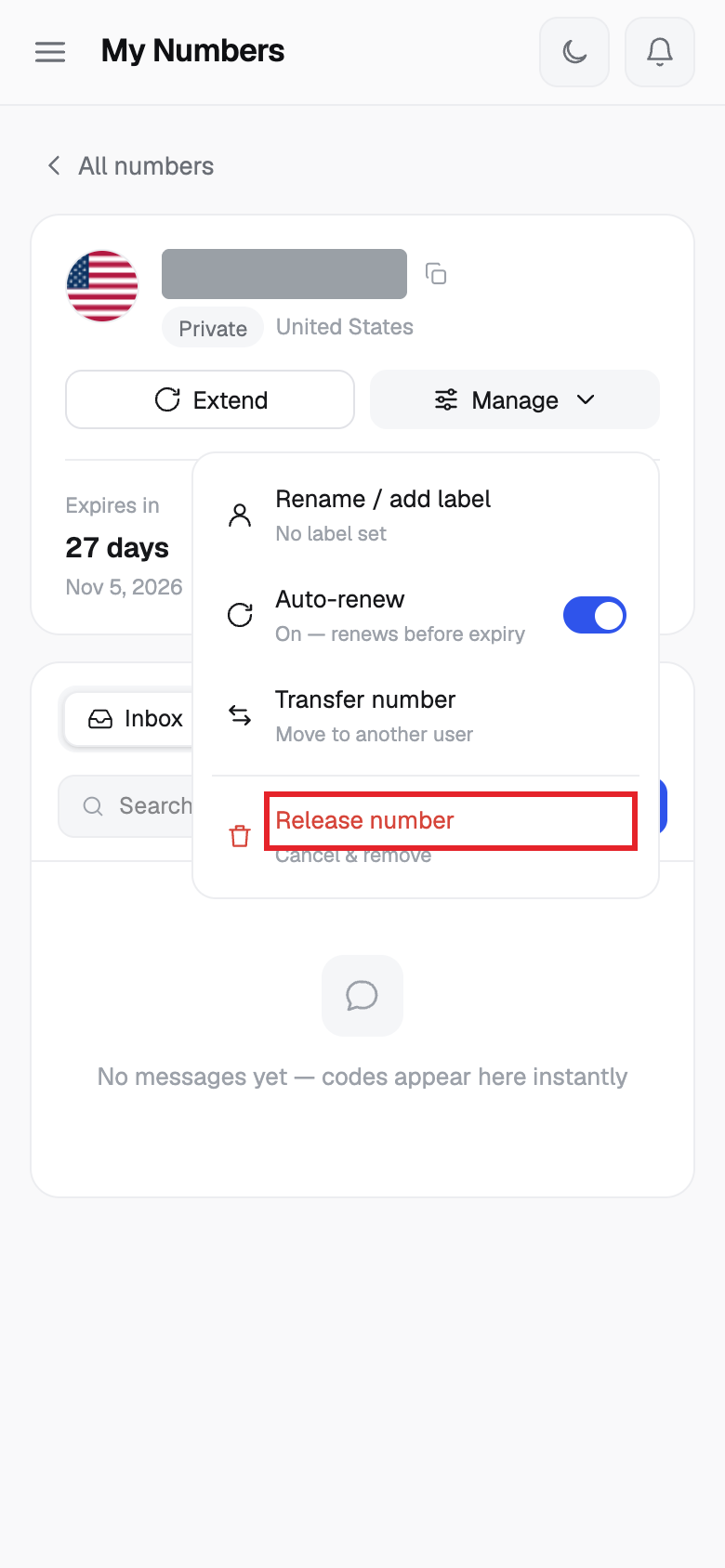
Step 3
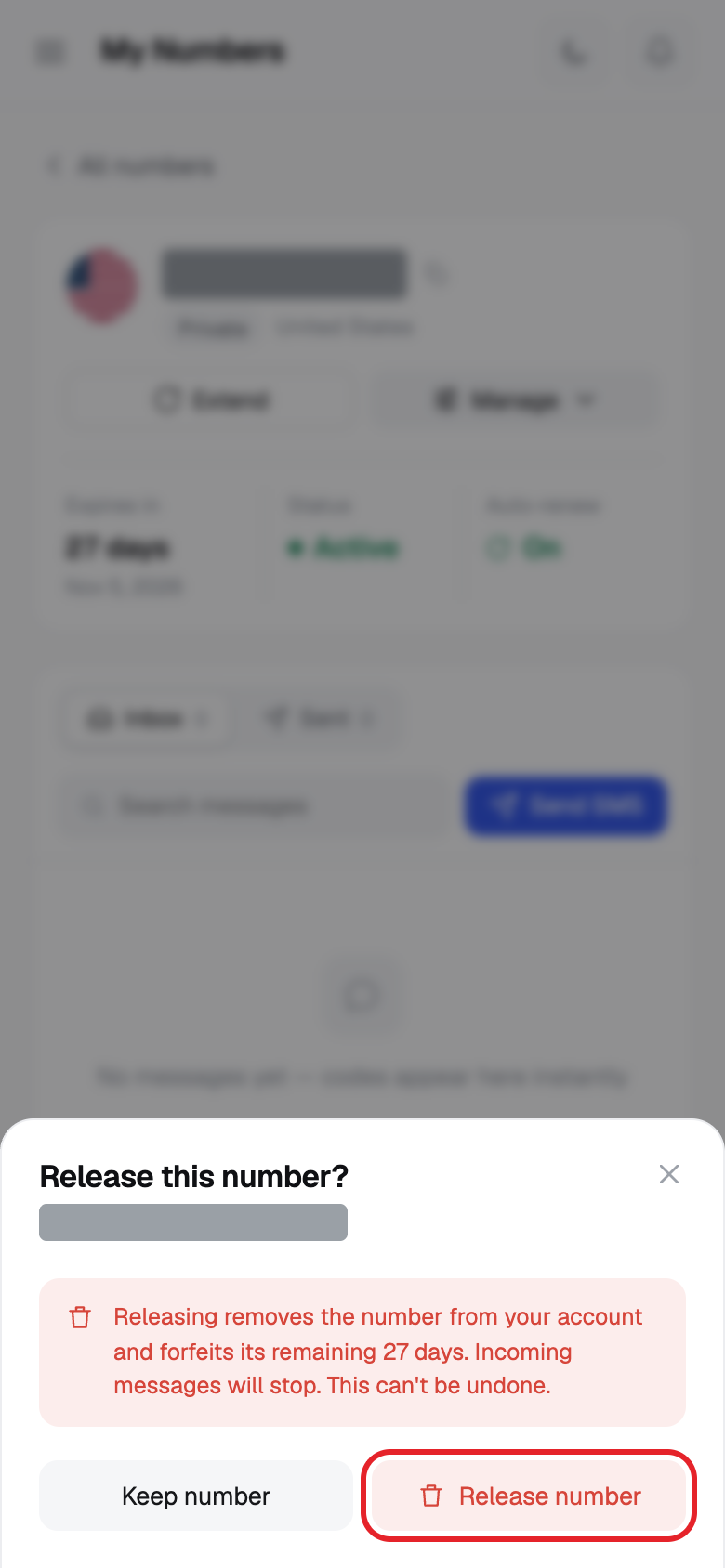
Step 4
Good to know
- Releasing removes the number from your account. Any days left on it are lost.
- Incoming messages stop.
- It cannot be undone.
- The screen does not offer a refund for the days left. Our Terms say purchases are final once supplied.
Common problems
- Failed to release number Try again. If it keeps failing, email support@zedsms.com.
- Number release failed: … The reason is shown after the colon.