

Add a short label such as “Marketing WhatsApp” so you can find a number fast.
Before you start
- A label can be up to 28 characters.
Steps
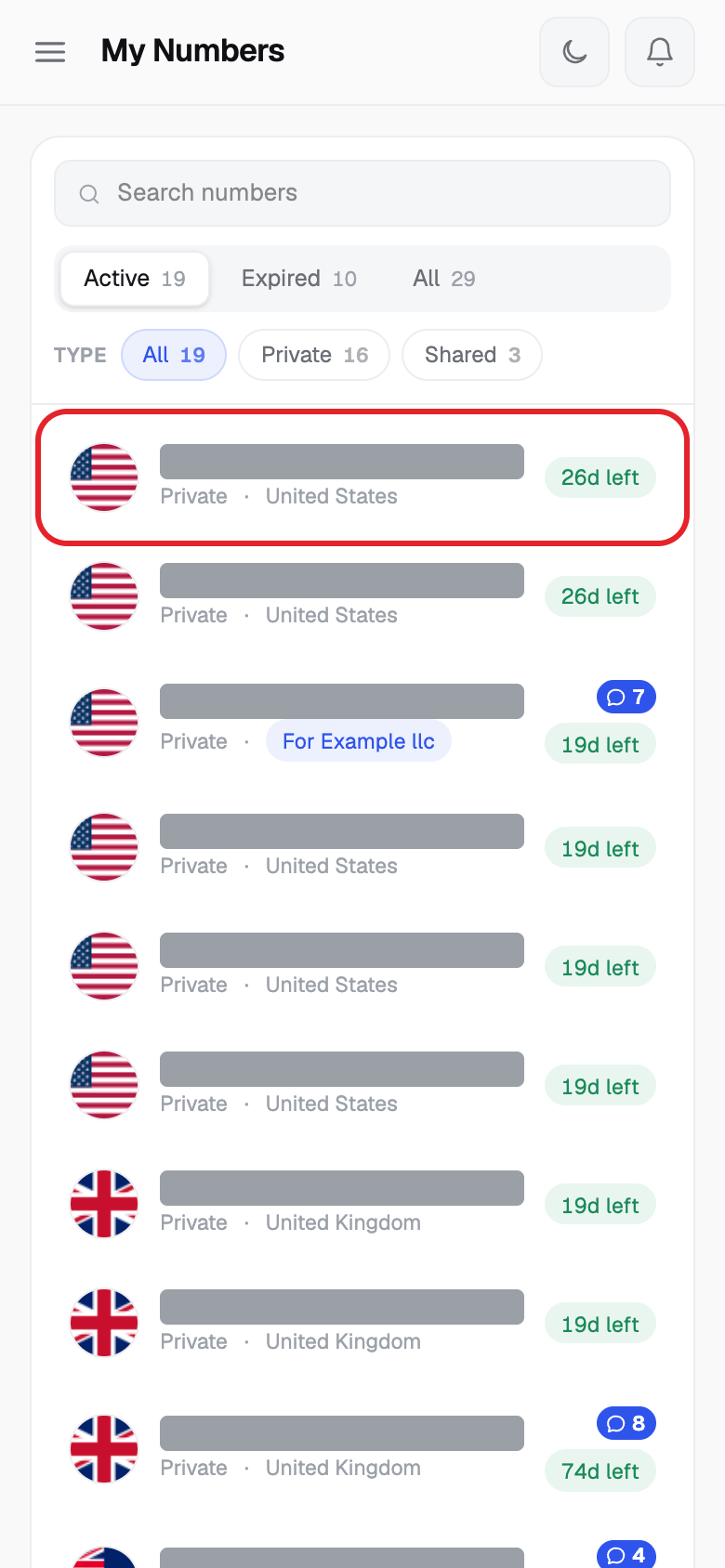
- Click My Numbers, then click the number.
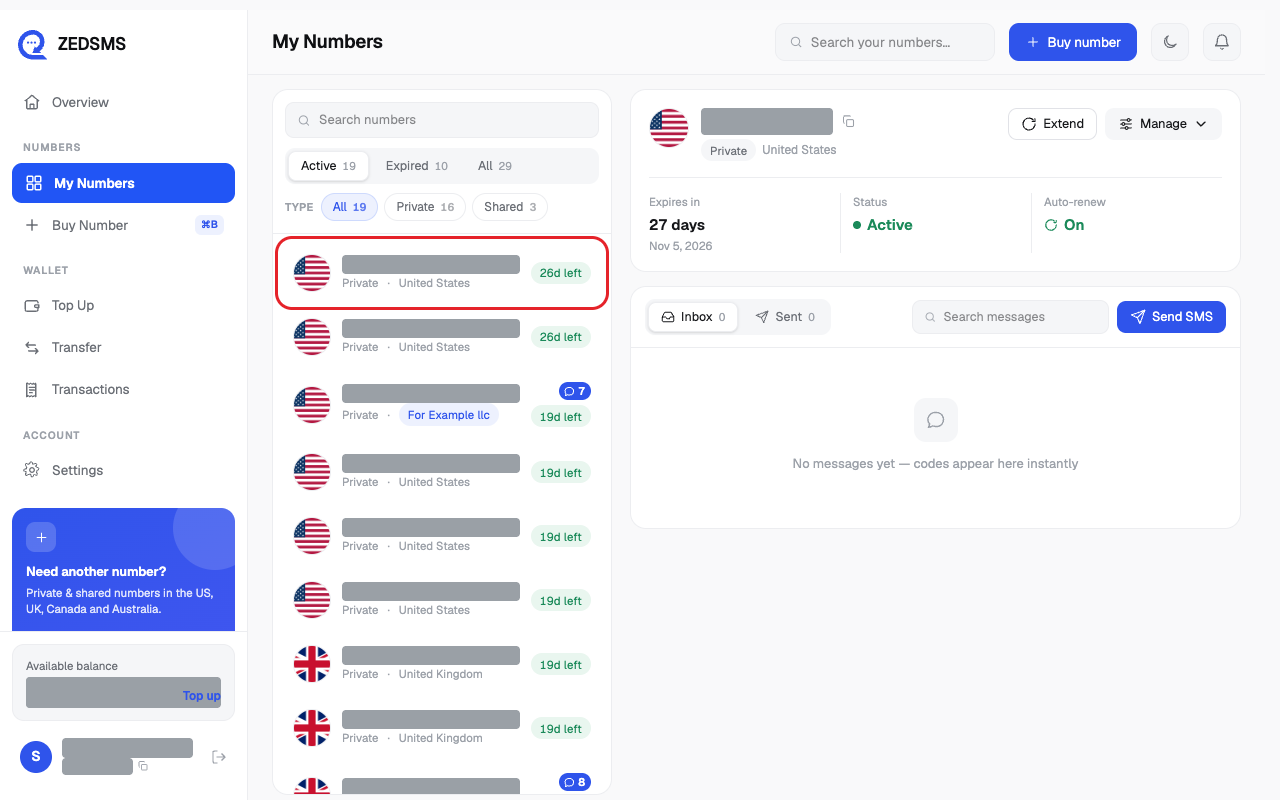
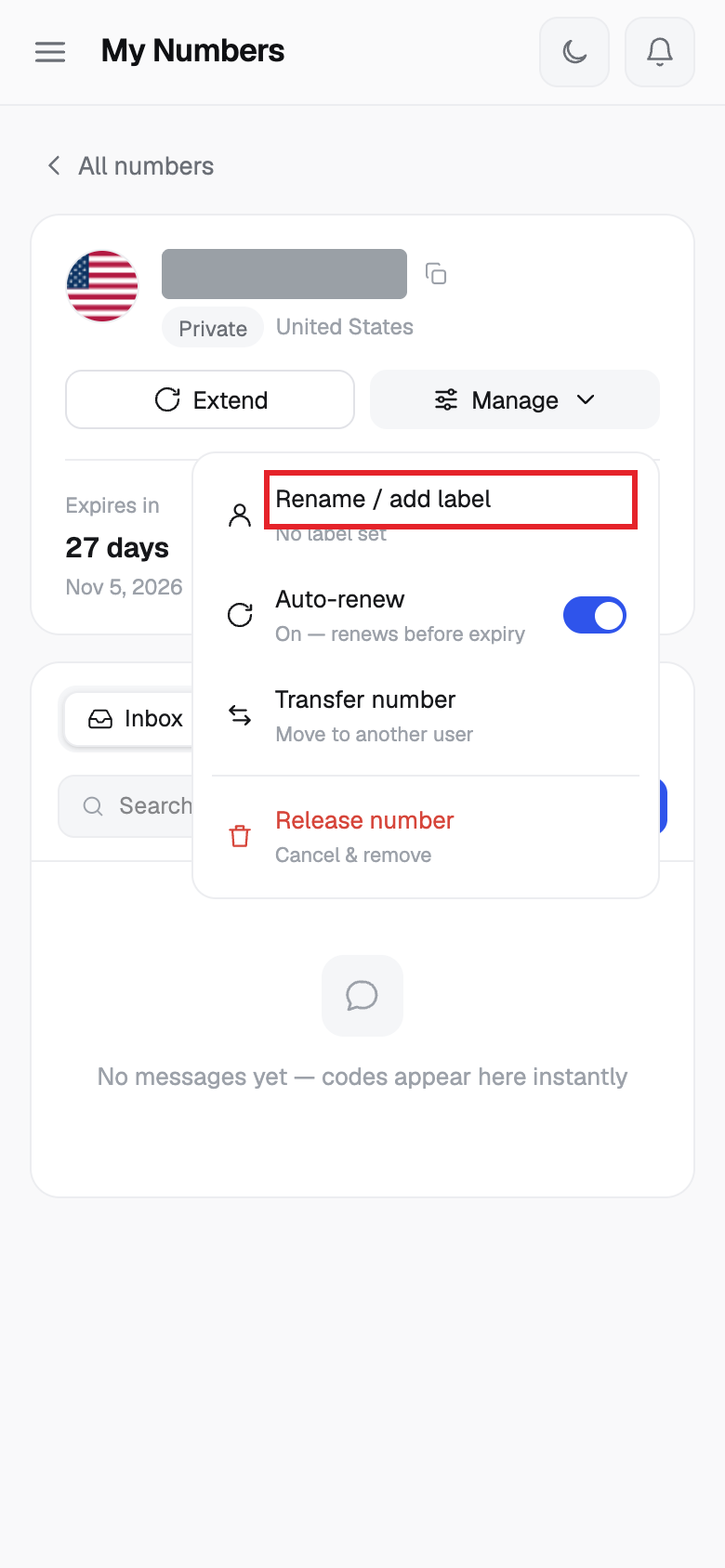
- Click Manage, then click Rename / add label.
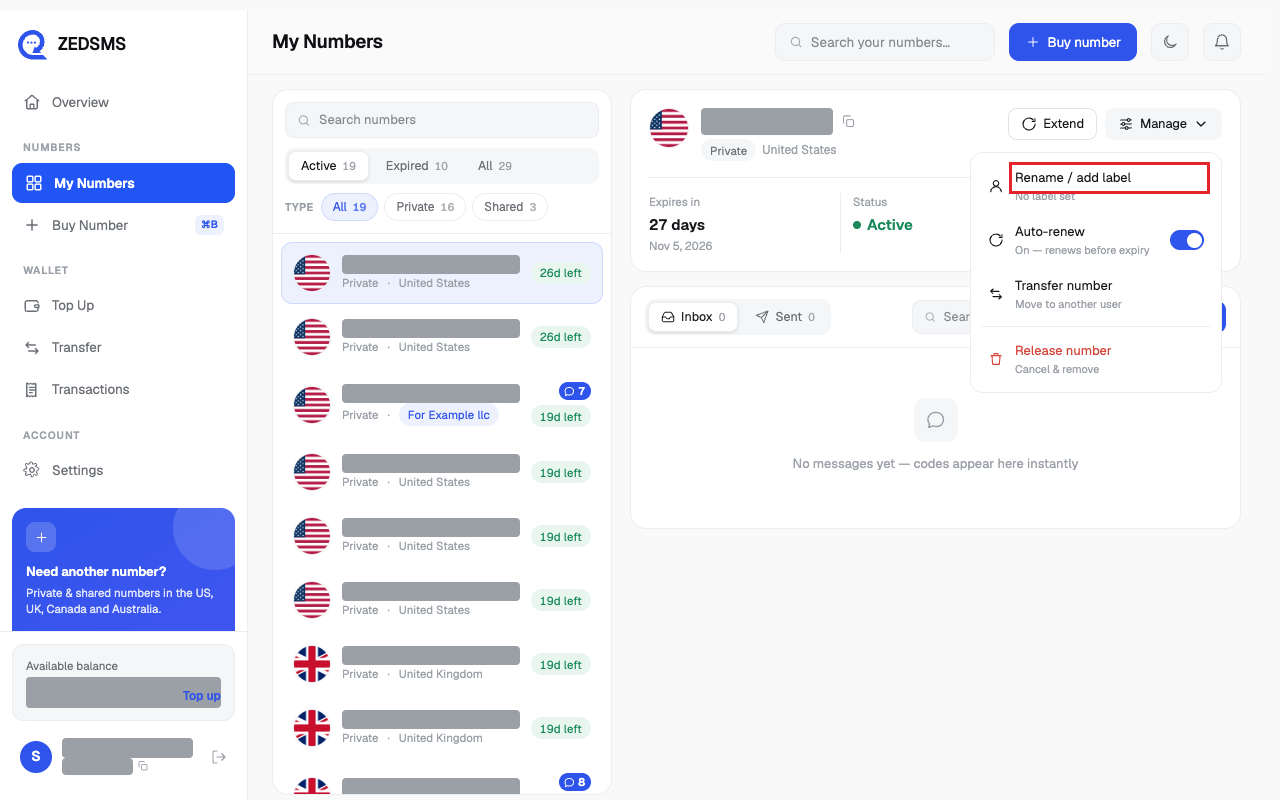
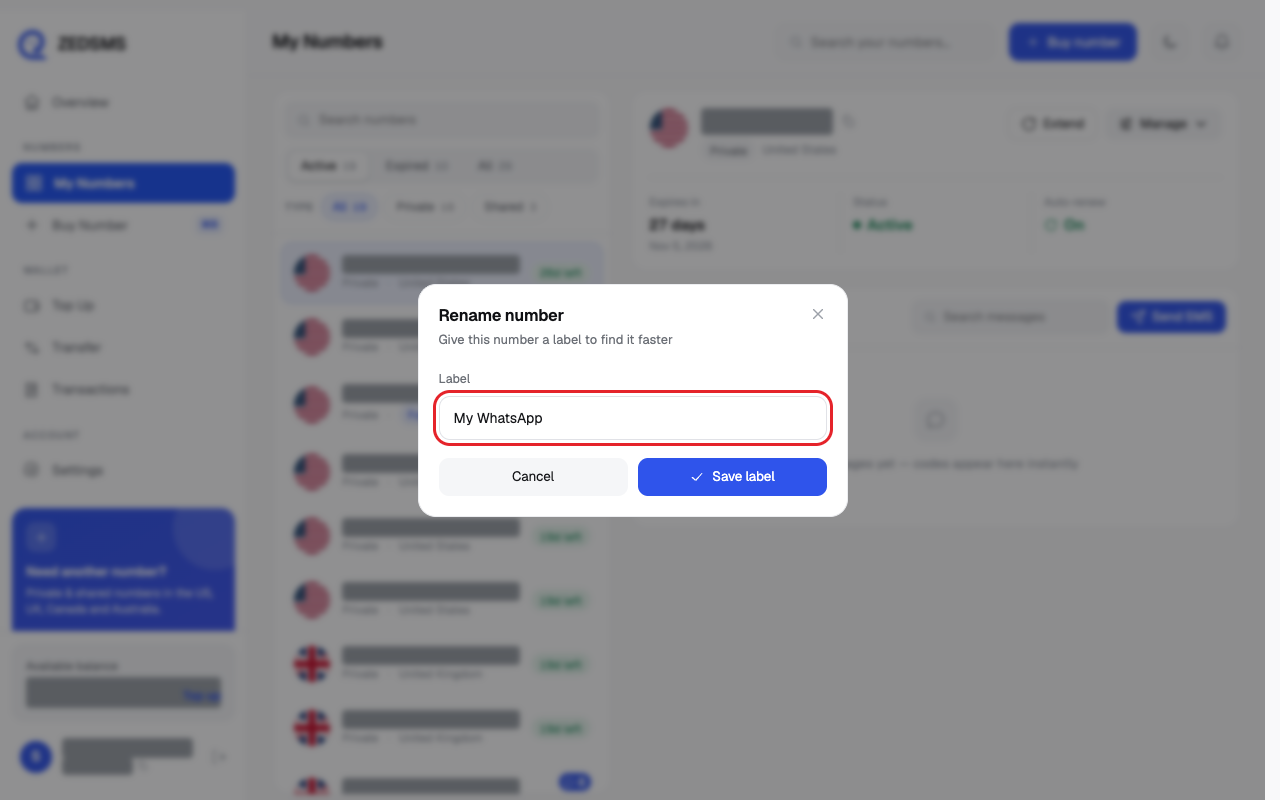
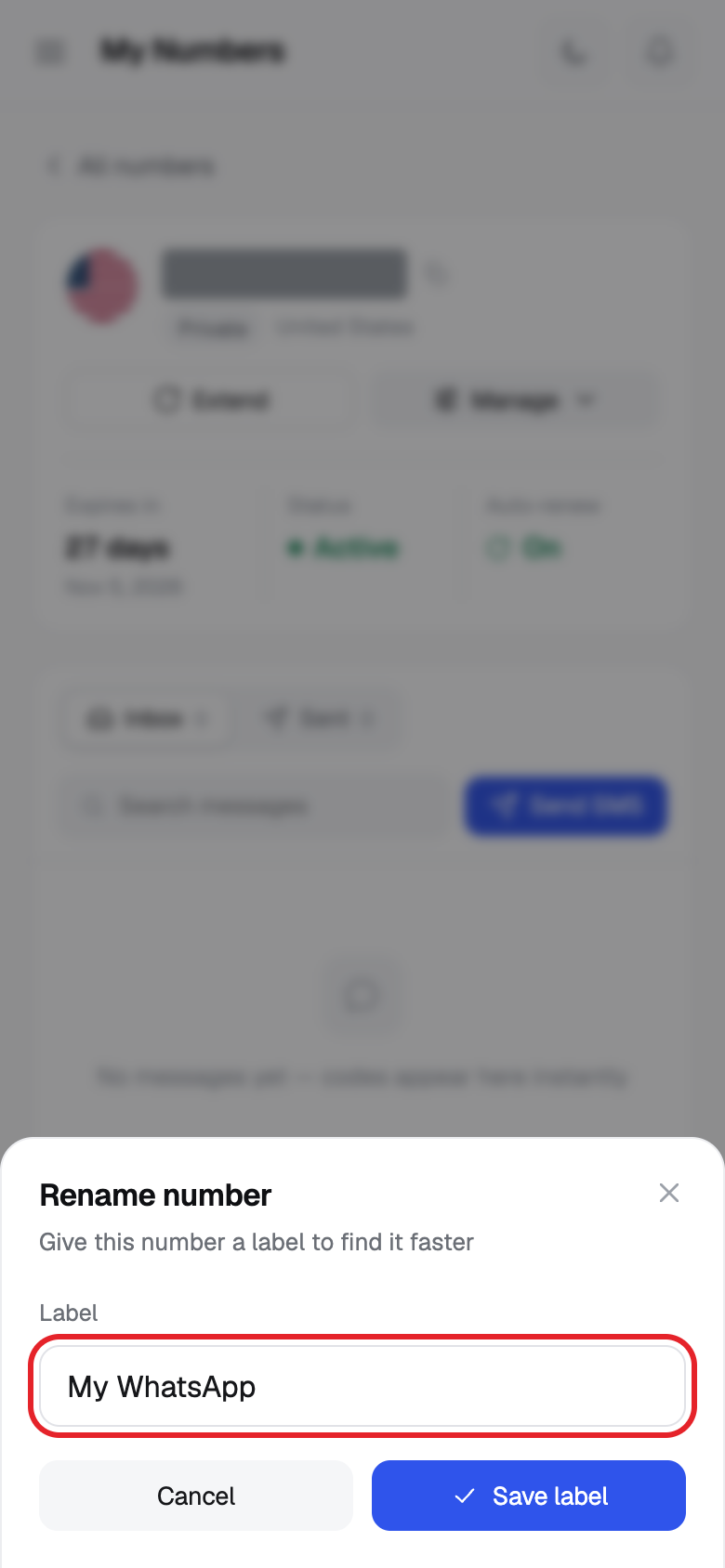
- Type your label in Label.
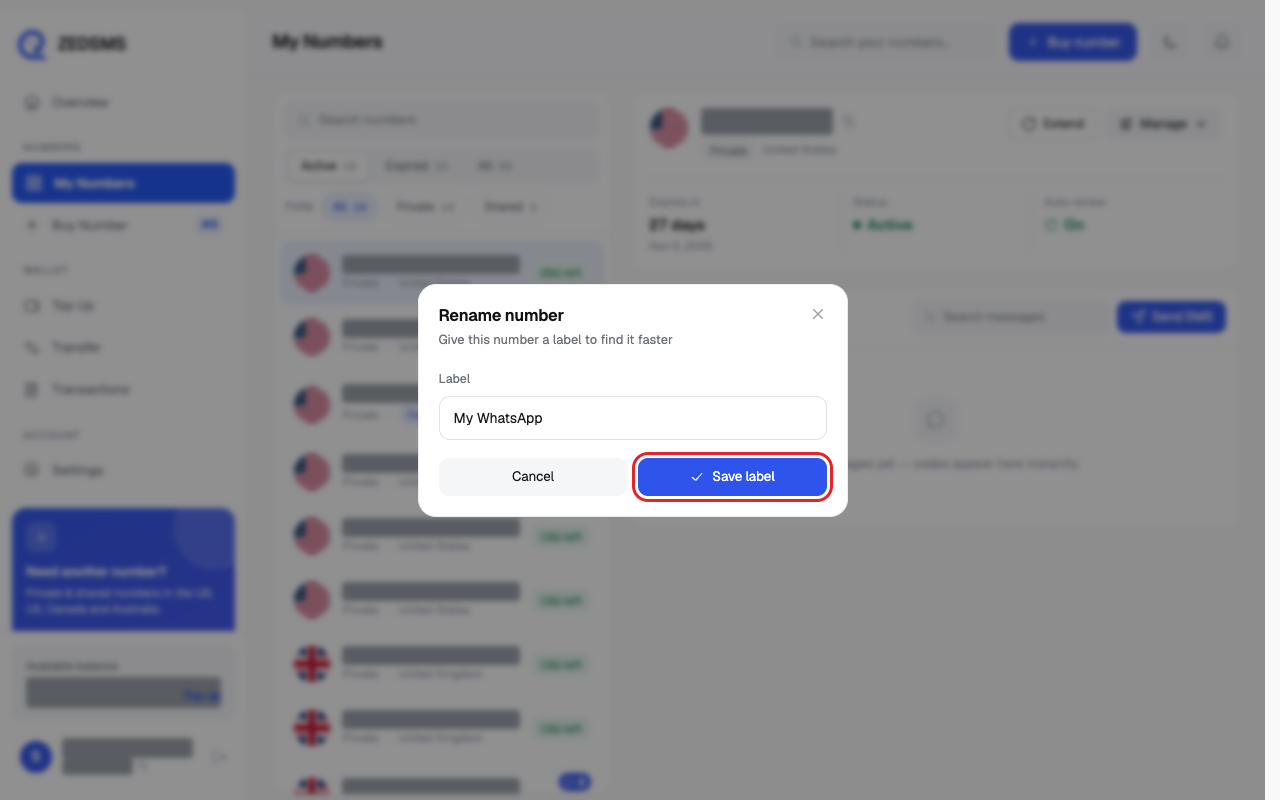
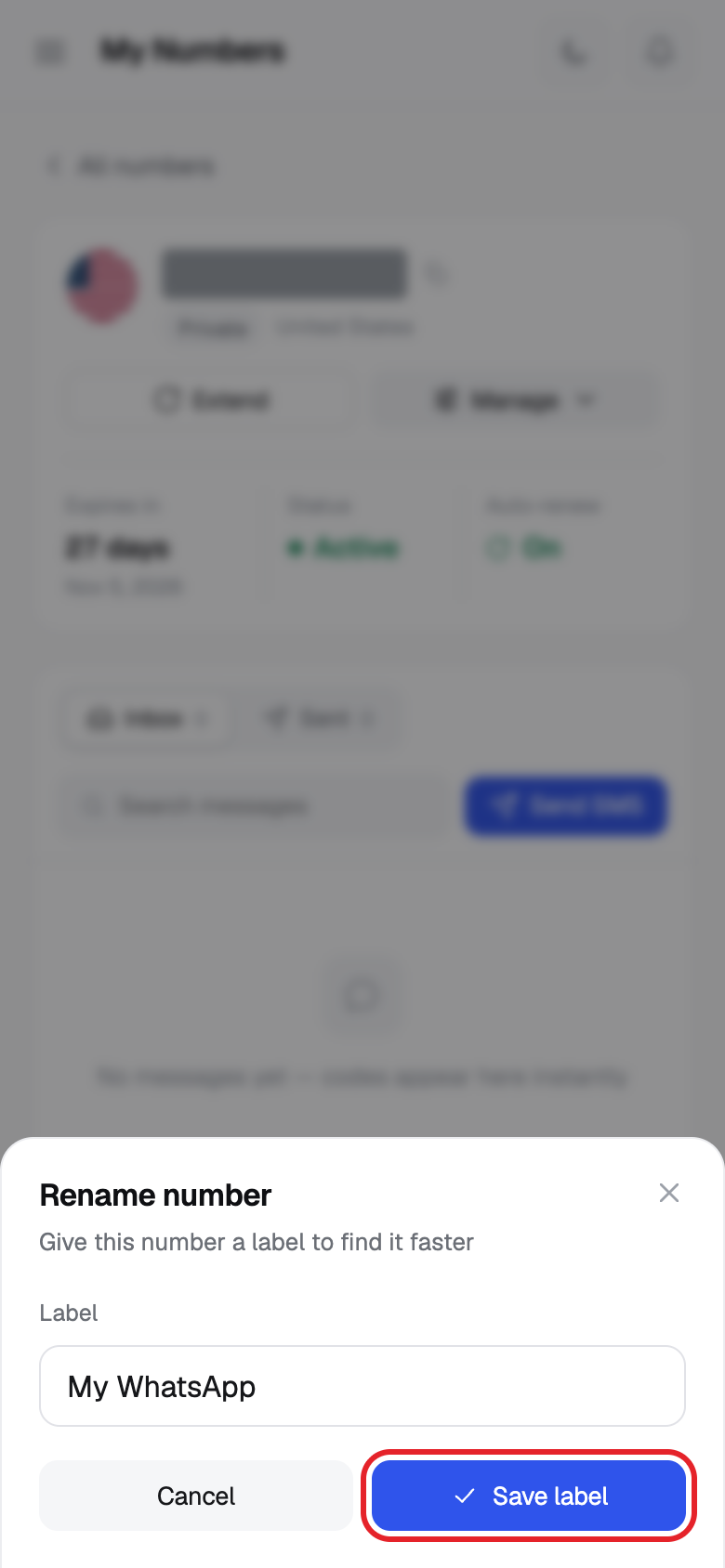
- Click Save label. A message says Label saved.
Using a phone? See the same steps on a small screen
Step 1
Step 2
Step 3
Step 4
Good to know
- To remove a label, clear the box and click Save label. A message says Label removed.
- The label shows in your number list and on the number page. You can search for it.
Common problems
- Failed to rename number Try again.