

See every device signed in to your account and sign out any you do not know.
Before you start
- You are signed in.
Steps
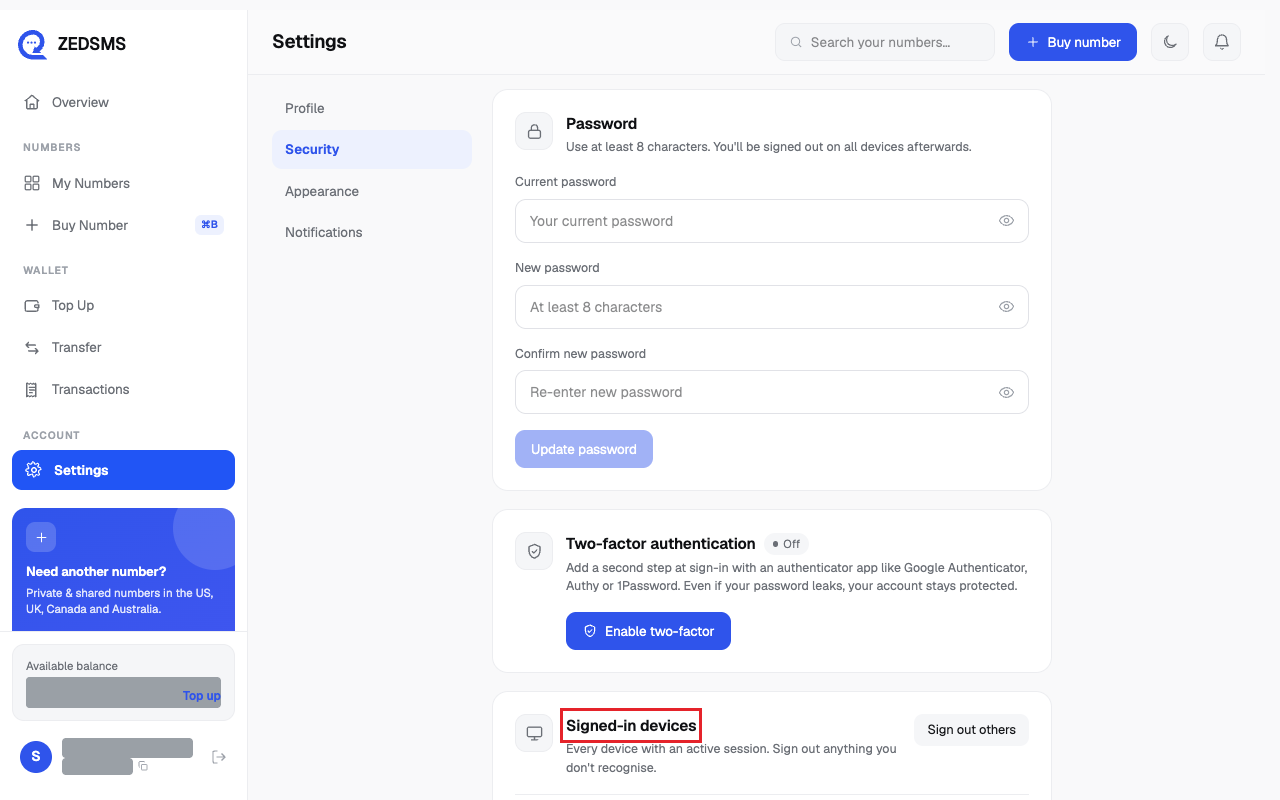
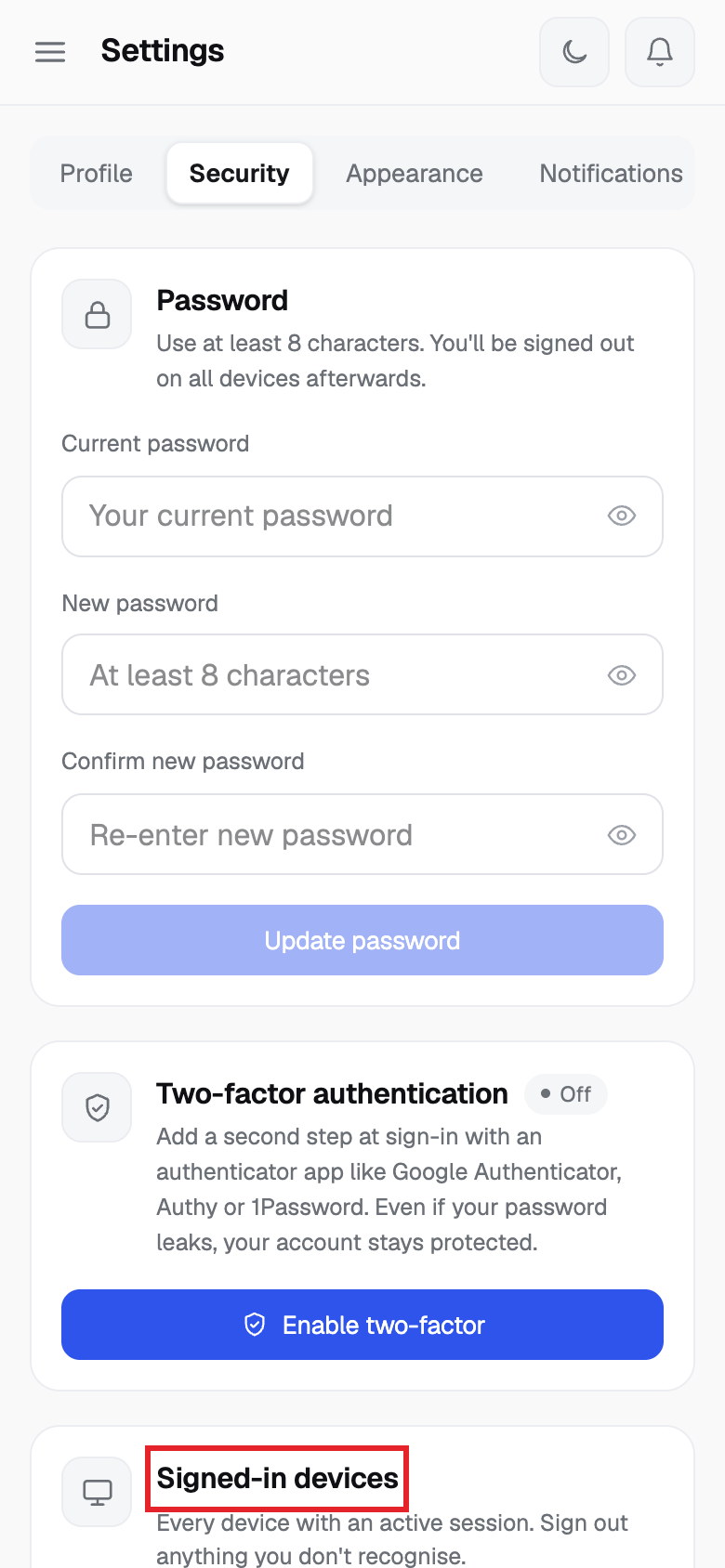
- Click Settings, open the Security tab and find Signed-in devices. Each row shows when it was last used.
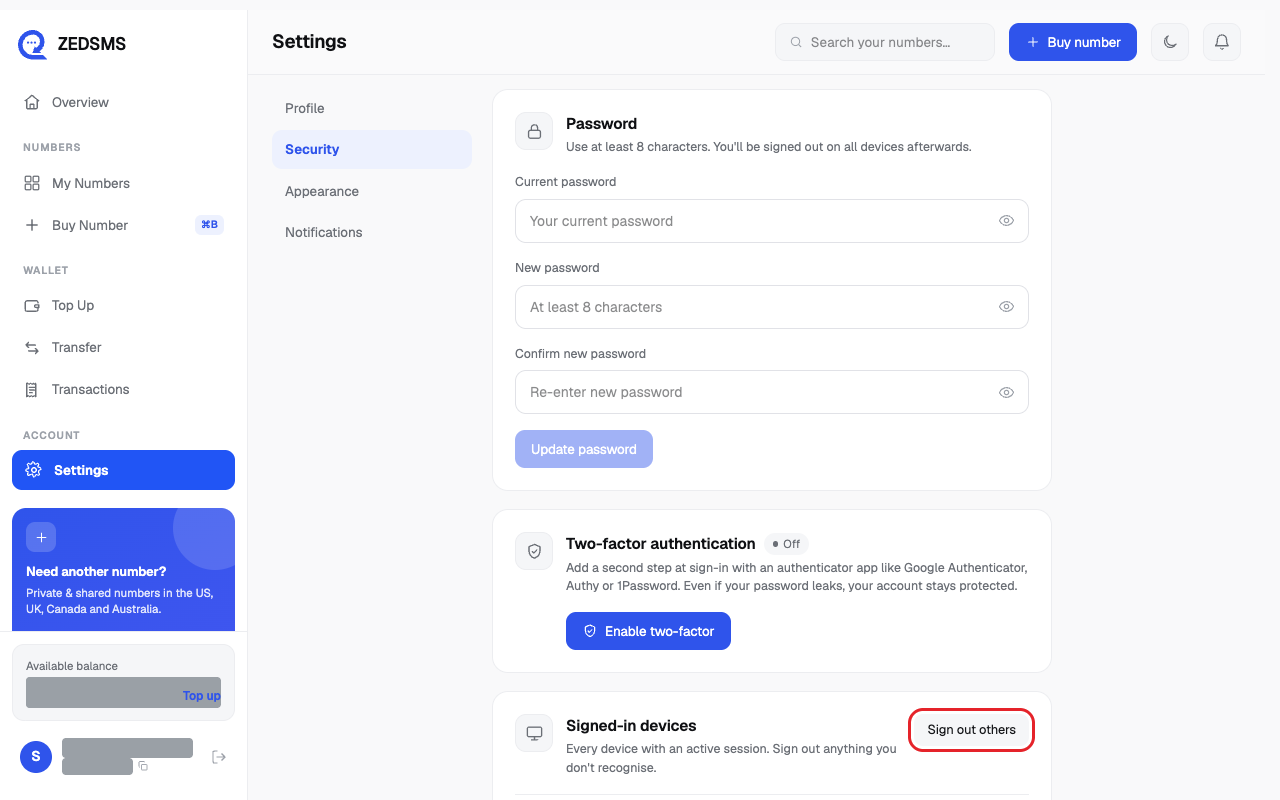
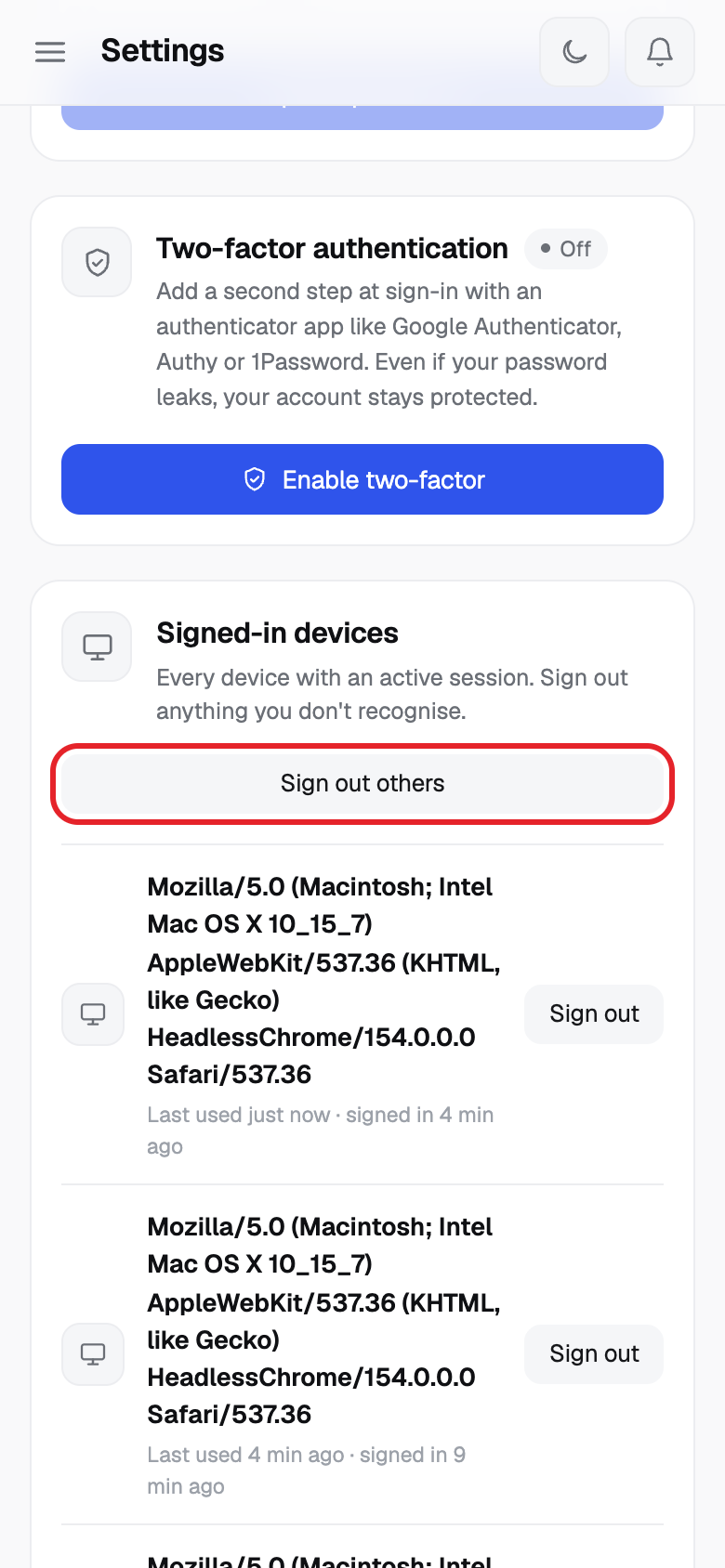
- Click Sign out next to one device. Or click Sign out others to keep only this one.
Using a phone? See the same steps on a small screen
Step 1
Step 2
Good to know
- Signing out the device you are using ends your session here too.
- Sign out others is switched off when you have only one session.
Common problems
- Could not sign out that session Try again.
- Could not sign out the other sessions Try again.
- No active sessions found. Nothing to show.